
Question
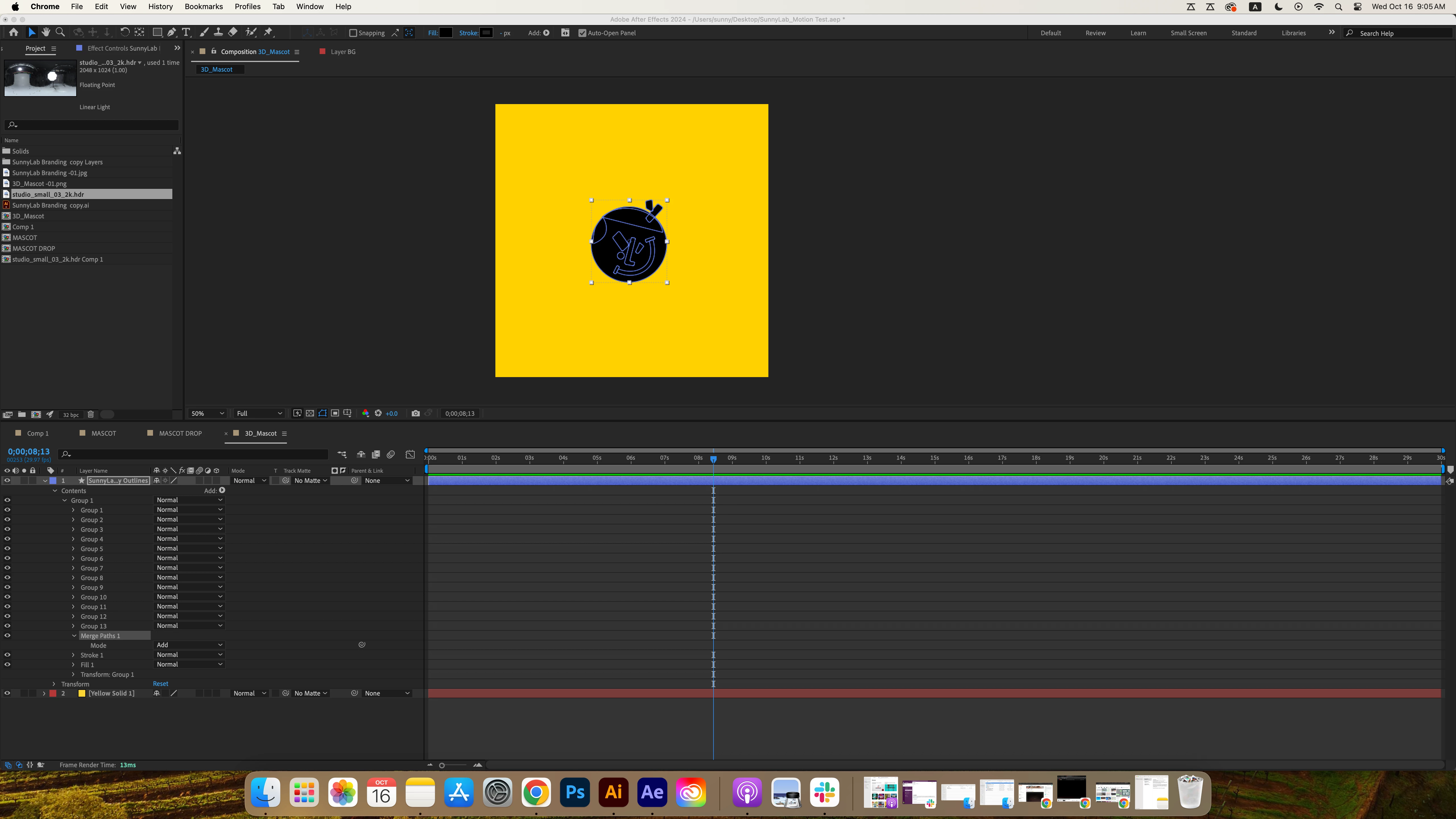
Merge Path Causing shape not properly
Hi everyone,
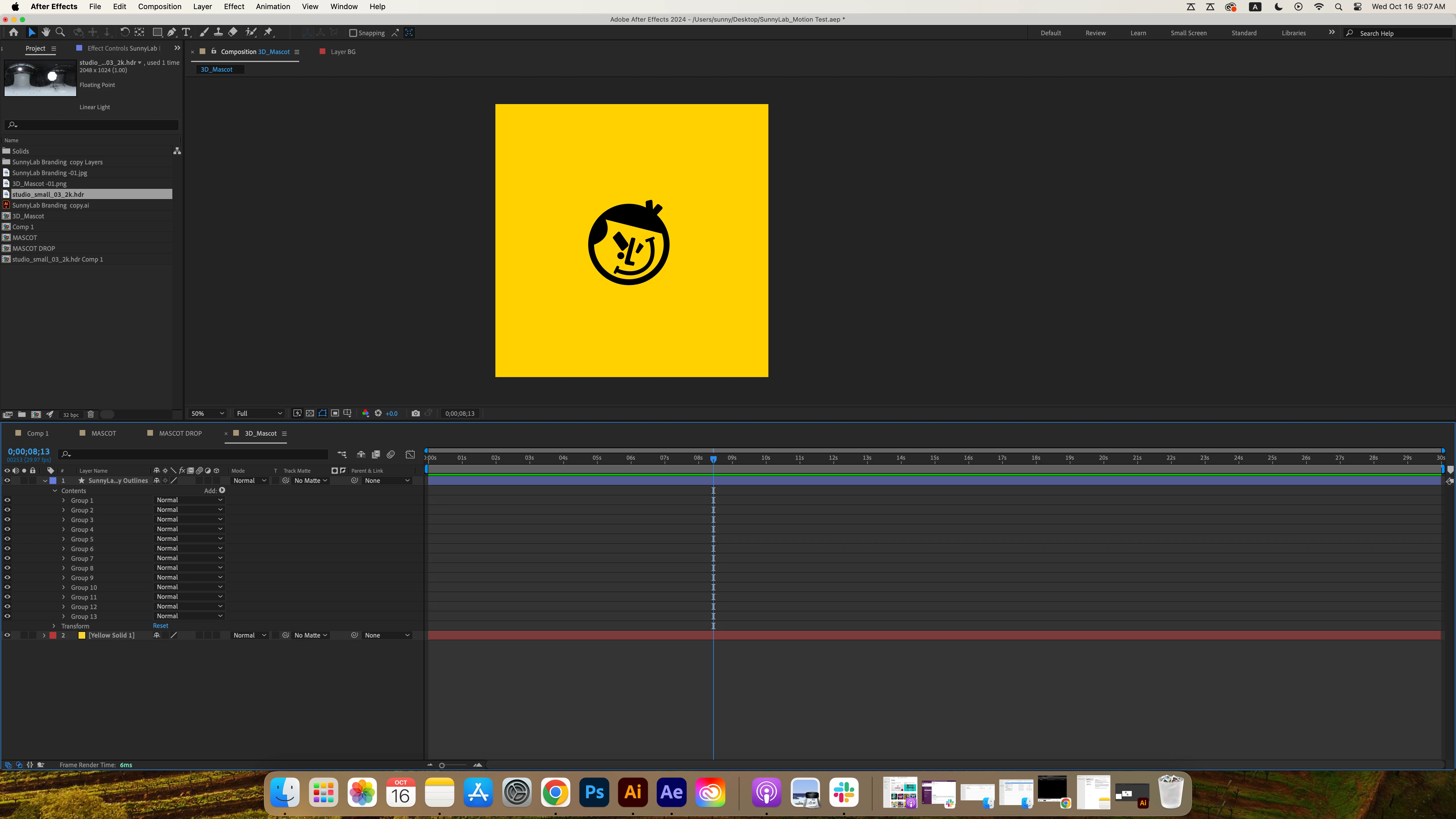
I’m working on a personal project and importing my Illustrator file to AE.
As you can see, I am trying to merge all the groups from group 1 to group 13 using the MERGE PATH tool in the content add property
However, after I added the merge path, all my shapes blended into one block of shape instead of the original design. I’m not sure if this has to do with the order of the group or something else.
Appreciate anybody’s help on this in advance!


 AdChoices