
Answered
Merge Path Subtraction 3D Problem
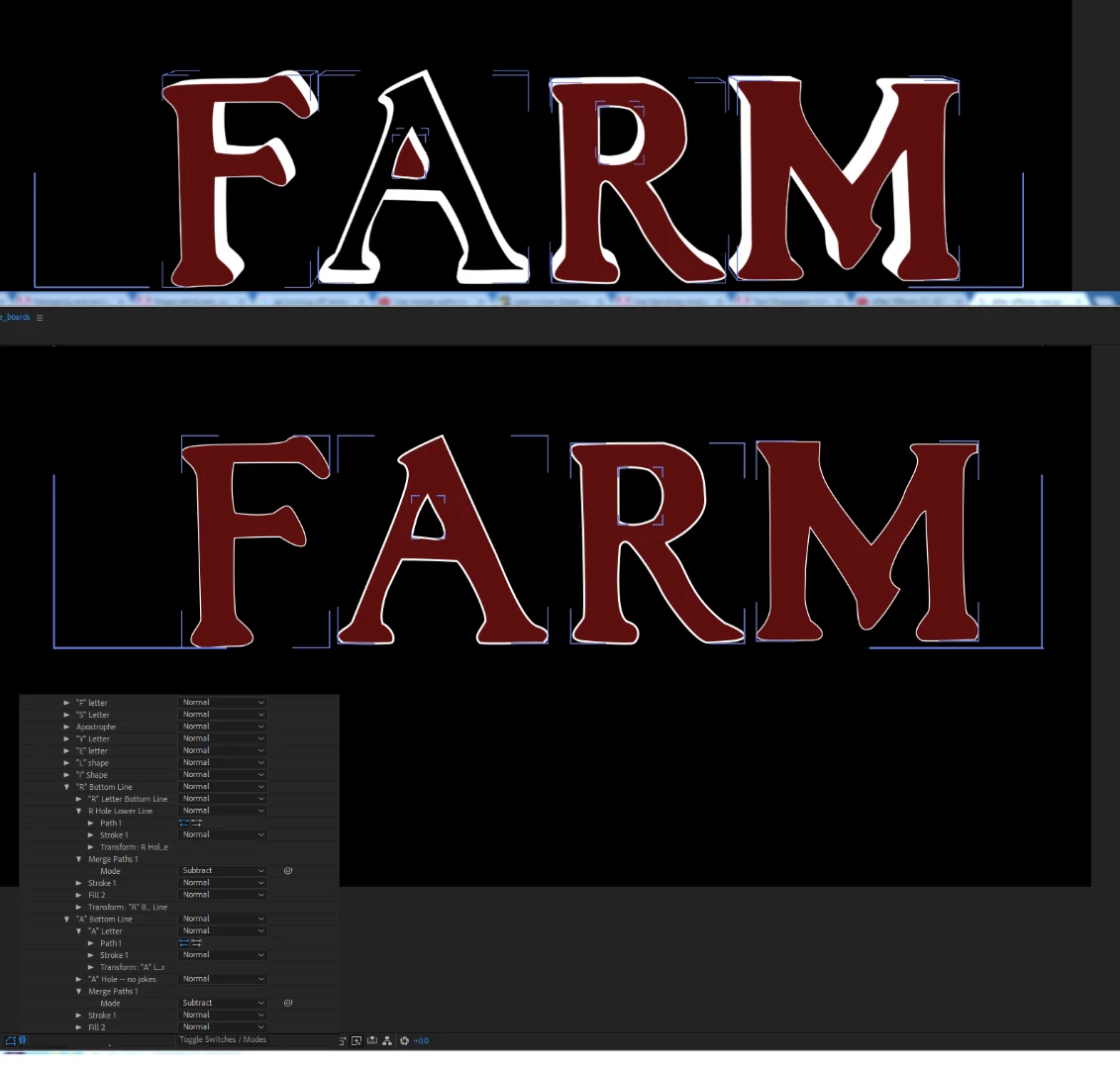
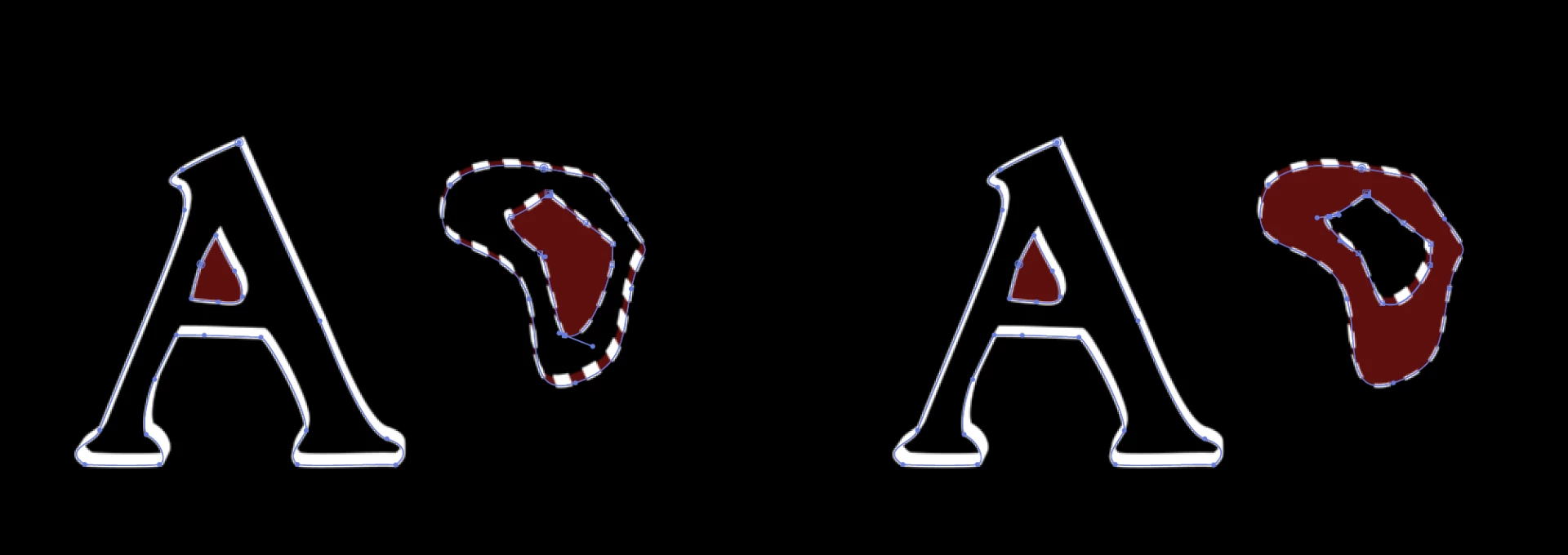
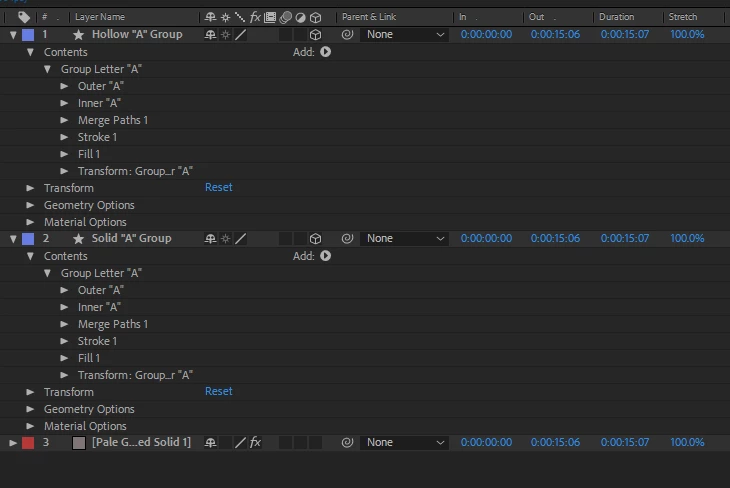
Pardon the newbie question, but I'm learning bezier editing on a shape layer in After effects and I have two groups that behave completely differently when 3D is switched on for the group. If you see the "A" and the "R" in this graphic, you see that in 2D space, (2nd image below) the hole in each letter is removed in subtract mode, but when I switch on 3D, the "A" hollows out and makes the hole solid. I've set up each group the same way, and each of the primary shape paths look the same. The "A" renders as a solid when the hole is removed. Any hints?

 AdChoices