
Inspiring
October 19, 2019
Question

Messy results after using the Content Aware Tool

  • October 19, 2019
  • 3 replies
  • 572 views

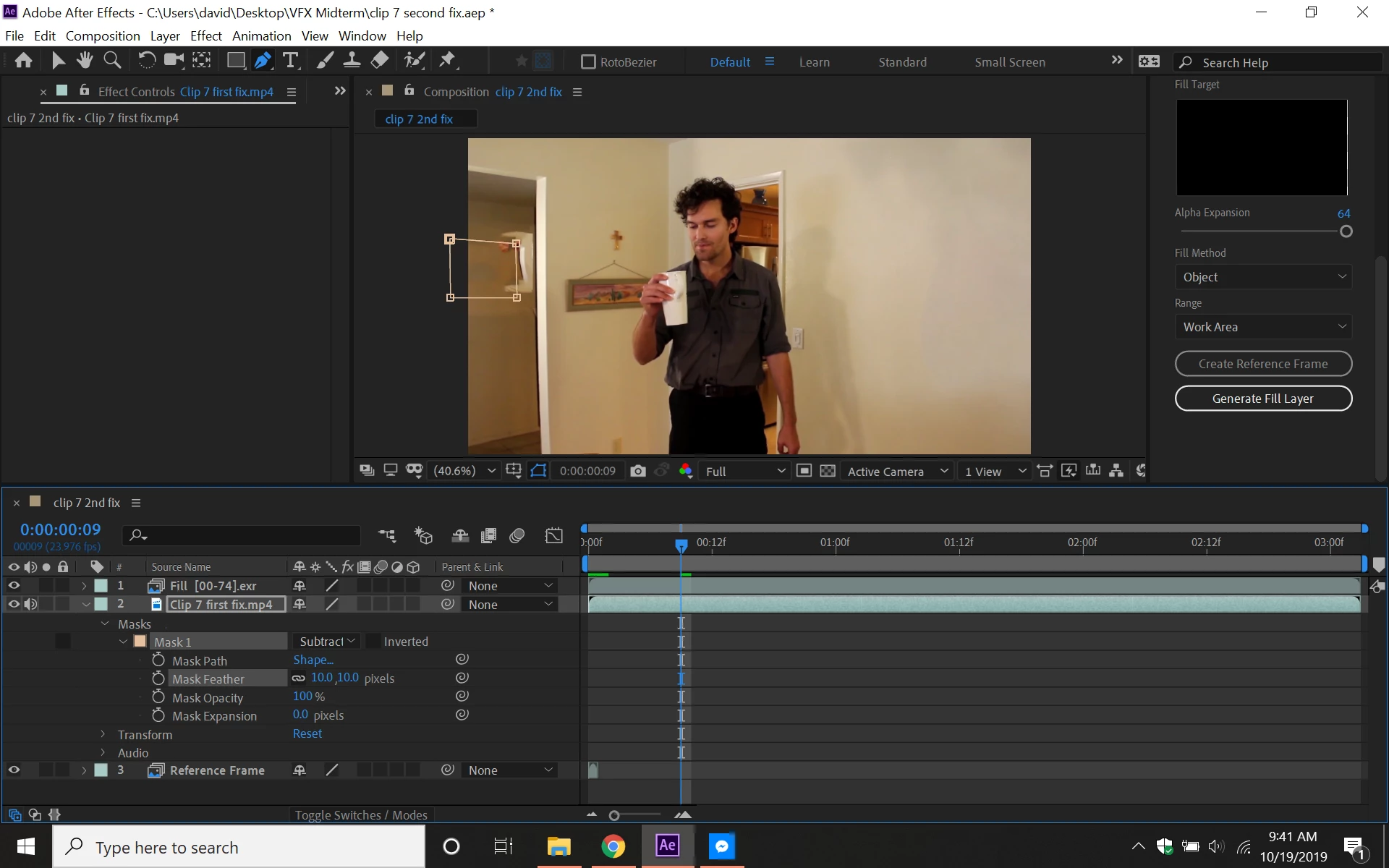
So I was working with the Content-Aware Tool, and this somehow ends up like this in the picture below. Does anyone know how I can fix this? I did the Create Reference Frame thing in Photoshop, tracked the part in the video to get rid of it, and then clicked Generate Fill Layer. It somehow ended up like this. Does anyone know the solution?
    This topic has been closed for replies.

    3 replies

    Community Expert
    October 20, 2019

    If you are trying to fix something on the wall then choosing Surface instead of Object will probably help. You might also need to create some reference frames. I don't see very much around the outside of the mask that can be used to fill that big of a hole. If the camera moves a lot or the actor walks in front of the spot that needs fixing you are probably going to have also duplicate the layer, do some roto on the top copy and add a bunch of reference frames. 


    This looks suspiciously like someone the workflow of someone that did not spend any time with the User Guide or the Adobe tutorials on using CAF. The tool will do a good job but only if you use the tool correctly. For something as simple as fixing a spot on a wall I would probably use motion tracking or corner pin tracking or even the clone tool. It would probably be a lot faster. But then, again, I don't know what the original shot looks like or what you are trying to fix.

    Kyle Hamrick
    Community Expert
    Community Expert
    October 19, 2019

    It's a little tough to diagnose too well with just a still frame. Is it possible to post the video (ideally both before and after) so we have a better context of what you're trying to remove?

    Inspiring
    October 19, 2019

    I don't know what it looked like before you created the fill, but have you tried other Fill Methods? Also, note that you can create multiple refernece frames. If the perspective or lighting changes too much this is a very valuable technique to use. I've had shots with six or more reference frames.