teehugss
Participant
May 15, 2021
Answered

Metcalfe's Law Expression Rig

  • May 15, 2021
  • 3 replies
  • 516 views

Hello, I'm new to expressions and having trouble visualizing metcalfes law

Here is what im working with.
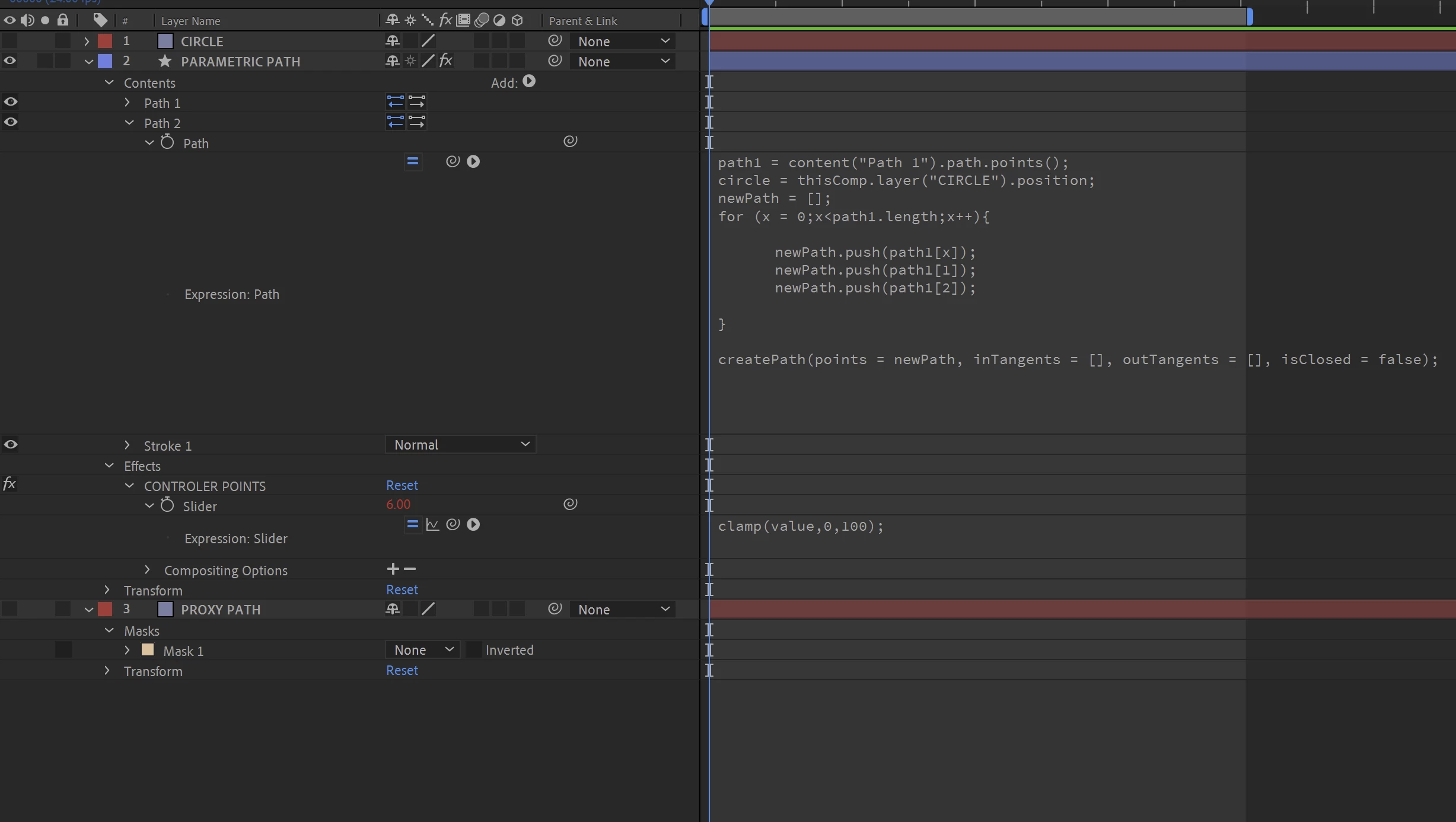
I have a slider that controls the amount of points on the out side layer
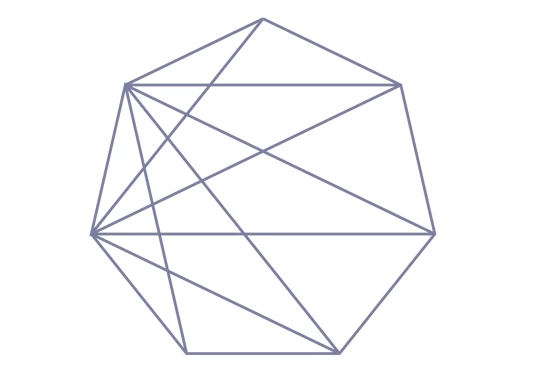
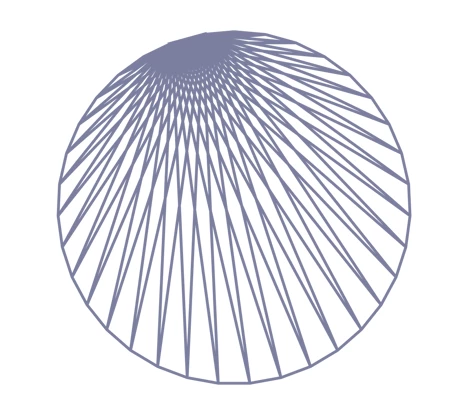
I can add points very easily with the slider, the problem is, I would like each point to connect to every single other point as they get added. Right now I can only get two points to do what I want. This is what im referring to. How would i get all the points to connect?
Also any pointers on how to get circles to add onto each point would be amazing. Something like this, but actual shape objects
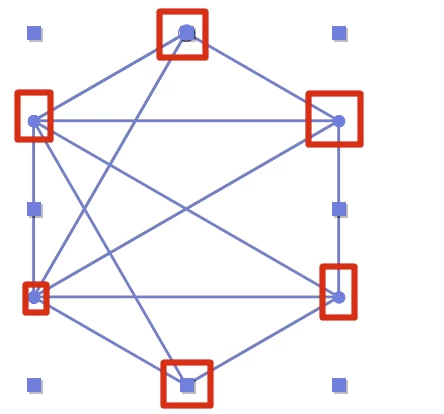
Thanks!


This topic has been closed for replies.
Correct answer ShiveringCactus

What you're trying rang a bell, so I did a quick Google search ( "after effects lines connected" ) and found this tutorial:

https://www.youtube.com/watch?v=85jBbBHBBoo

Does this work for you?

3 replies

ShiveringCactus
Community Expert
ShiveringCactusCommunity ExpertCorrect answer
Community Expert
May 15, 2021

What you're trying rang a bell, so I did a quick Google search ( "after effects lines connected" ) and found this tutorial:

https://www.youtube.com/watch?v=85jBbBHBBoo

Does this work for you?

Mylenium
Legend
May 15, 2021

Long and short: Your approach doesn't make any sense in terms of AE methodology. A classical case of working against the system and expecting it to do things it wasn't designed to do. Point in case: Eventually you will simply run out of mask points and AE won't draw anything and/ or you'll get massive glitches due to how this stuff works. That and of course you can't get any overlays for the nodes' points that way. And that's also why you won't get a proper network connections, either. Your "dumb" code, no offense, simply relies on connecting the path points in the order they are created, meaning on the internal point index. There is no genuine intelligence here. All that being the case, you have to scrap the idea and draw each path on its layer and refactor the code in such a way that all calculations are driven by the number of layers. This also would allow to include the point overlays on one such layer. You would then simply have some code that calculates the layer index to which to connect and which ones to skip over. Or in other words: Your code needs to be much more explicit instead of relying on automatic functions in AE. From a workflow standpoint one would likely even separate the outer circle into its own sub-comp and the inner connections into another for the calculations not to become too complex (and potentially again running into limits such as array lengths in JavaScript). Other than that you can always give the Plexus plug-in a try. Setting up a scenario as yours would take five minutes in it, but of course it costs money...


Mylenium

teehugss
teehugssAuthor
Participant
May 15, 2021

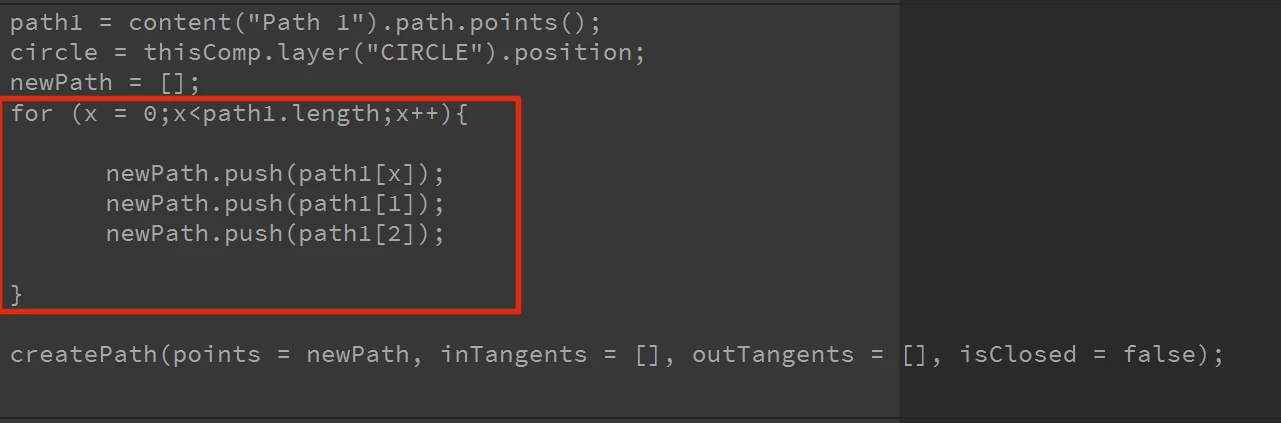
I forgot to include the expressions used on the outside path