Participant
November 5, 2021
Question

MfX file doesn't work on After Effects

  • November 5, 2021
  • 2 replies
  • 587 views

Hi,
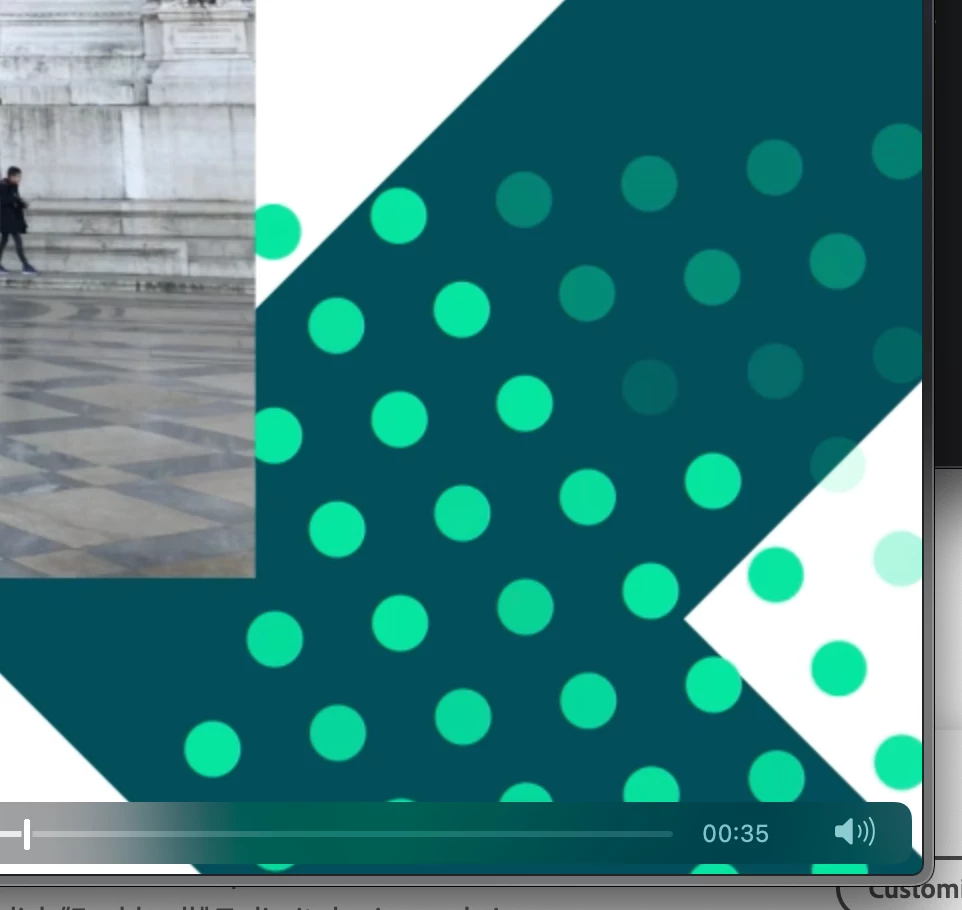
I was taking over a work file from a colleuges and he has imported an MFX file to apply on a background (bottom right corner), which is meant to be partly transparent.

 .        

However, when I open his working file, the transparent effect of the MFX video is gone and leave me with a black background. I have cleaned caches, still the same. We could figure out why.

I'm using Adobe After Effects 2022 (up-to-date), same as my colleuge. I'm using iMac (Retina 5K, 27-inch, 2017) Big Sur.

Thank you.

This topic has been closed for replies.

2 replies

ShiveringCactus
Community Expert
Community Expert
November 5, 2021

My guess is that the footage's Alpha channel data has been lost when opening on your computer.  If you right-click on the file in the Project panel, and choose Interpret Footage > Main, the top section lets you determine how AE will handle the alpha channel (Ignore, Straight, Premultiplied)

See if one of those options sorts this for you.

Failing that, it might be simplest to duplicate the layer and set the lower layer to use a Luma Invert matte.  That's not solving the problem, but it should get you the result you need.  (if the dots become partially transparent, you might need to add a colour correction effect to the top layer to make the hidden dots white.)

Participant
November 6, 2021

Thanks for the help. I have tried the 3 options (Ignore, Straight, Premultiplied), and they all look the same. The closest resume I can get is setting the lower layer as Luma matte (not Luma Inverted matte), but still not exactly the same.

Participant
November 5, 2021

Just realised there's so many typo here
I mean mxf not mfx.
colleagues
not colleuge.
We couldn't figure out why, not could.