
Participant
April 29, 2018
Answered

Missing 3d layer switch

  • April 29, 2018
  • 3 replies
  • 22817 views

In my 2018 version of After Effects I am missing a number of tools in the Comp window including the 3D layer switch. Can anyone tell me how to turn it on.
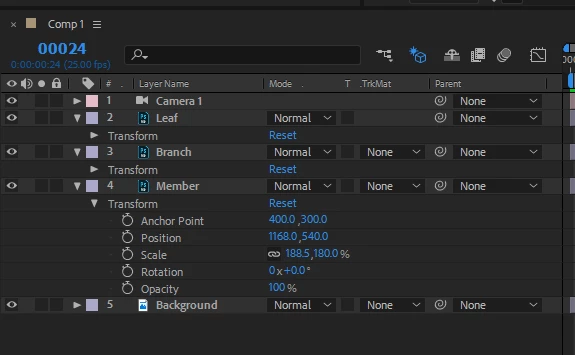
This is how mine looks
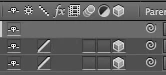
This is what I'm missing

Can anyone help

Cheers Flash

    Correct answer Rick Gerard

    Read up on the UI. Press F4 to switch between Modes and Switches column or use the icons at the bottom of the timeline.

    3 replies

    Participant
    November 29, 2023

    my laptop doesn't have and F keys - is there another way to add this? 

    Participant
    June 30, 2024

    Add the bottom of your screen you will see "Toggle Switches / Modes". Simply click on this and you will find the icon for the 3D layer again.

    Participant
    July 24, 2024

    Worked for me. Thank you!

    The F4 did not work, anyone knows why?

    Participant
    April 29, 2018

    Hi Rick,

    Thank you Sooo much. Such an easy fix when you know how but it's been doing my head in.

    Cheers Flash

    Participant
    May 19, 2022

    F4 worked for me too

    Rick GerardCommunity ExpertCorrect answer
    Community Expert
    April 29, 2018

    Read up on the UI. Press F4 to switch between Modes and Switches column or use the icons at the bottom of the timeline.