
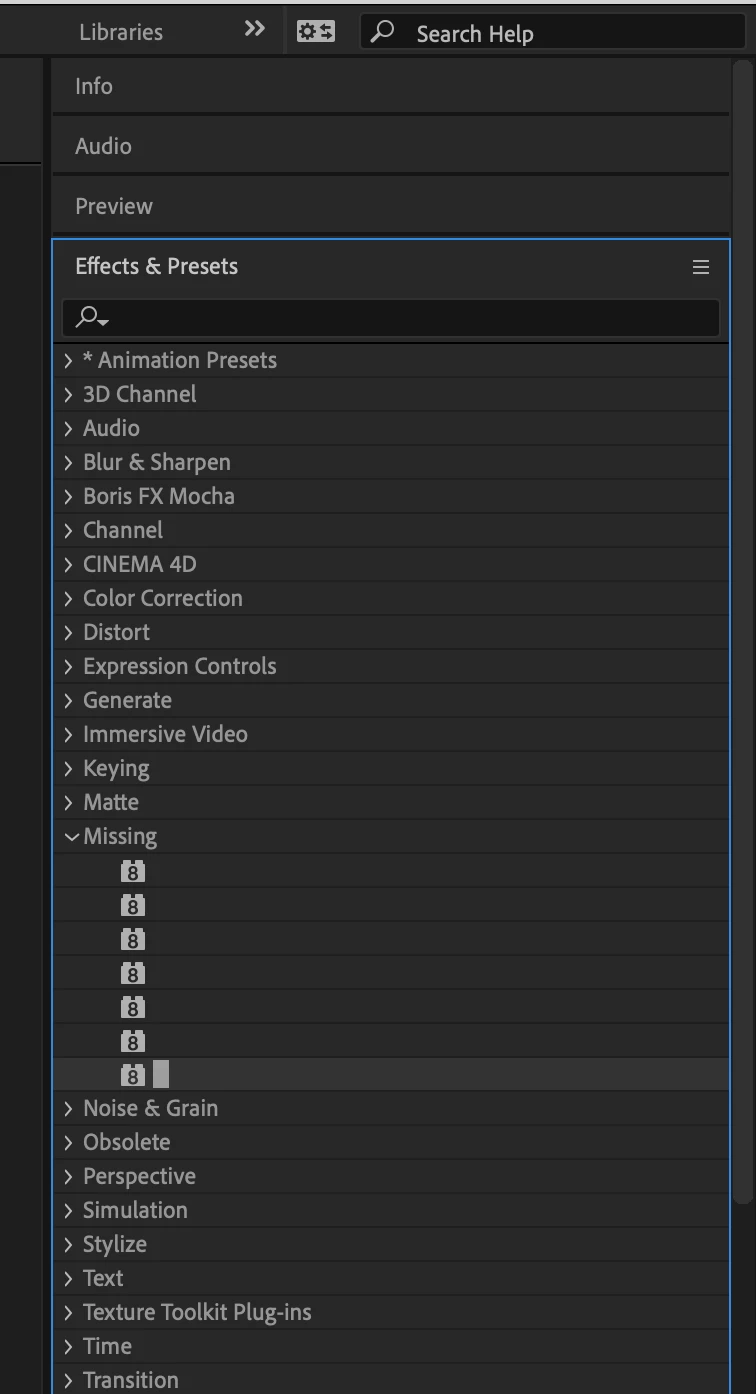
"Missing" category/folder in Effects & Presets
After I've opened AE (18.4.1) on my Mac, the first time I expand "Effects & Presets" I get the beachball and it takes several minutes (not exaggerating) to show available effects and presents. All the times I go to effects after that it is as fast as you could hope. Selecting "refresh list" for effects takes very little time.
There is, however, a folder/category in my list of effects labeled "missing" which I'm wondering is another symptom of the issue. Of course, because they're missing I can't browse to find them in the file browser on Bridge. If I apply one of these 7 missing effects I get 1 or 2 effects controls options that don't do anything. How do I get rid of these "missing" effects?
What else can I do to avoid this daily interruption to my flow apart from rebooting and closing AE as infrequently as possible?
Thanks - Martin


 AdChoices