
nilleg57851248
Inspiring
Nov 23, 2019 11:03 AM UTC
Answered

Missing files in After Effect

I have made several AE comps, and saved them.
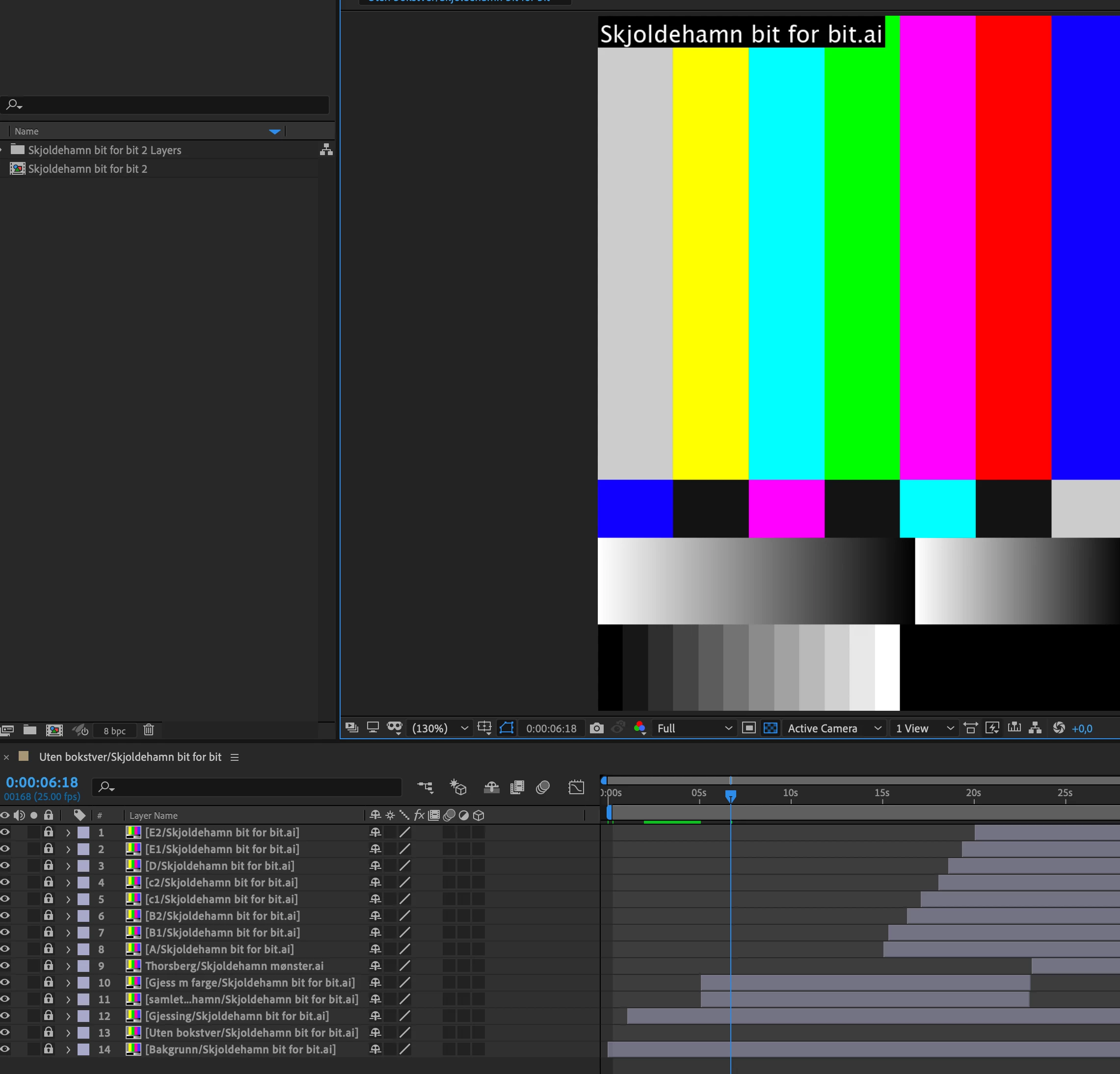
When I now will open them I get a message telling that the files are missing. Why??

Martin_Ritter
Martin_RitterCorrect answer
Legend
Nov 23, 2019 4:20 PM UTC

Make sure that the files are existing and that the path they are located is identical to the path you see in AE project panel (expand the folder to see the AI files).

If so, right click one file and replace the file with itself. This should find all the others. You can also right click an reload the footage.


*Martin

4 replies

tutkut28614458
Known Participant
Oct 12, 2025 6:31 PM UTC


This handy tool allows you to select a master path and instantly fix missing items by scanning all folders and files.
https://motionape.notion.site/Relink-Missing-Files-281b2a6858f880b490f7cd8e14d8e3a1

Translate
nilleg57851248
Inspiring
Nov 23, 2019 11:30 AM UTC


It seams to be the same for all my ae comps!!! Help 🙂


Translate
Martin_Ritter
Martin_RitterCorrect answer
Legend
Nov 23, 2019 4:20 PM UTC

Make sure that the files are existing and that the path they are located is identical to the path you see in AE project panel (expand the folder to see the AI files).

If so, right click one file and replace the file with itself. This should find all the others. You can also right click an reload the footage.


*Martin

Translate
nilleg57851248
Inspiring
Nov 23, 2019 4:43 PM UTC

Thank you 🙂 But why do that happen? I had not moved or reorganised the file. But the reloading worked well 🙂


Translate