
Mocha Tracking - Planar Surface Goes Way Off On a Simple Track
Hi,
I've been doing some work with Mocha lately, and the community has already helped me with my previous case, but now I'm doing a screen replacement that's not with a green screen. I watched some tutorials from Boris FX, but I'm not sure if there's something else I should be learning to deal with the case below.
I've tracked a TV screen with the X spline tool and have manually adjusted the track. But then when I turned on the planar surface it goes way too off during the track. I went into the Adjust Track section and created points so I can adjust the deviations.
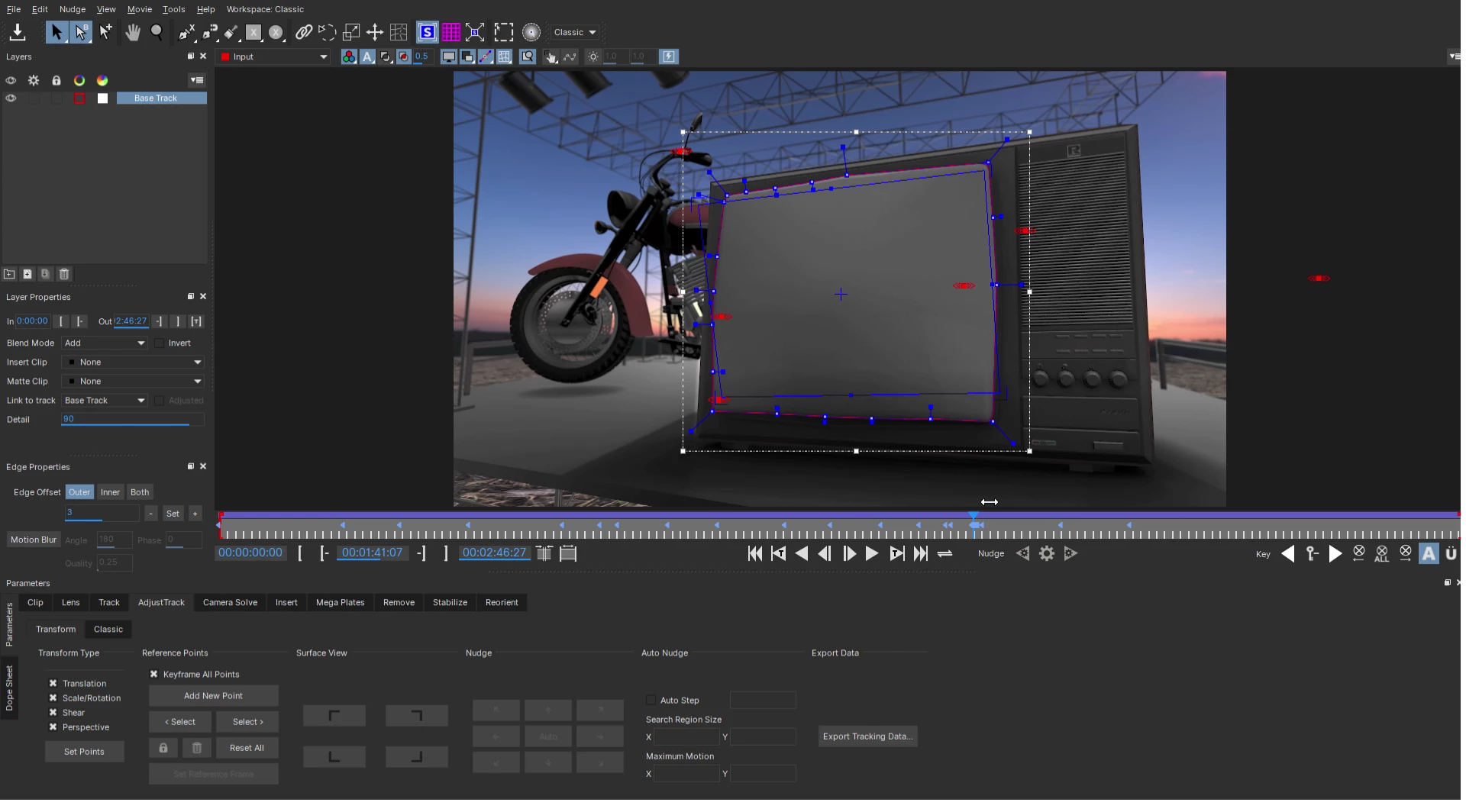
The first time I tried to do this, I got to a moment when every adjust moved the points way too distant from the planar surface's corners, and after a certain point the track gets way too distorted and I don't know which point where to move so it can be corrected. It becomes impossible to adjust. You can see an example for this below:
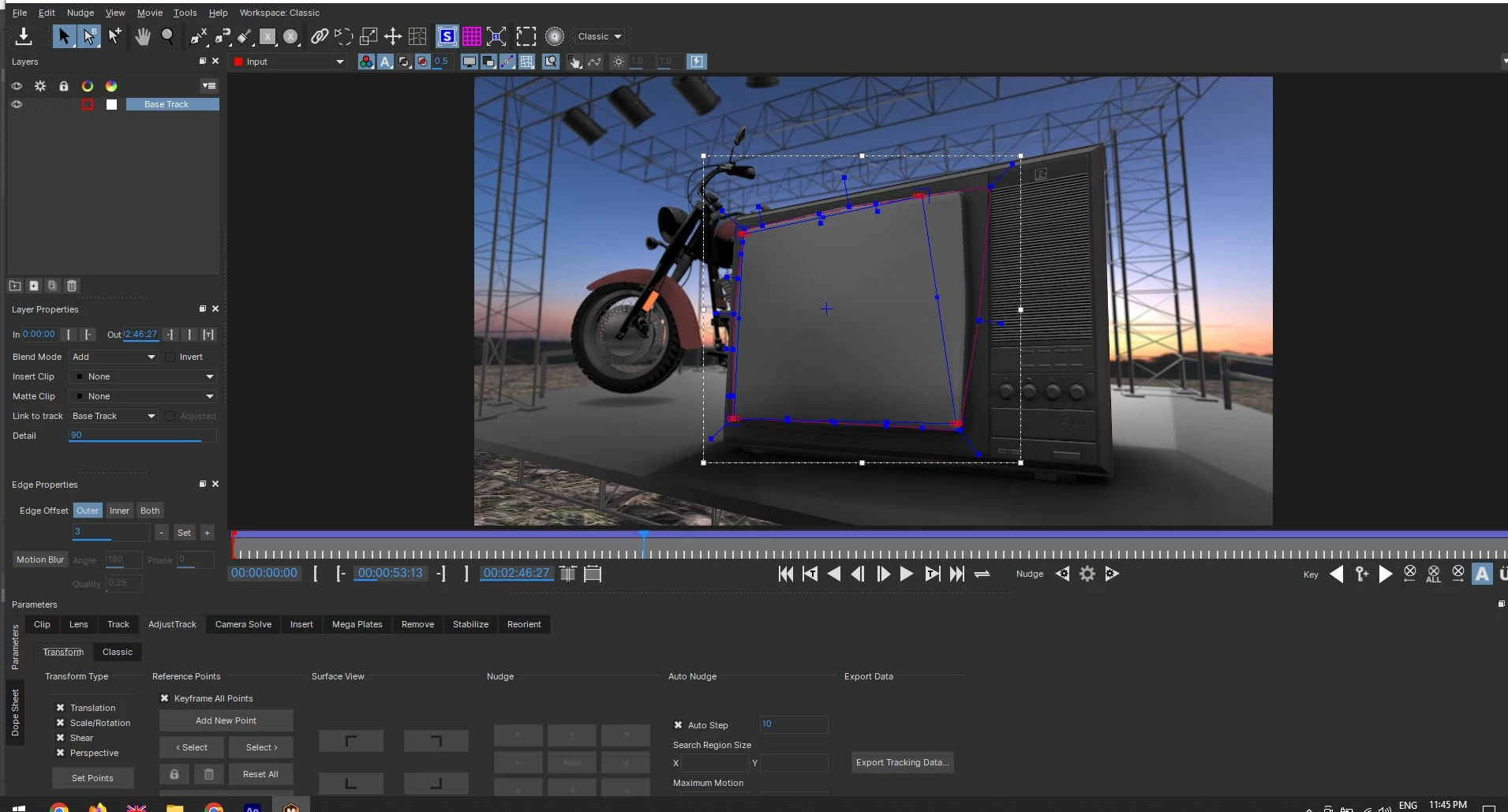
The second way I tried was to activate the Auto Step option in the ADjust Track section and nudging manually through the clip forward, because when I hit auto nudging, it doesn't do a good job on it. Another problem the surface movement causes is a displacement of the x spline track, and I don't know why. At least with this way, the points I create in the adjust track section don't move away from the surface's corners and I'm able to do the adjustments. You can see a screenshot from this below:
My question is - why does the planar surface distort so much, when there's only small and slow movement in the clip, there isn't much going on in the first place that would cause that? And is there a way to automate the adjustment of the planar surface and the x spline mask, because if I have to go frame by frame to adjust both, I'll be spending a lot of time doing this until the end of the clip. I'm also uploading screen recording clips to demonstrate both cases with the Mocha track: https://we.tl/t-BOJdvQQso1
Thanks to anyone who decides to drop some knowledge here!


 AdChoices