
MahaB82A
March 19, 2025
Answered

Mode Effect

  • March 19, 2025
  • 2 replies
  • 536 views

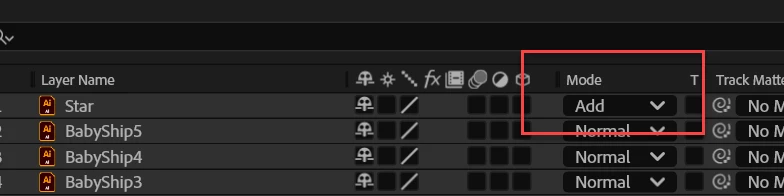
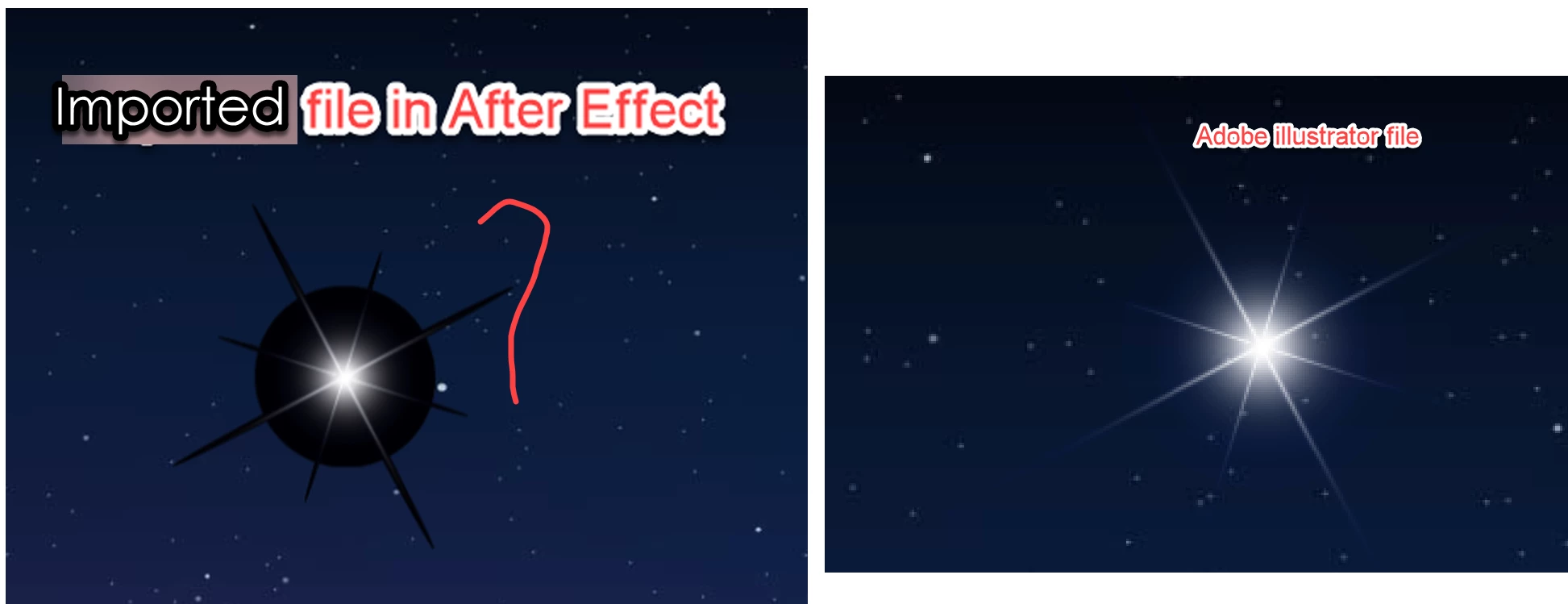
There is a star image in Ai file. This Ai file is imported to Ae. In Ae a black backgroud[BG] is appeared around the star image. In Mode switch "Add" option is selected to remove the black BG around the star image. What is the reason behind getting a black BG?


Correct answer nishu_kush

Thanks for sharing the file. Switching the blending mode to Add or Screen works for me. It is happening because the star is built that way. Screen blending mode is used in Ai as well.

Hope it helps.


Thanks,
Nishu

2 replies

Warren Heaton
Community Expert
Community Expert
March 19, 2025

Is the black background hidden in Ilustrator?  If so, it should not need the Blending Mode changed to hide it.  Also, Add doesn't remove black entirely.  For that, you want a third-party effect called UnMult (short for Unmultiply).  

If the star object in the Illustrator file is white and the background object is black, an alternative approach is to use Star.ai as a Luma Matte where white reveals and black conceals.  


nishu_kush
Legend
March 19, 2025

I see the issue. Do you mind sharing the .Ai file with me to test?

Looking forward to your response.


Thanks,
Nishu

MahaB82A
MahaB82AAuthor
March 19, 2025
nishu_kush
nishu_kushCorrect answer
Legend
March 19, 2025

Thanks for sharing the file. Switching the blending mode to Add or Screen works for me. It is happening because the star is built that way. Screen blending mode is used in Ai as well.

Hope it helps.


Thanks,
Nishu