


Modifying linear interpolation methods for different curves.
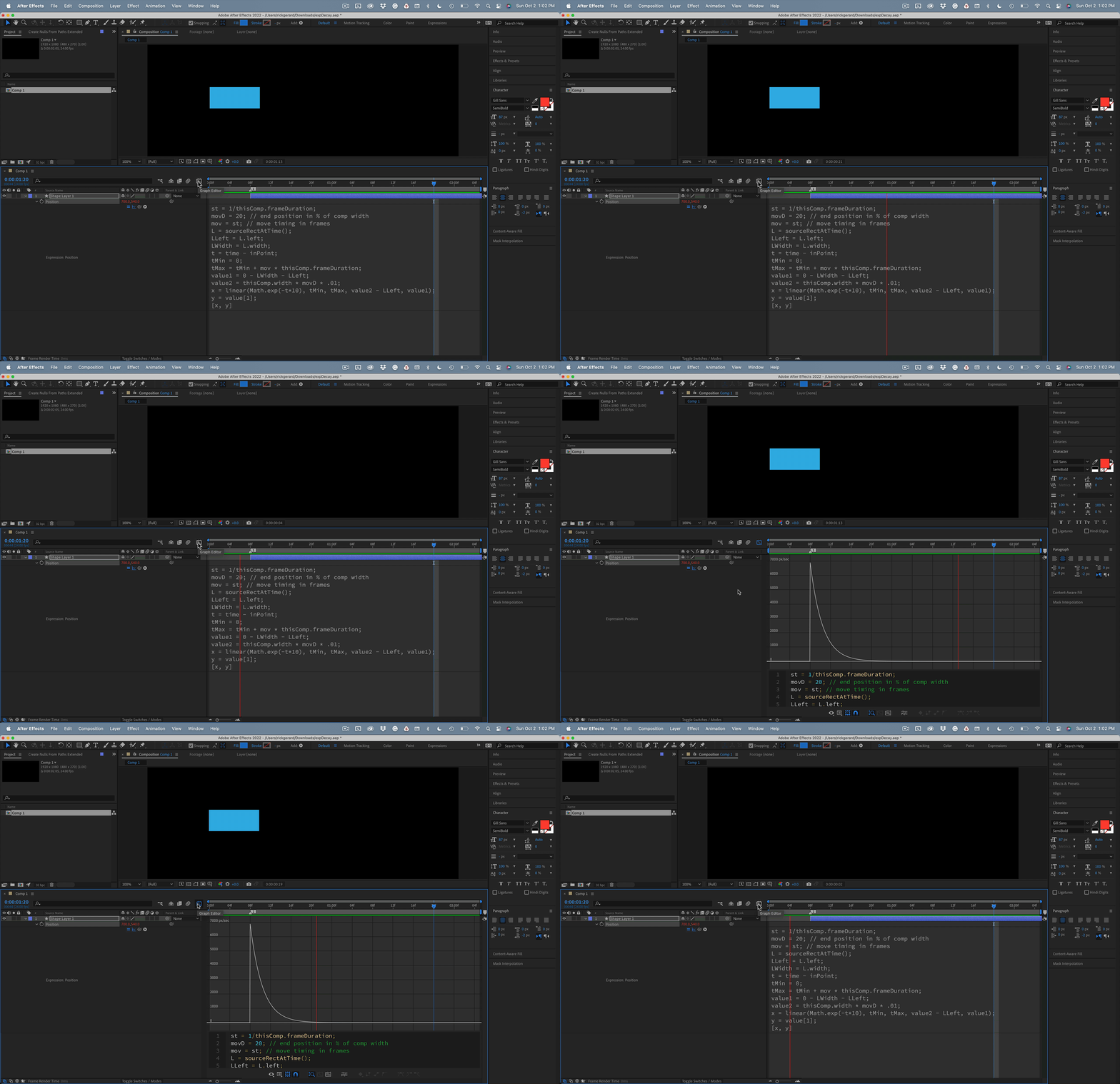
I have successfully modified an expression to give me an exponential increase in speed based on a layer's in-point. I'm having problems with an exponential decrease in speed. I guess what I am trying to do is modify the ease-out curve.
Here's what I have so far:
st = 1/thisComp.frameDuration;
movD = 20; // end position in % of comp width
mov = st; // move timing in frames
L = sourceRectAtTime();
LLeft = L.left;
LWidth = L.width;
t = time - inPoint;
tMin = 0;
tMax = tMin + mov * thisComp.frameDuration;
value1 = 0 - LWidth - LLeft;
value2 = thisComp.width * movD * .01;
x = linear(Math.exp(-t*10), tMin, tMax, value2 - LLeft, value1);
y = value[1];
[x, y]
Math.exp(-t*10) will give me about a half-second duration for the animation. If I set the "move" variable to 1/frame duration, the move will start at the layers in-point. What I want to do is be able to set the "mov" value to the number of frames it will take to bring the layer to a stop. I can get close by changing the "t" multiplier. Smaller numbers increase the time.
The expression I have come up with works, but I haven't figured out to define the ending point of the animation and control the curve.
Any suggestions would be appreciated.
I'd like to give a shout-out to Dan Ebberts. If anyone has a solution at the top of their head, it is Dan.


 AdChoices