
Known Participant
August 25, 2025
Answered

Motion blur button not turning blue in After Effects v 25.4 Windows 11 Pro

  • August 25, 2025
  • 1 reply
  • 290 views

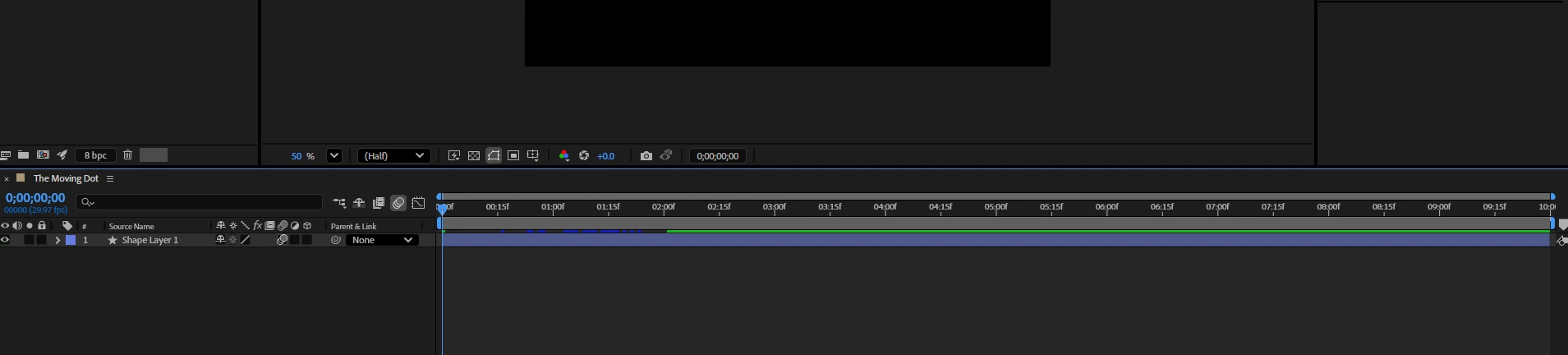
However many times I click on the master motion blur icon, it does not turn blue. There is a simple moving from one point to another. Even if I click the layer motion blur, it appears grey. Either the state of the switch is with a grey background or not, but never blue.
 

Correct answer nishu_kush

This behavior was changed in version 25, when Spectrum UI was introduced. It applies to all the switches that use a blue highlight. This is just a UI change; it doesn't change the functionality. Here's a screenshot from the 24.6 version, in which highlights are blue.

Hope it helps. Feel free to reach out if there are any other questions.


Thanks,
Nishu

1 reply

Kevin J. Monahan Jr.
Community Manager
Community Manager
August 25, 2025

Hi Nathan,

I got your note. My UI also doesn't turn blue when this is enabled. I think it is actually expected behavior. Isn't it? Hopefully, a community member can verify. 


Thanks,
Kevin


Kevin Monahan - Sr. Community and Engagement Strategist – Adobe Pro Video and Audio
nathanirAuthor
Known Participant
August 26, 2025

Thank you for your reply. In all the tutorials that I have seen, they mention and display a blue colored master motion blur switch when it is used. I hope other members can confirm or provide a solution that this is the default behavior.

Thanks

nishu_kush
nishu_kushCorrect answer
Legend
August 26, 2025

This behavior was changed in version 25, when Spectrum UI was introduced. It applies to all the switches that use a blue highlight. This is just a UI change; it doesn't change the functionality. Here's a screenshot from the 24.6 version, in which highlights are blue.

Hope it helps. Feel free to reach out if there are any other questions.


Thanks,
Nishu