


Known Participant
Jan 15, 2017 3:57 PM UTC
Answered

motion blur switch not showing on layer?

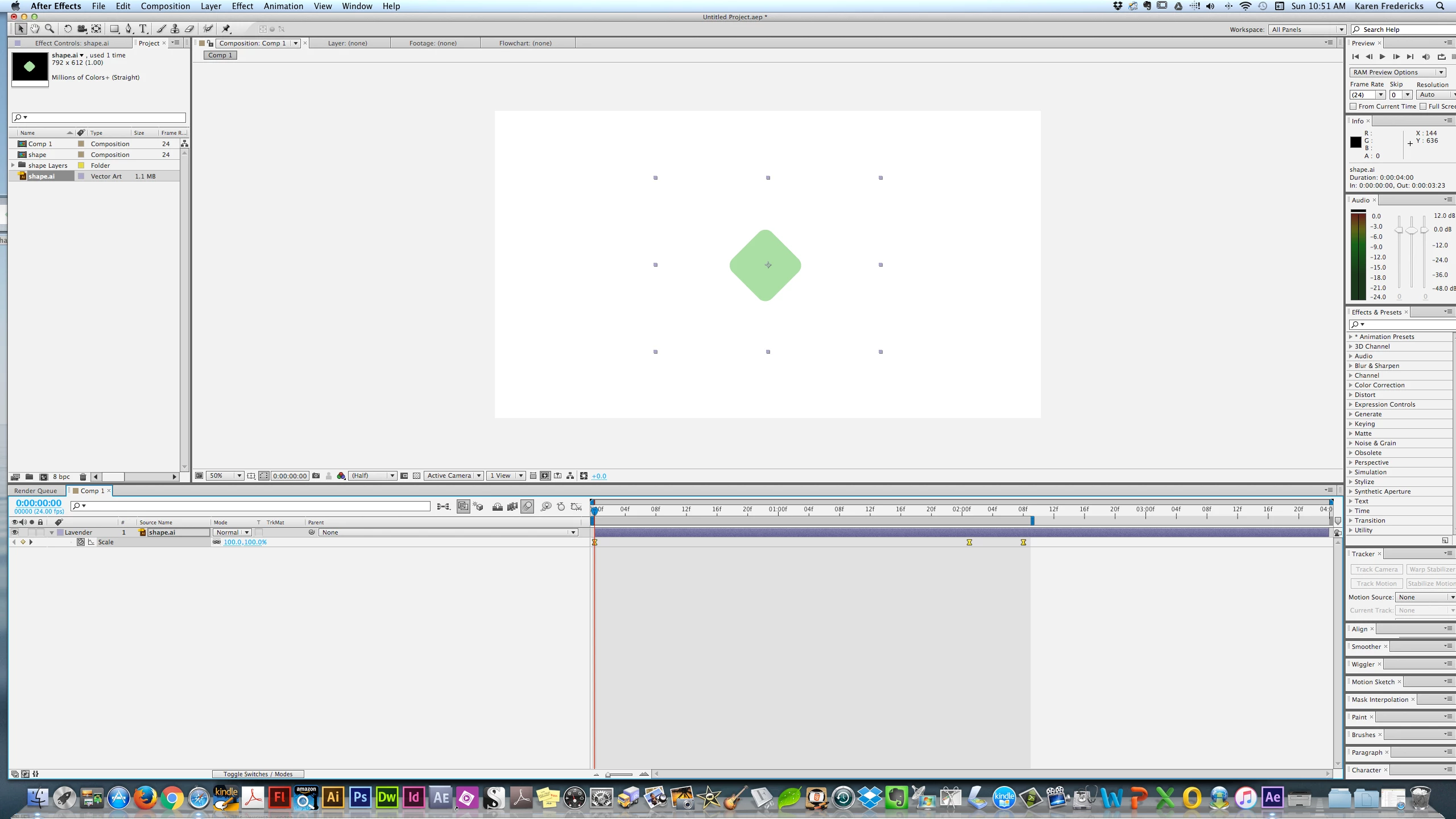
I'm trying to set a motion blur on a simple shape with 3 key frames scaling it up & down. I see the main Blur Icon - but doen't see the one that sets it for the shape /layer I am trying to affect. Below is a screenshot. Many thanks! BTW - I'm in CS6.

    imeilfx
    imeilfxCorrect answer
    Inspiring
    Jan 15, 2017 4:02 PM UTC

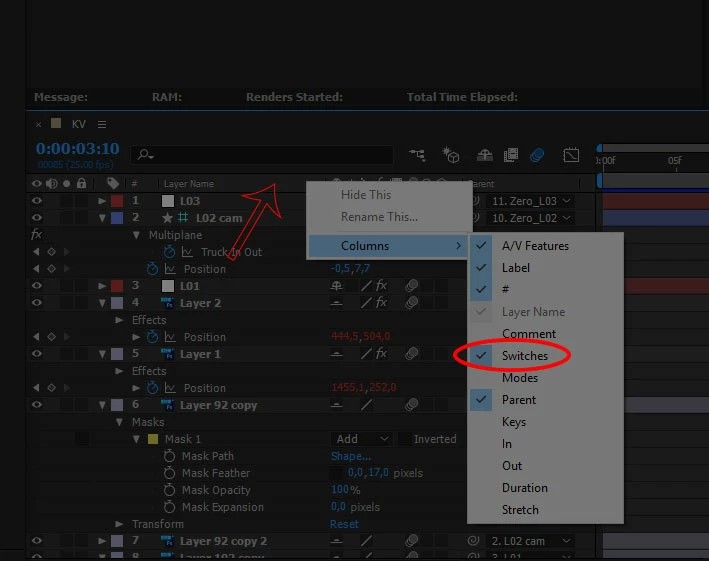
    Press F4 on your keyboard.

    If that wont work just press RMB bar with your collumns (red arrow on screenshot), and chose collumns and turn on Switches.

    13 replies

    imeilfx
    imeilfxCorrect answer
    Inspiring
    Jan 15, 2017 4:02 PM UTC

    Press F4 on your keyboard.

    If that wont work just press RMB bar with your collumns (red arrow on screenshot), and chose collumns and turn on Switches.

    Translate
    karenf1Author
    Known Participant
    Jan 15, 2017 4:13 PM UTC

    Thank you! I hope you don't mind my asking - what does RMB Bar mean? Again - Many thanks for the speedy reply!!!!

    Translate
    karenf1Author
    Known Participant
    Jan 15, 2017 4:16 PM UTC

    BTW - is there a way to contol Blur amount? Like if I wanted it super blurry?

    Translate