
Question
Motion Path Questions
I did simple Position keyframing to make a star move from the lower left to the upper right. The screenshot with the properties can be seen.
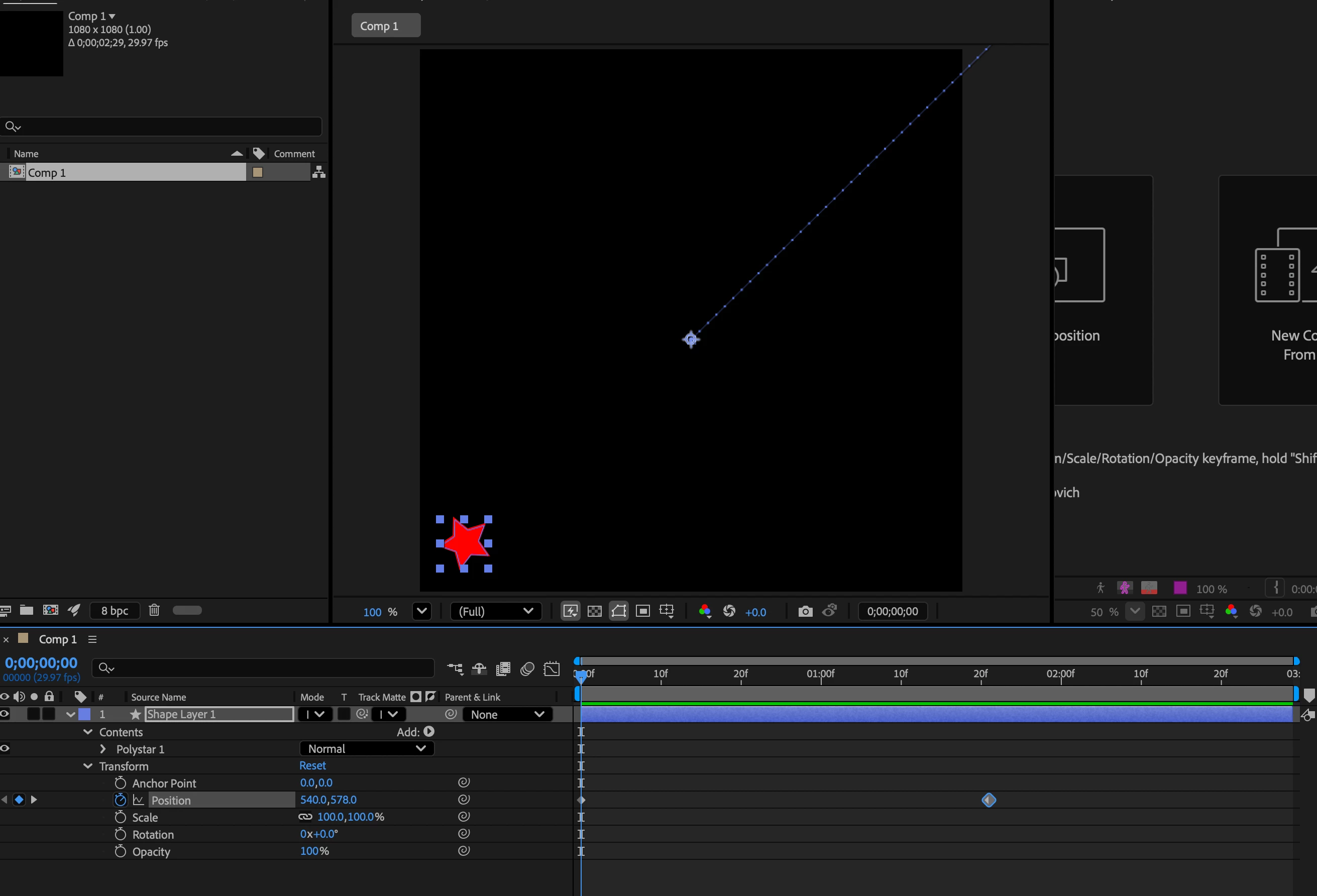
- If I add the keyframes to the Position property under Transform: Polystar 1 layer there is no motion path. If I add the keyframes to Position under the Transform layer then the motion path displays. What is the difference between using the Position property and adding keyframes these two different ways?
- After doing the Position keyframes to the Transform layer, I am having an issue with the Center Point for the Motion Path not being in the center of my shape so the motion path does not display for it properly as can be seen in the first screenshot. If I use the Pan Behind tool I move the center point to the center of the shape and then the motion path displays properly. Why is it not doing this by default?
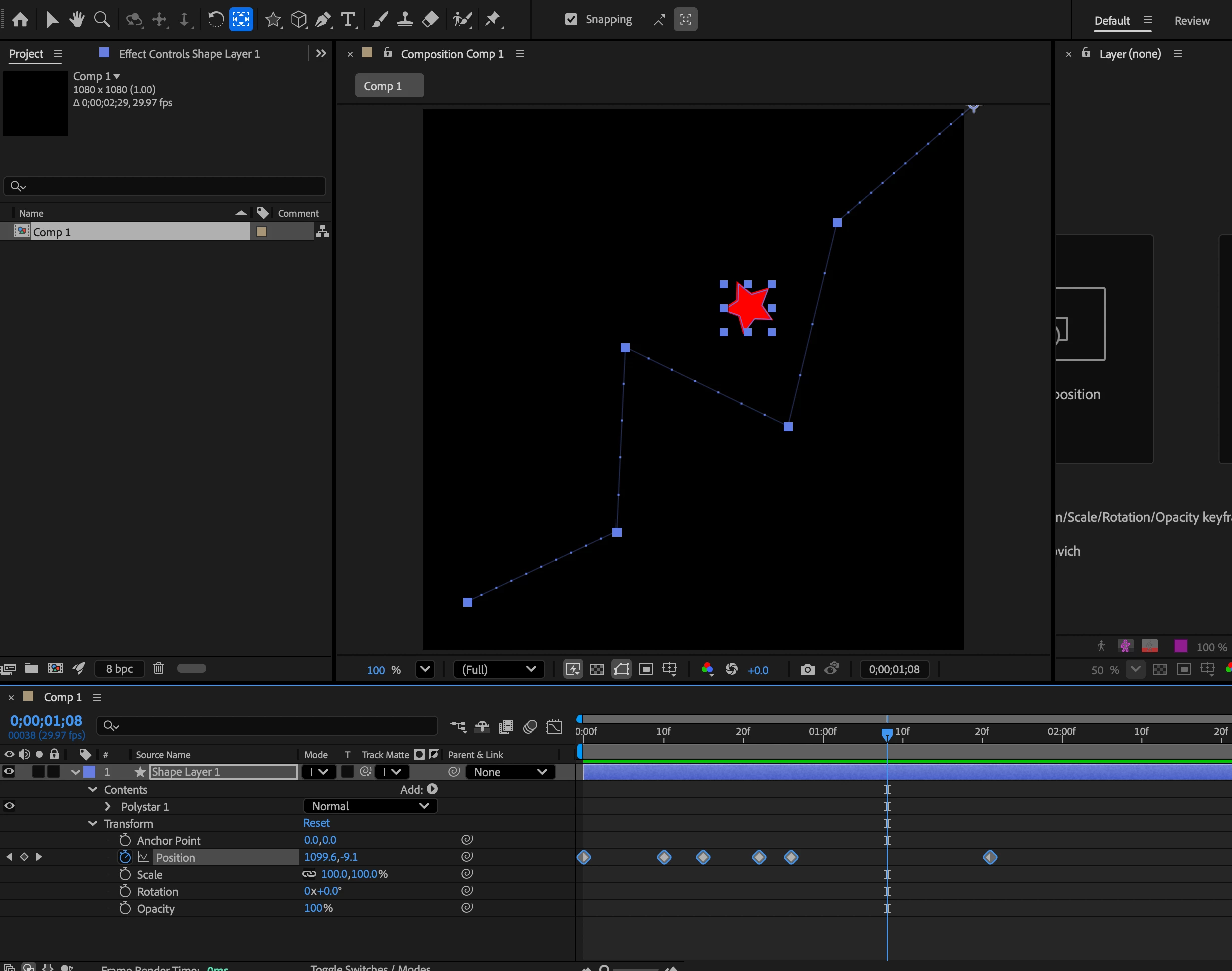
- The shape is still not moving exactly along the motion path as can be seen in the second screenshot, how do I get it to do this? The only thing I did was drag on the anchor points on the motion path to change how the shape moves.
Thanks
 AdChoices