Participant
June 24, 2018
Question

Motion Path sharp edges?

  • June 24, 2018
  • 2 replies
  • 2826 views

Hey, I am trying to make a point light to follow a shape layer's path as a motion path.

Doing the copy paste method.

Copying the Shape layer's path to Point Light's position.

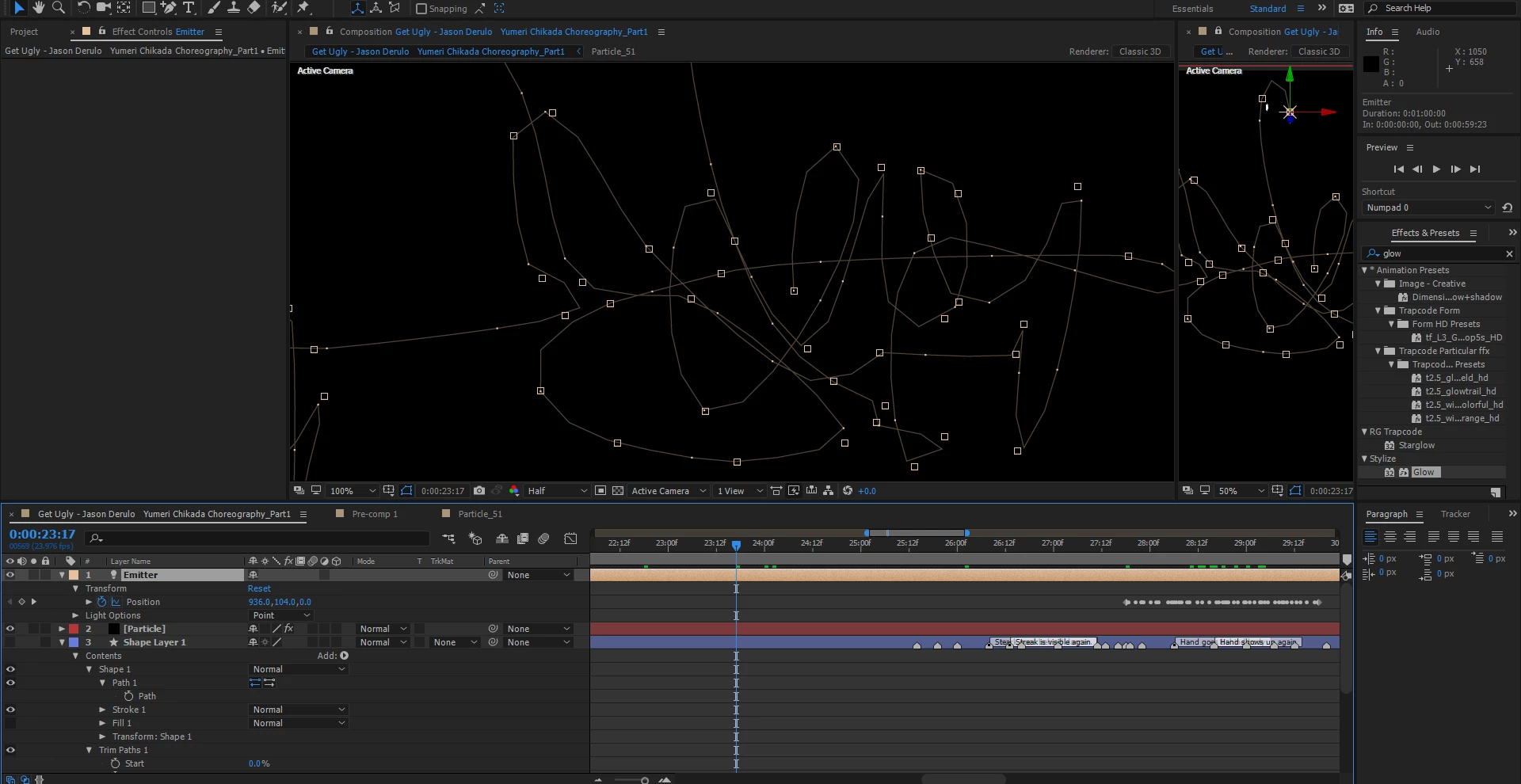
Doing so the path in the Point Light loses its smoothness and it has sharp corners.
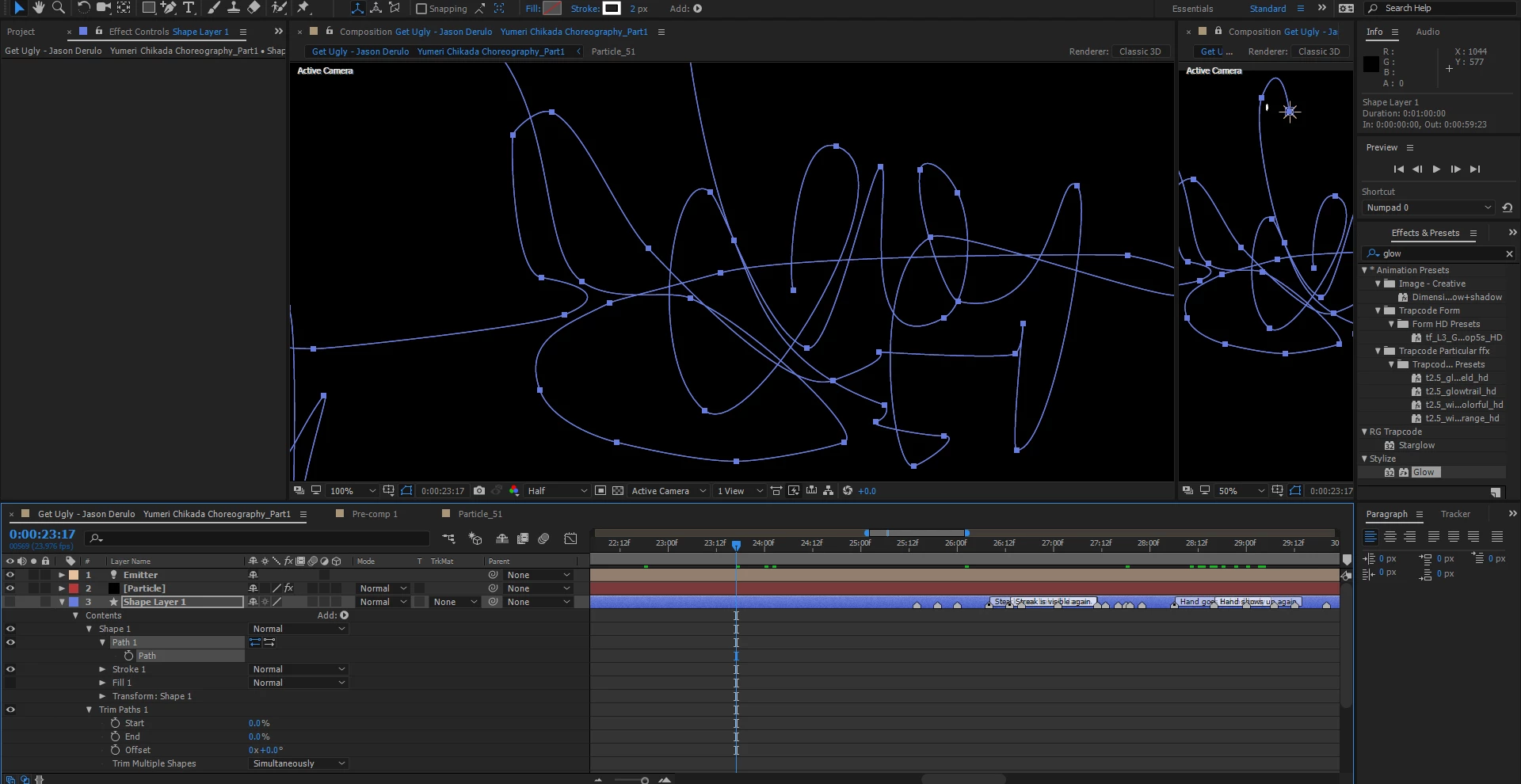
Is there a way around this? Fix this?
Is there another way to make a point light, null to follow a custom path and be smooth as designed?

I want to keep the smoothness of the shape layer as a path for the light.

Appreciate it!

    This topic has been closed for replies.

    2 replies

    Roei Tzoref
    Legend
    June 25, 2018
    Is there a way around this? Fix this?

    Yes. the issue is that by default when you paste a path as keyframes, the duration is set to 2 seconds. sometimes you have too many vertices to accommodate keyframes that would fit into 2 seconds so it skips the keyframes (i.e skips a vertex now and again) which means it looks less smooth because you are removing vertices. to workaround that, simply stretch the keyframes so that they will last for a longer duration and you will see that you motion path will get smoother or smoother.

    if you do need it to last 2 seconds, you can use the smoother window to smooth out a current motion path.

    P.M.B
    Legend
    June 25, 2018

    try selecting the keyframes and going to Animation>Keyframe Interpolation (CTRL+ALT+K)  And making sure the spatial interpolation is set to Bezier.

    As for why it's not copying over correctly I cannot say.  If you're doing it correctly it should copy over exactly how it is.

    ~Gutterfish
    Paulm.mAuthor
    Participant
    June 25, 2018

    No, still the same. Did not change anything.

    How could I be doing it wrong.

    Copy Shape layer path.
    Paste to Light or null object position.

    Pasting it to a mask path, it copies correctly.

    Pasting it on position, it is jagged.

    P.M.B
    Legend
    June 25, 2018

    I have no clue what, if anything, you are doing wrong.  Your path looks bizarre, you have direction changes where there are no verts and verts that are floating in space.  My guess is that it's either a graphical processing glitch or something else.  How (with what settings) did you create the path?  Did you make any changes to any of the lights properties before pasting the path information?

    ~Gutterfish