Participant
November 26, 2018
Answered

Motion Tile After Effects - Making gaps between the tiles smaller

  • November 26, 2018
  • 2 replies
  • 12183 views

Hi Everyone,

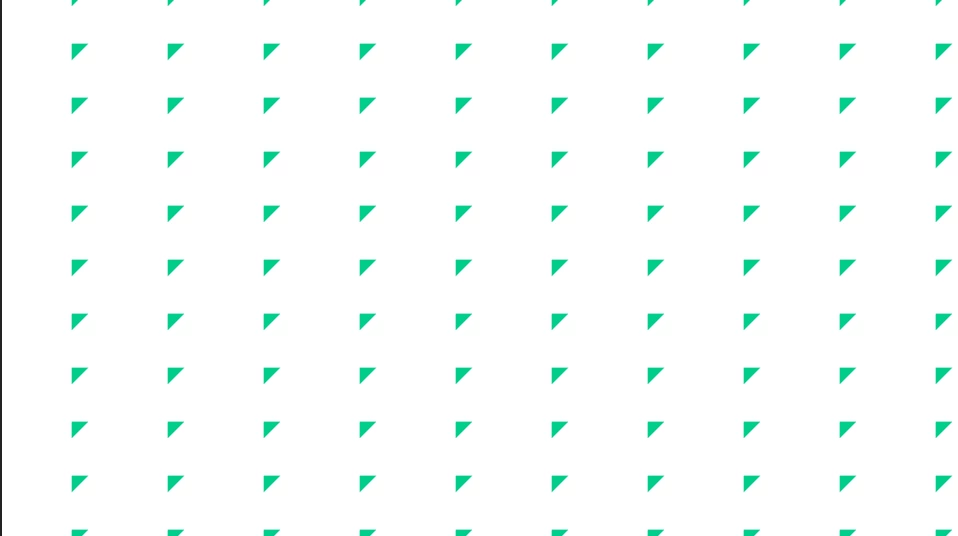
I'm trying to create a moving set of truchet tiles in After Effects. I found that using the Motion Tile effect on a single shape composition was great for duplicating, but unfortunately I can only seem to edit the width and height of the shapes, when ideally I'd like each of the triangles in the image to be touching.

Does anyone know how to decrease the space between each shape?
Thanks
    Correct answer imeilfx

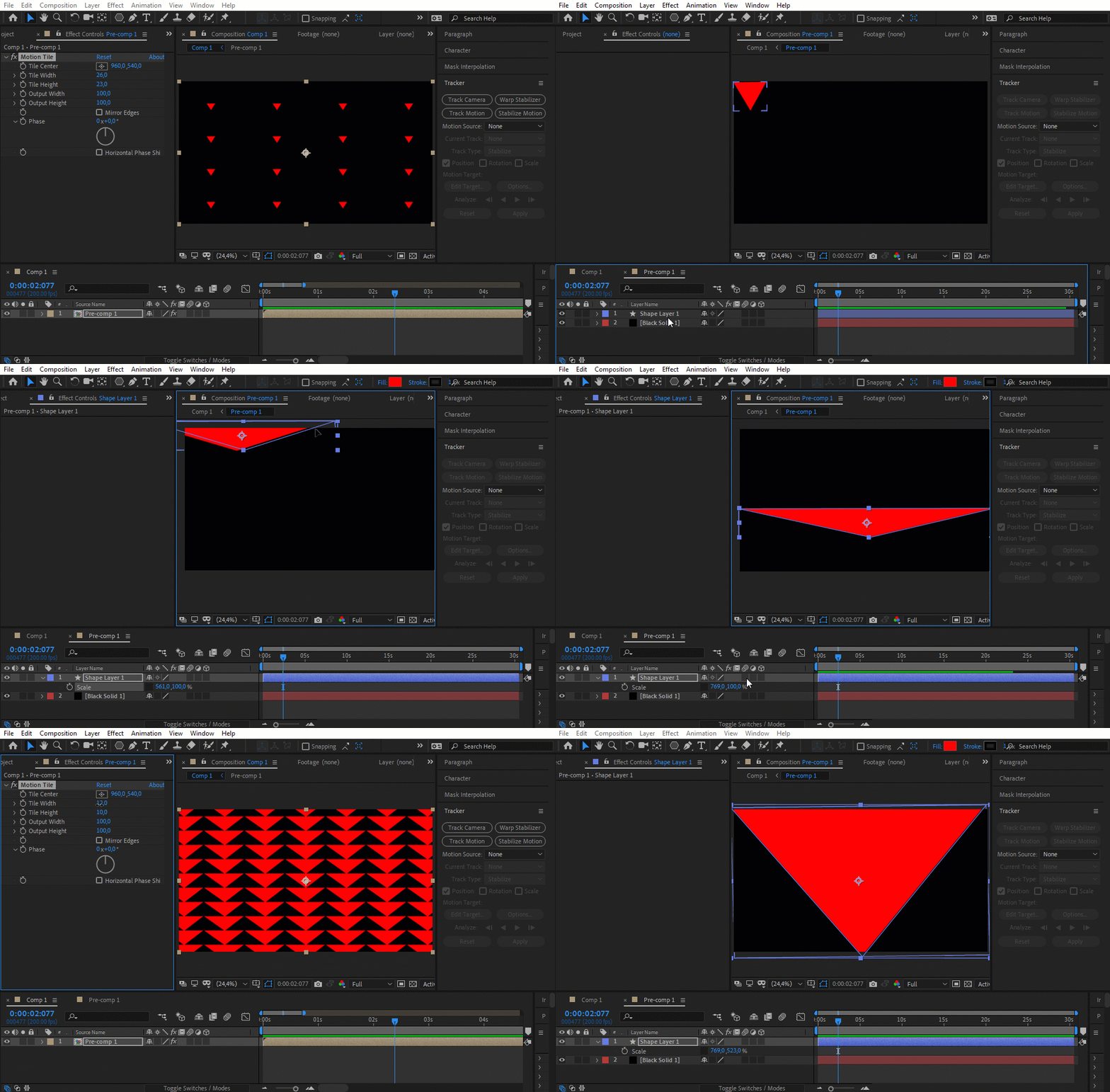
    As Roland said - you how to scale/transform object in composition that you put Motion Tile on - not Motion tile settings. Here rough set up of what you need to do:

    2 replies

    imeilfx
    imeilfxCorrect answer
    Inspiring
    November 27, 2018

    As Roland said - you how to scale/transform object in composition that you put Motion Tile on - not Motion tile settings. Here rough set up of what you need to do:

    Participant
    November 27, 2018

    Wow, Thank you both! sorted it out, thank you!

    Roland Kahlenberg
    Legend
    November 26, 2018

    Motion Tile works with the source layer. The size of your source layer is what you need to adjust. And in this case, it looks like you should increase the size of the triangle relative to the size of the image or keep the size of the triangle and decrease the padding, from the triangle to the edges of the image or do both.

    Very Advanced After Effects Training | Adaptive & Responsive Toolkits | Intelligent Design Assets (IDAs) | MoGraph Design System DEV