
motion tile effect - camera tool - mirror image
Hi,
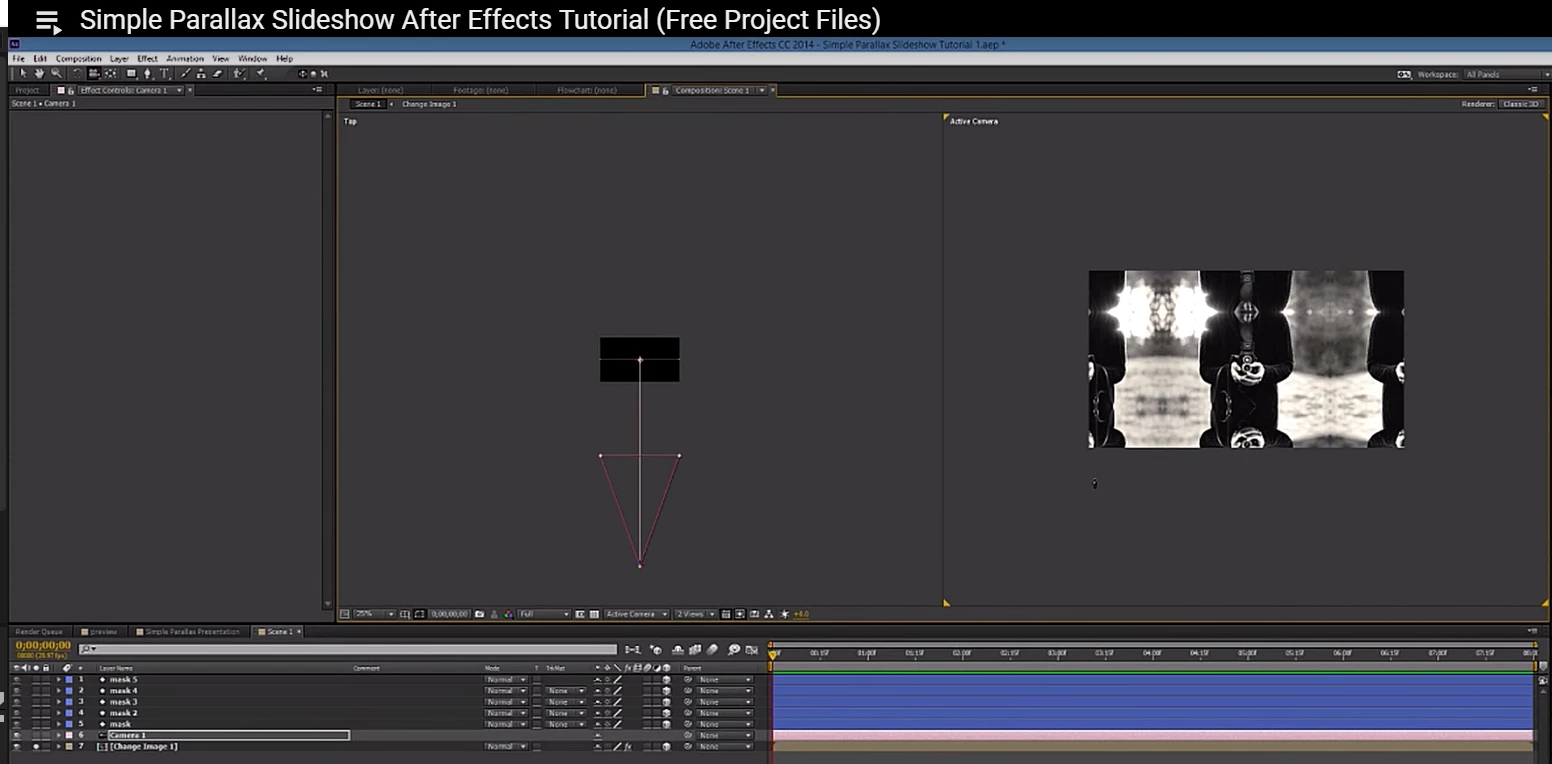
I am new on after effect and I am following a tutorial for images slideshow. I can't go ahead on creating an extension of an image using the camera tool. Basically on the tutorial after he created the camera he use a shortcut ( he doesn't specify which one), and the mouse arrow is transforming on a camera and he simply move the mouse the image automatically create mirror images of that image. Instead when I move the arrow it only moves the image. Can someone help me?
I specify that on the motion tile effect I ticked mirror edges as the tutorial says.
To understand better what I mean, here the tutorial, please go to minutes 11:13 Simple Parallax Slideshow After Effects Tutorial (Free Project Files) - YouTube
And here the screen shot what I need to do. Thank you very much!!
 AdChoices