
Participating Frequently
February 27, 2022
Question

Motion tracker losing object.

  • February 27, 2022
  • 3 replies
  • 213 views

Hi, I'm trying to use motion tracker to follow a player on a sporting field. Once I have selected the target and pressed play, the tracker loses him after a few seconds. Any idea how I can fix this?


E.g. Start
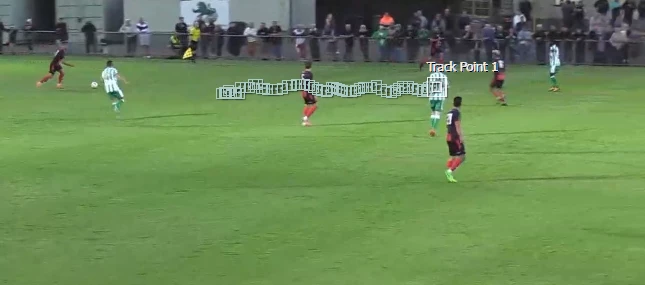
 

After a few seconds.
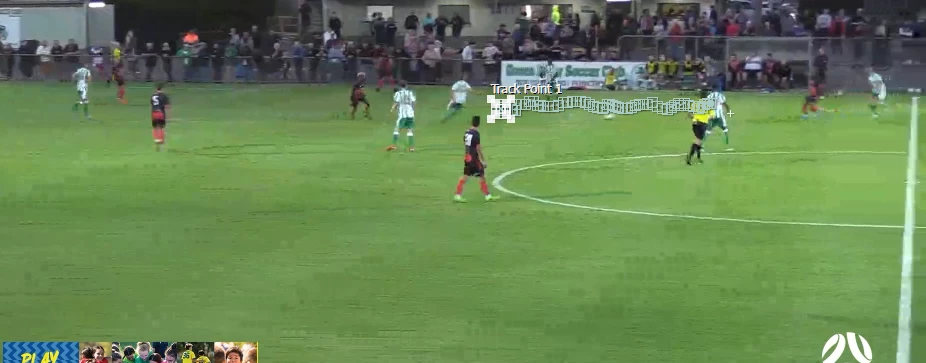
 

It gets progressively worse until it's nowhere near the target.


This topic has been closed for replies.

3 replies

Community Expert
February 28, 2022

Motion tracking often requires you to manually adjust the tracker position when the object (your player) becomes obscured, moves too fast, or has insufficient detail to be successfully tracked. 


You might consider tracking in Mocha AE. I seldom use AE's tracker unless the shot is very simple.

ShiveringCactus
Community Expert
Community Expert
February 27, 2022

The outer tracking box is the area AE looks in to identify the shapes in the inner box.  I suspect the ball is leaving the tracking area sonAE then tries to match the grass.  If you make the outer box larger, the ball should continue to track.

In the tracking panel itself if you click on the options button you'll find different ways AE can compare images RGB, luminance etc... which might also give you a better track.

Mylenium
Legend
February 27, 2022

Check your settings for feature adaptation and so on an. That aside your shot may simply not be particularly suitable for tracking. Based on your images there are a lot of large compression artifacts and it's only natural that they would interfere. You may simply have to spend a lot more time and reposition the tracker every few frames then piece things together. Not everything works with a single automated track.


Mylenium