Answered
Moving Tool without cornerstones and frame
Hello togehther, while im learning how to use Adobe Effects is deactivated the Cornerstones and Frame from the moving tool. Can anybody help me how i can reactivate the tool?

Hello togehther, while im learning how to use Adobe Effects is deactivated the Cornerstones and Frame from the moving tool. Can anybody help me how i can reactivate the tool?
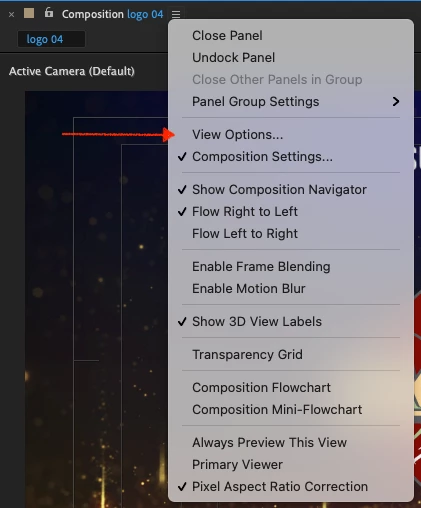
At the top of the Composition preview window, click on the tab's dropdown menu and choose "View Options".
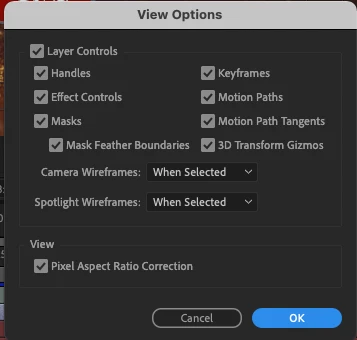
Then you can turn on and off all of the layer control options like handles etc.
Already have an account? Login
Enter your E-mail address. We'll send you an e-mail with instructions to reset your password.
 AdChoices