
Participant
April 26, 2021
Answered

Multiple masks at the wrong time
  • April 26, 2021
  • 3 replies
  • 270 views

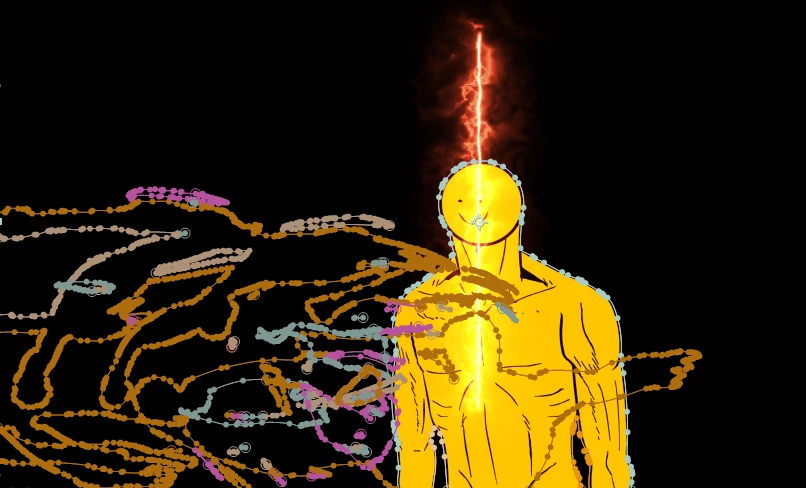
As you can see in this picture, there's a lot of masks, but there's supposed to have only one on this frames. The other masks supposed to apear later. I traced automatically the sequence, but it went wrong, and I don't know how to fix this.
This topic has been closed for replies.
Correct answer OussK

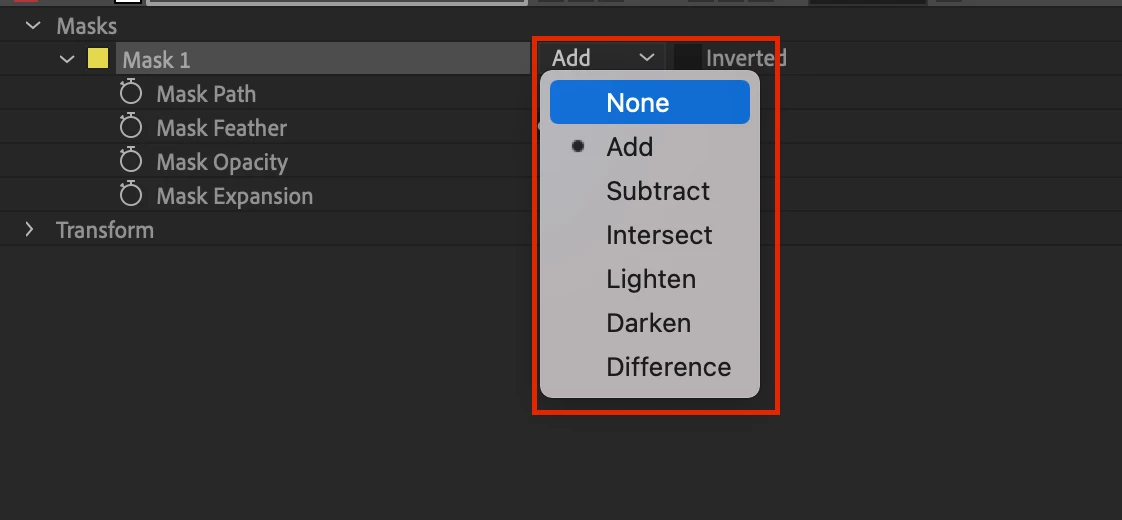
there is no way to get the mask to appear at a specific time on AE unless you change the mask opacity and set a keyframe to turn on and off the mask, and even if you set the mask as non you will keep seeing the mask path

3 replies

OussK
Community Expert
OussKCommunity ExpertCorrect answer
Community Expert
April 27, 2021

there is no way to get the mask to appear at a specific time on AE unless you change the mask opacity and set a keyframe to turn on and off the mask, and even if you set the mask as non you will keep seeing the mask path

Ko.Maruyama
Community Expert
Community Expert
April 27, 2021

Check the value of the masks.

It's possible that even if they appear as masks, their effect doesn't actually cut the layer until later.  Check the MASK OPACITY (can be animated) or Mask type for more clues on what these masks are doing here.

Unless the mask value (position of those points) is animating out of frame, you'll see the vertices and splines across the entire layer.

If you lock those masks, and set the option to "Hide Locked Masks", you can make those lines invisible.

Der5FFDAuthor
Participant
April 26, 2021

I forgot to specify that the mask supposed to be arround the character