Question
MXF file doesn't work in After Effects
Hi all,
I have created a post earlier but then realised I have misspelt many things as I was typing in a rush. So I decided to repost.
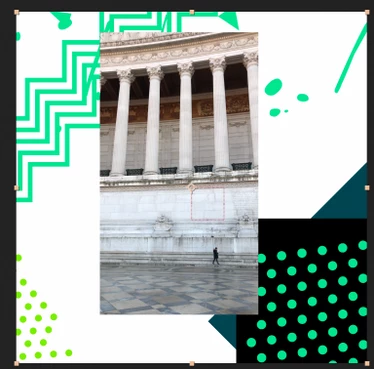
I was taking over a job from a colleague and start working on his work file, in which he has imported an MXF file to apply on a background (bottom right corner), which is meant to be partly transparent.

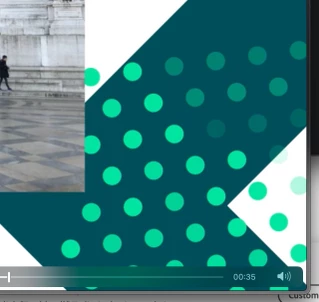
However, when I open his working file, the transparency of the MXF video is gone and left me with a black background. I have cleared caches, nothing has changed and we couldn't figure out why.
I'm using Adobe After Effects 2022 (up-to-date), same as my colleuge. I'm using iMac (Retina 5K, 27-inch, 2017) Big Sur.
Thank you.
 AdChoices