
My After effect import premiere project, black screen comp
First of all, this article uses a translator, so the context may be inaccurate.
After editing in Premiere Pro, if you use the import premiere project as an aftereffect to work with effects, the composition contains a black screen.
I'll attach some images.

It's my Premiere's timeline.
As you can see, there is no gap.
The sequence setting is 29.97/drop frame/1920*1080.
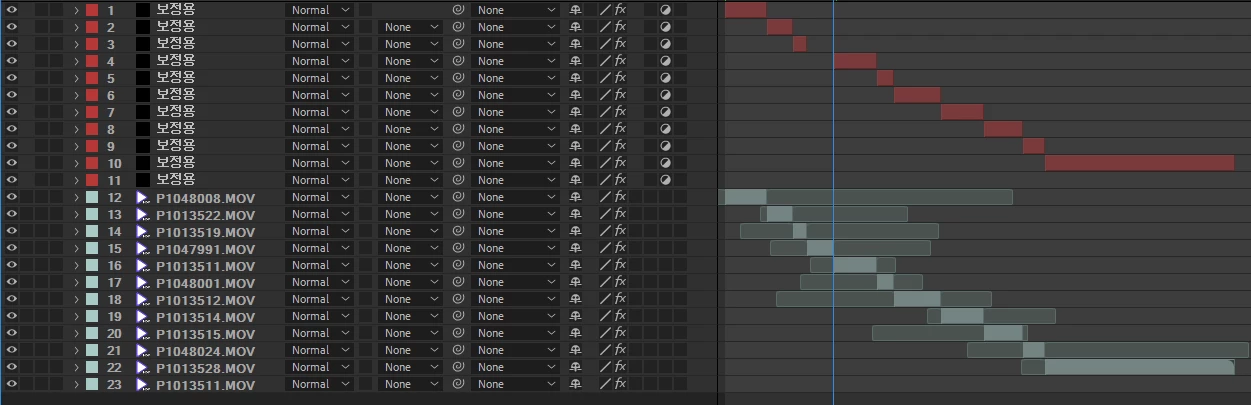
I imported the premiere project from After Effects and opened the sequence (comp).
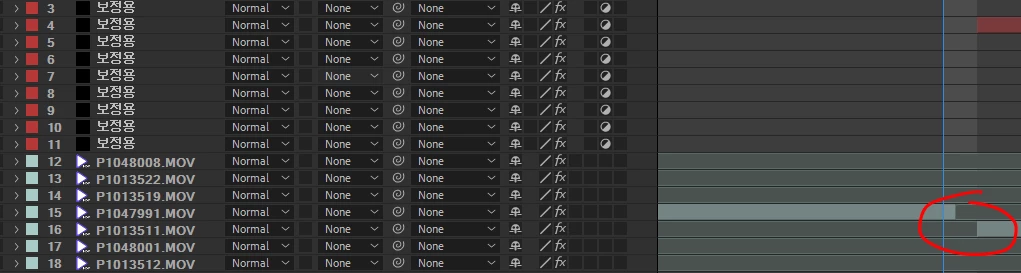
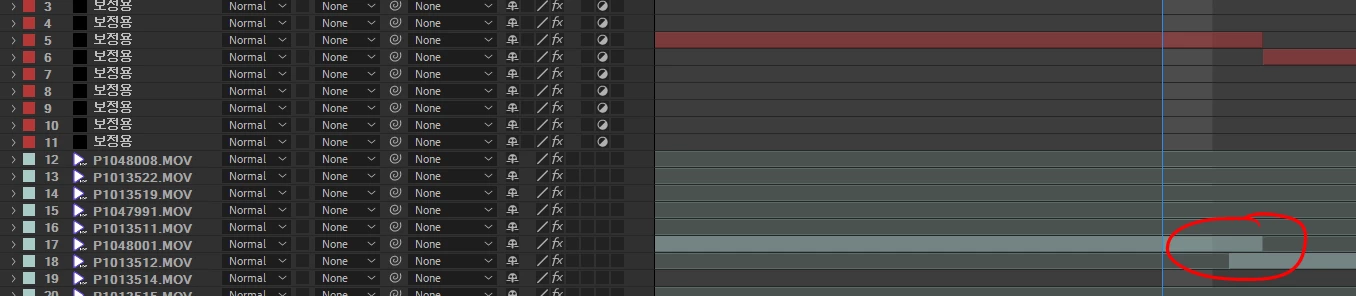
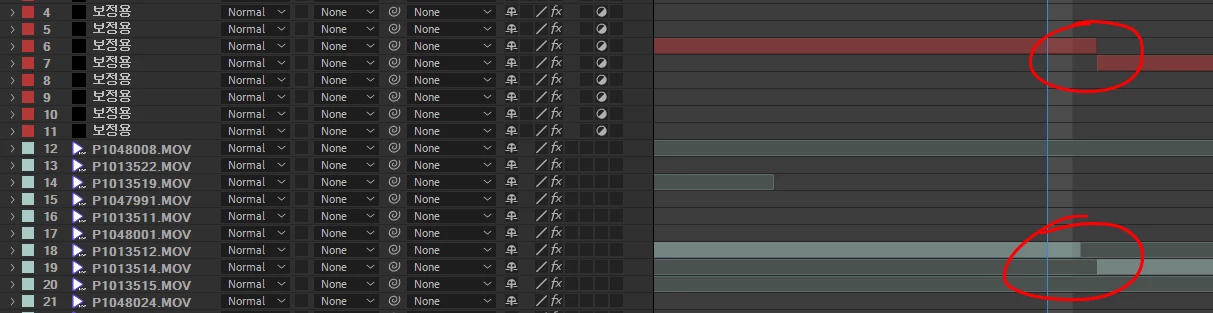
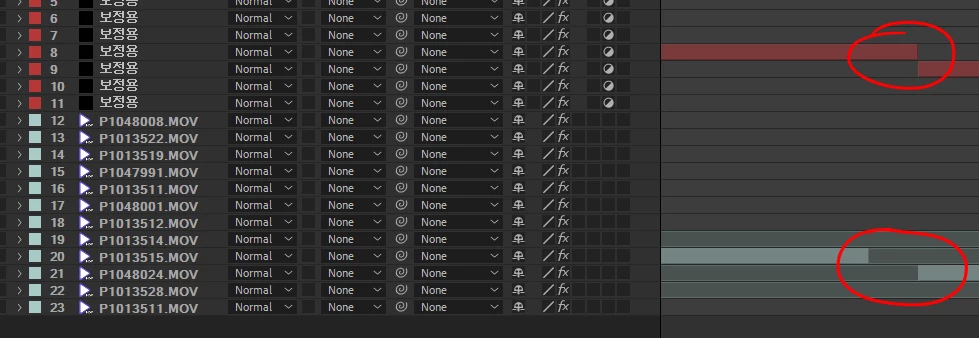
That's a terrible result.
Some parts are out of position between less than 1f, and the worst part is 1f, resulting in a black screen. (Last photo)
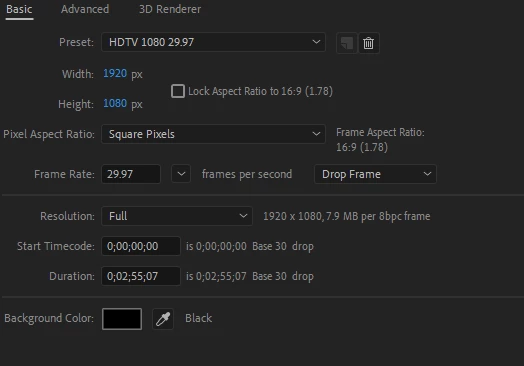
These are the composition settings for After Effects.
There is no difference from Premier.
I can't understand why this problem keeps bothering me.
If someone knows how to fix it, please let me know.
Please don't tell me to connect from Premiere to After Effects via Dynamic Link.
That task makes the project too heavy and I don't like it.
Version
AFTER EFFECT : 17.7.0 (Build 45)
Premiere Pro : 14.9.0 (Build 52)


 AdChoices