
August 5, 2021
Answered

My Background is partly black

  • August 5, 2021
  • 1 reply
  • 187 views

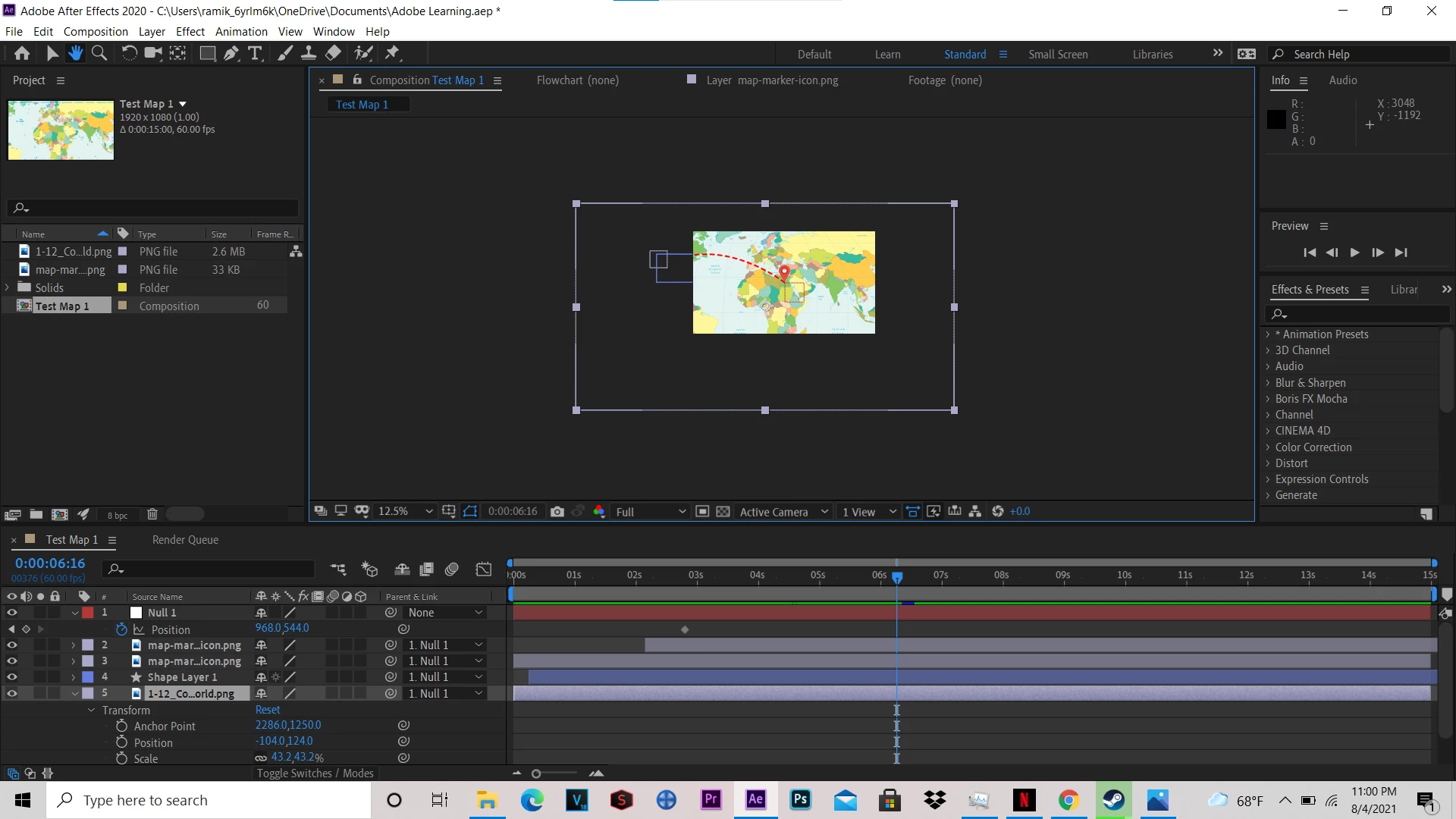
Hello I am very new to adobe after effects and I have run into an issue. It is tough to describe but in the middle of my work the outer edges of my background disappeared (See in the photo below) Does anyone know how to fix this?
This topic has been closed for replies.
Correct answer Mylenium

I would suggest you actually start by reading the online help on some basics and watch some tutorials. There is nothing disappearing, your layer is simply larger than the actual composition and AE does not display content outside that box. You will simply have to work in a larger (pre-)composition for your flight path animation and then do the zoom in/ scaling in a second step in a parent comp sized to the final output dimensions. These are basic workflow things. Again, please read the help or watch some tutorials.


Mylenium

1 reply

Mylenium
MyleniumCorrect answer
Legend
August 5, 2021

I would suggest you actually start by reading the online help on some basics and watch some tutorials. There is nothing disappearing, your layer is simply larger than the actual composition and AE does not display content outside that box. You will simply have to work in a larger (pre-)composition for your flight path animation and then do the zoom in/ scaling in a second step in a parent comp sized to the final output dimensions. These are basic workflow things. Again, please read the help or watch some tutorials.


Mylenium