Participant
February 19, 2021
Answered

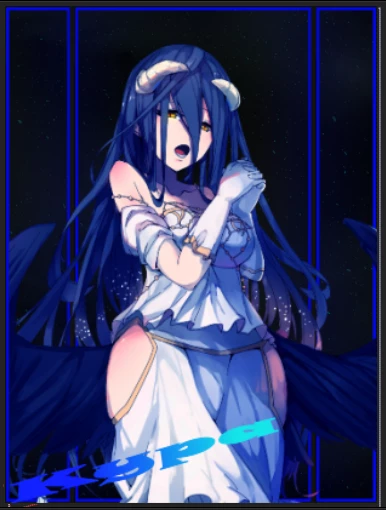
My colors are changing (from blue to purpule)

  • February 19, 2021
  • 1 reply
  • 206 views

This is how my composition looks if I upload it somewhere.

I cant show u how it looks normal(even if I screenshot it, or if I take a photo with my phone).

Can u help me? Cause I don't know what is happening.

Sorry for my bad English if u need to know more just ask.

By the way, this is happening only to this image.
 

This topic has been closed for replies.
Correct answer Mylenium

Same answer as always: Lack of color management, wrongly calibrated monitors and then some. There's no short or simple answers to that. You have to read up on the web on the subject. Start by resetting your monitor's color settings to factory defaults, including removing any custom color profiles you may have instated. Your image does look perfectly normal on my end, so most definitely the issue is with your computer setup.


Mylenium

1 reply

Mylenium
MyleniumCorrect answer
Legend
February 19, 2021

Same answer as always: Lack of color management, wrongly calibrated monitors and then some. There's no short or simple answers to that. You have to read up on the web on the subject. Start by resetting your monitor's color settings to factory defaults, including removing any custom color profiles you may have instated. Your image does look perfectly normal on my end, so most definitely the issue is with your computer setup.


Mylenium