


Participant
October 5, 2026
Question

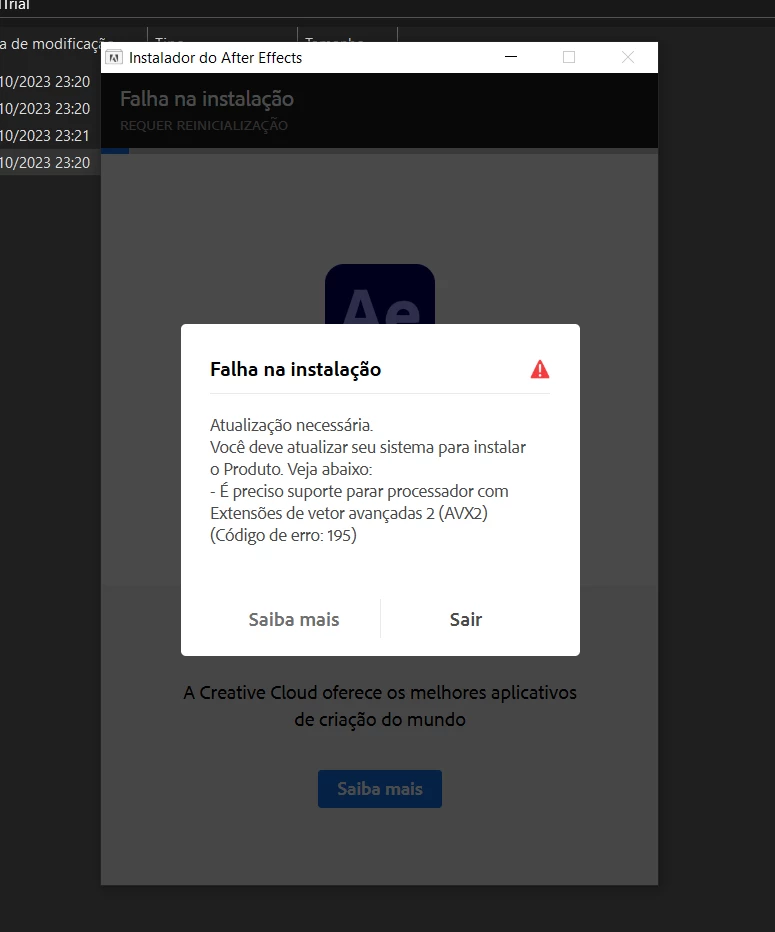
My PC won't run After Effects due to the processor generation I wanted to download version 23.x. how i can ?

  • October 5, 2026
  • 2 replies
  • 9 views

My PC has a 3rd-gen i5 processor; I can't run After Effects versions newer than 24.x, so I'd like to download an older version... I have 16GB of RAM and my graphics card has 4GB of VRAM.
 

    2 replies

    ToolfarmJP
    Community Expert
    Community Expert
    October 6, 2026
    CORCTON34033231
    Community Expert
    Community Expert
    October 6, 2026

    Hi! You can install an older version through the Creative Cloud desktop app: open the app, go to Apps > All apps, click the ⋯ (more actions) button next to After Effects, choose "Other versions", then select 23.x and install.


    Just note that only the versions Adobe still makes available will appear in that list.