andrewwang
Participant
July 23, 2020
Question

My text is getting cut off

  • July 23, 2020
  • 3 replies
  • 2270 views

Hi,


When using After Effects, I have a text box that is getting cut off by some invisible elements. I can't seem to find what the problem is. Here is a screenshot:
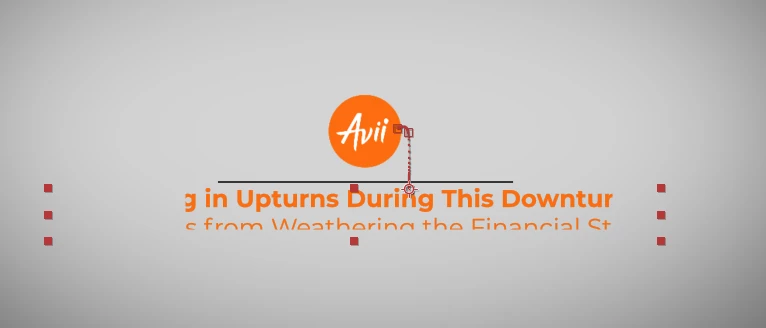
Thanks in advance. 



3 replies

Warren Heaton
Community Expert
Community Expert
May 20, 2025

Could you post an additional screenshot of the Layers in your Timeline? 

Ideally, the screenshot will show each Layer fully expanded, thr A/V Features column, the Layer Switches column, and the Transfer Controls column.  It may require posting more than one screenshot.  A quick way to fully expand a Layer is to press command (Mac) or control (Windows) with ~ while the Layer is selected.

Participant
May 20, 2025

THAT IS "Composition setting" MISTAKE

increase PIXEL SIZE on composition setting (not text layer)

 
Roland Kahlenberg
Legend
July 23, 2020

Causes for such an issue may be a Track Matte, Masks, an Effect that uses ELIO (Effect Layer Input Options) that locks in a Mask or another layer blocking the Text Layer. If you are certain none of these are causing your issue then it is likely that AE's Preferences has been corrupted. So, trash AE's Prefs and you should be good to go. HTH

Very Advanced After Effects Training | Adaptive & Responsive Toolkits | Intelligent Design Assets (IDAs) | MoGraph Design System DEV