This topic has been closed for replies.
Correct answer Rick Gerard

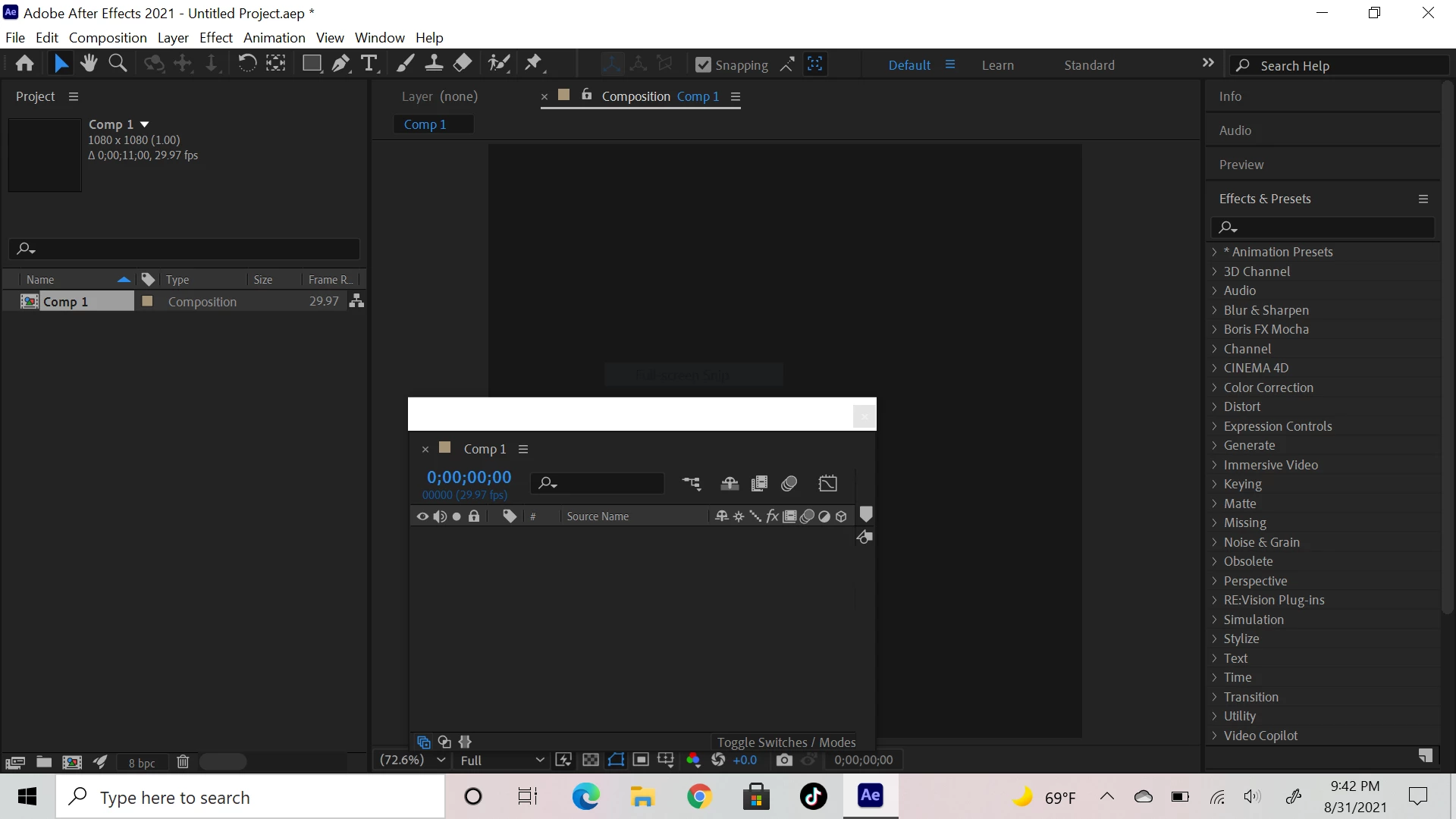
You have un-docked the timeline. Double Click on the Default workspace in the toolbar and choose YES to reset your workspace. If that does not fix the problem then try another workspace. 


Take a little time to learn the UI and how to edit and customize workspaces. Using the right workspace not only saves time, but it also helps prevent common user errors.

2 replies

Mylenium
Legend
September 1, 2021

What Rick said - take the time to actually read the online help on some basics or you'll forever get stuck on the most trivial things when something doesn't look exactly like in a tutorial because you don't know what stuff is actually called and how to handle these issues.


Mylenium

Rick GerardCommunity ExpertCorrect answer
Community Expert
September 1, 2021

You have un-docked the timeline. Double Click on the Default workspace in the toolbar and choose YES to reset your workspace. If that does not fix the problem then try another workspace. 


Take a little time to learn the UI and how to edit and customize workspaces. Using the right workspace not only saves time, but it also helps prevent common user errors.

Participant
September 8, 2021

Thanks that worked!:)