
Participant
December 5, 2019
Answered

My Timeline/Work Area Bar looks different from normal!

  • December 5, 2019
  • 2 replies
  • 2526 views

So, I was watching a tutorial on Youtube about AE and I noticed my timeline or work area bar does not look the same as the one I watched. When I search it up also, everyone has that kind of timeline except me (see inserted pictures) My layers or videos does not show up on the work area??
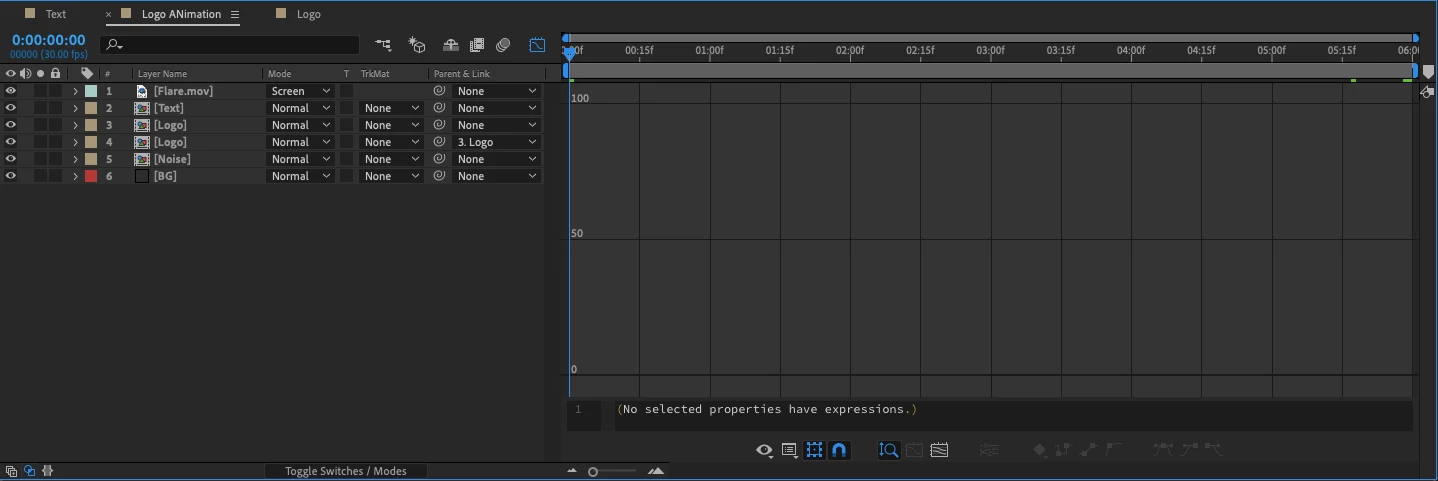
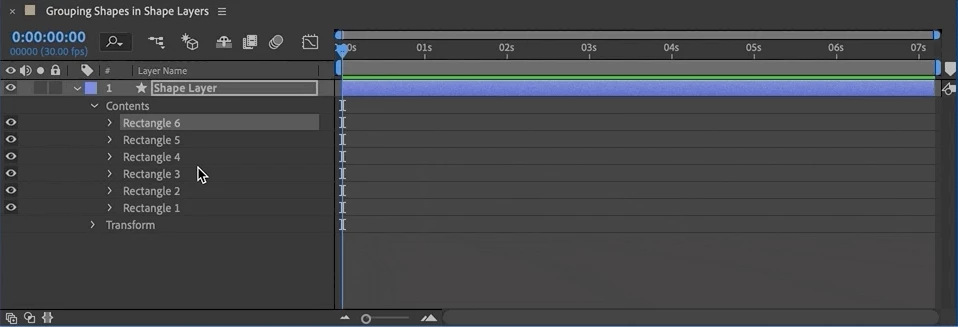


How do I fix this? Does somebody have a clue?

I'm running the latest After Effects, version 17.0.0 - (2020)

This topic has been closed for replies.
Correct answer kevinsaantos

NEVERMIND, I SOLVED IT LOL! I had the "Graph Editor" checked on, that's why!


I don't know how to delete my post though..

2 replies

imeilfx
Inspiring
December 5, 2019

So.First you have Graph Editor turned on. As for setting your columns as you wish You have to turn on your columns that you need or just switch between you have on that collumn presset to another one with different settings. 
To switch between pressets just press F4 on your keyboard - you should see chane right away. 
Then if you are one one of the presets you can chose wihat columnt to turn on or of by going into your column bar and use right mouse button and chose what to turn on/of. 


Participant
December 5, 2019

Thank you!! Solved it!

kevinsaantosAuthorCorrect answer
Participant
December 5, 2019

NEVERMIND, I SOLVED IT LOL! I had the "Graph Editor" checked on, that's why!


I don't know how to delete my post though..