
Participant
September 6, 2025
Answered

Need help recreating this particle effect with Trapcode Particular
  • September 6, 2025
  • 2 replies
  • 583 views


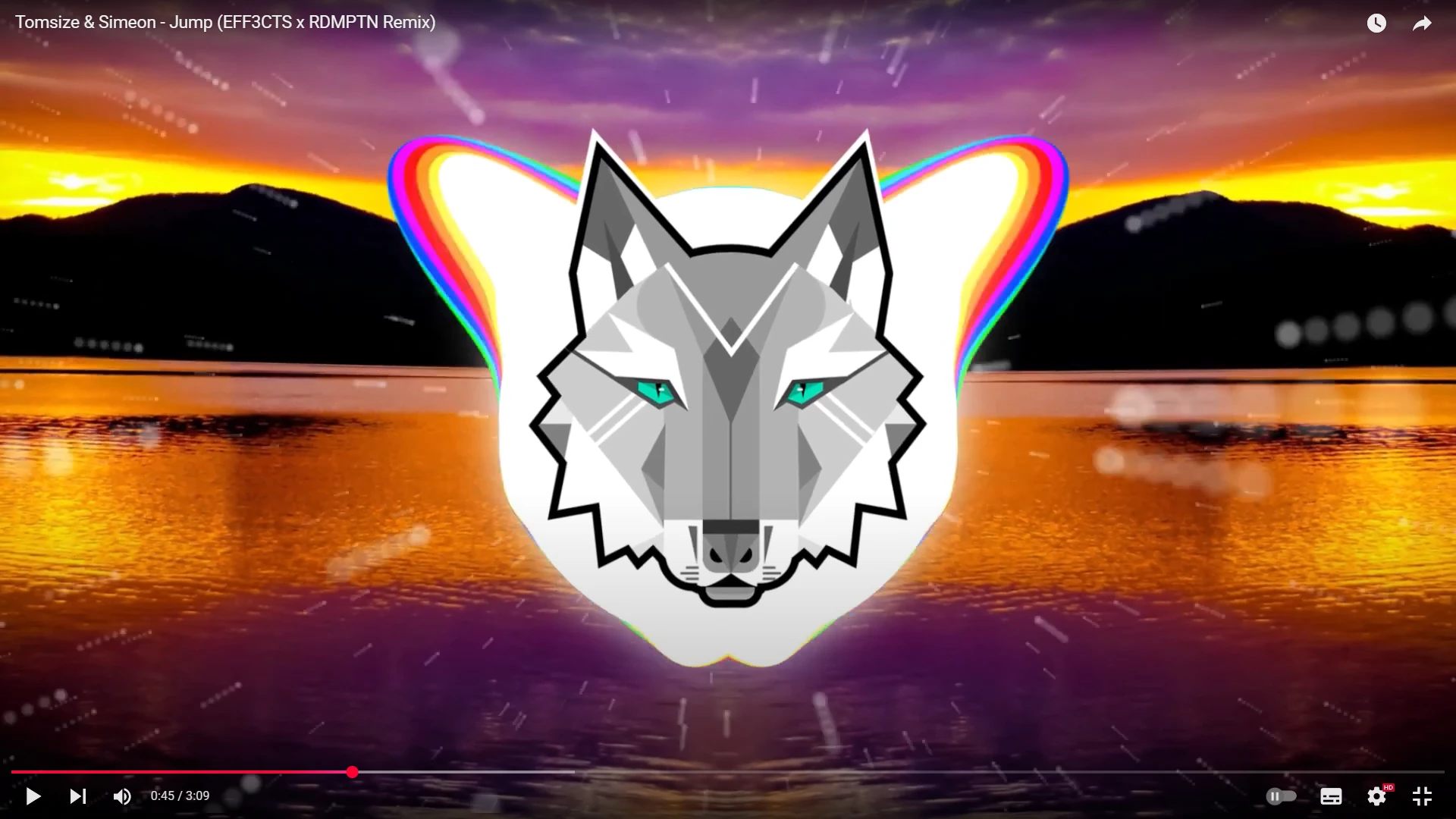
i'm trying to recreate this particle effect with Trapcode Particular - i was sort of was succesfull too but it is nowhere near close as this one in the video. I am certain the particle system in the video is 100% Trapcode Particular.


I gave value  "-1500" to the wind expression in physics settings,  I gave value "110" to the wind affect in aux system.  in theory it works as intended except for the aux system.


Here is the original video: https://www.youtube.com/watch?v=HoG-b8NfUt4

Down below my attempt in remaking it:
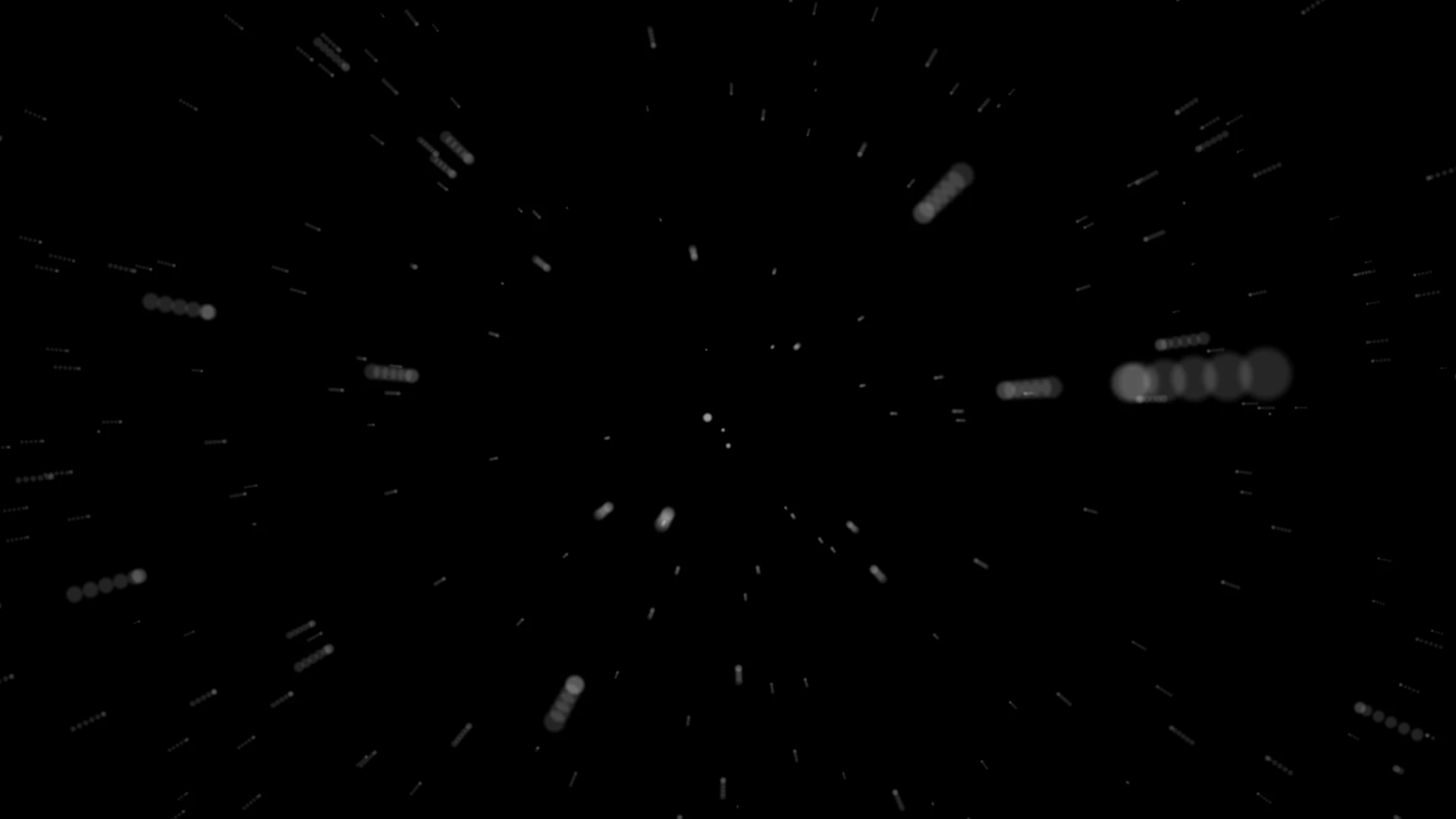
 

Here is also a video link to it: https://youtu.be/jDOroDd5F0g?si=G4pym3CYAFdtER5o


The particle arrays (i think?) looks way too off, instead of combined of 6 dots as seen in the video there are 5 dots in mine in most of the particles, the one in the video is also in a perfect distance too. I tried few options in Trapcode Particular but couldn't figure it out.


Correct answer ShiveringCactus

Oh wow - I've just been messing with this almost exact thing for a different purpose.  Try the echo effect after the particles.  You might need to mess with the settings a bit, to get "future echoes" but I think that will get you this look.


2 replies

ShiveringCactus
Community Expert
ShiveringCactusCommunity ExpertCorrect answer
Community Expert
September 8, 2025

Oh wow - I've just been messing with this almost exact thing for a different purpose.  Try the echo effect after the particles.  You might need to mess with the settings a bit, to get "future echoes" but I think that will get you this look.


nullvoid_Author
Participant
September 8, 2025

Though it looks similiar to what i'm trying to get, i'm afraid this is not it. I don't think it's the echo effect, it must be the aux system that i'm looking for. The starting tip of the dots is much brighter in the example i provided. 

nullvoid_Author
Participant
September 8, 2025

The last thing i said about the tip, i kinda found a workaround by duplicating the particles, however this would really slow down the render time. 

takashi vfx
Inspiring
September 6, 2025

you can mess around with motion blur setting to change the different look. you will find it Rendering/Motion Blur.