

robertsdigitald81389881
Known Participant
January 27, 2021
Question

Need to apply gradient to multiple letters that are part of an animation

  • January 27, 2021
  • 2 replies
  • 1593 views

Guys is it possible to use the gradient editor to apply and edit multiple letters that are part of an animation?
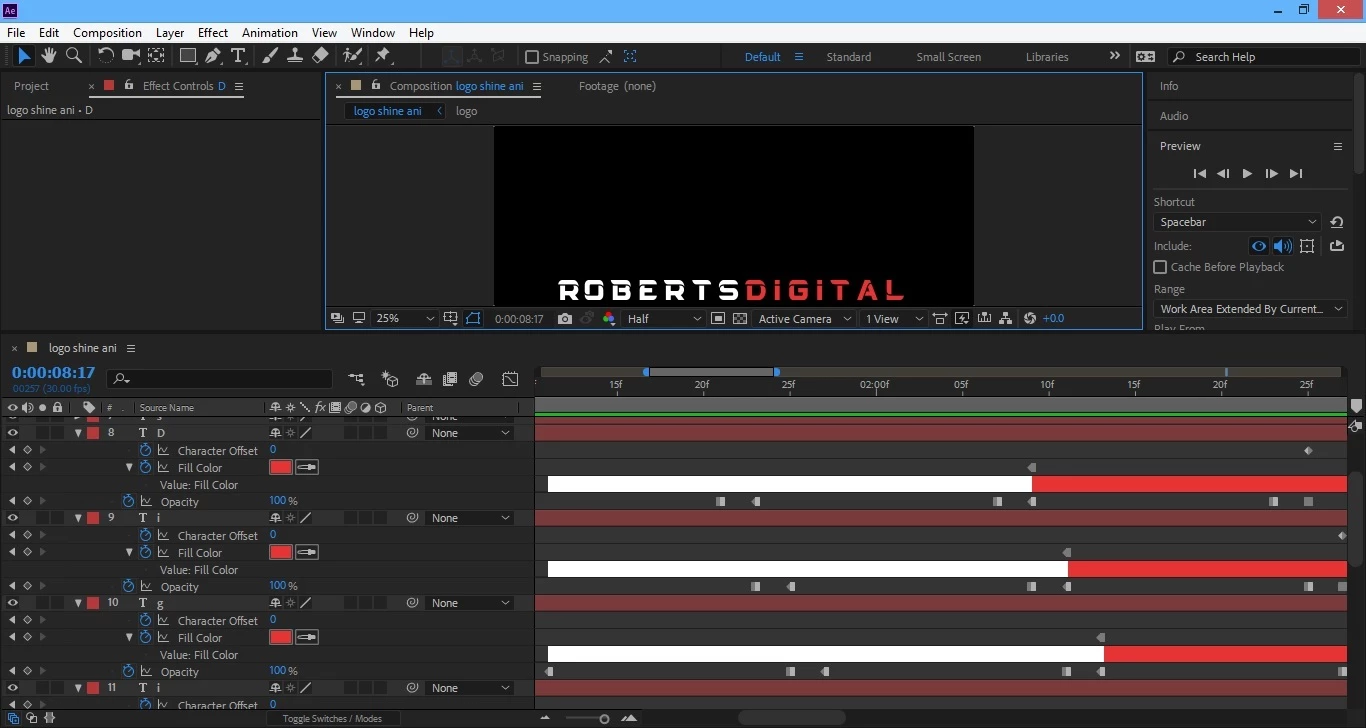
 

When I go to Layer>Layer Styles>Gadient Overlay, it produces gradient overlay with gradient editor for each letter. I want the editor to affect all the white letters together and then the same for the red letters together. 

So is it possible to use the gradient editor on multiple letters all at once??

Step by step explanation would be greatly appreciated thanks

This topic has been closed for replies.

2 replies

Community Expert
January 27, 2021

Because your font is not monospaced and you are using character offset you have every letter on a separate layer. If you want to add an animated gradient fill to those letters and have individual control over where and when the gradient appears the easiest approach would be to pre-compose your animated text and use the pre-comp as a matte for one or more shape layers with gradient fills applied. If you use Set Matte, you could animate the size of the shape layer as well as the gradient. This would be a lot easier than handling a bunch of layer effects on all of those text layers. 

That should get you started.

robertsdigitald81389881
Known Participant
January 27, 2021

Rick you're a life saver

I forgot about the pre compose 

Thanks again very helpful


Mylenium
Legend
January 27, 2021

Not really much to say about it. There is no tool or process that would allow to apply a global gradient in such a way that it consistently sticks to your animated letters and correctly behaves why they swirl around. You have to tackle this one by one.


Mylenium

robertsdigitald81389881
Known Participant
January 27, 2021

Hmmm....

That's serious


Thanks anyway