
Nested pre-comp doesn't show up/ timeline with unknown selector
Hello!
I have a pre-comp (so to work easier with paths) with a character that I have to animate in relation to an object that stays in the main comp (a girl that has to enter an airplane: girl layers are in pre comp, airplane is in main comp and it's itself a pre-comp).
I need, to animate, the reference of the plane in the character pre-comp as a guide layer.
1) how do you fix the comp space/ layer space issues in this kind of situation ? (if I simply copy the aircraft pre-comp into the character pre-comp - both pre-comps are in the main comp - , the positioning of the 2, initially nicely placed comps in the main comp, gets screwed up in the character comp because of the different referenced coordinates. I usuall parent the reference layer before importing to the comp, but it looks just like a workaround and not the proper way.
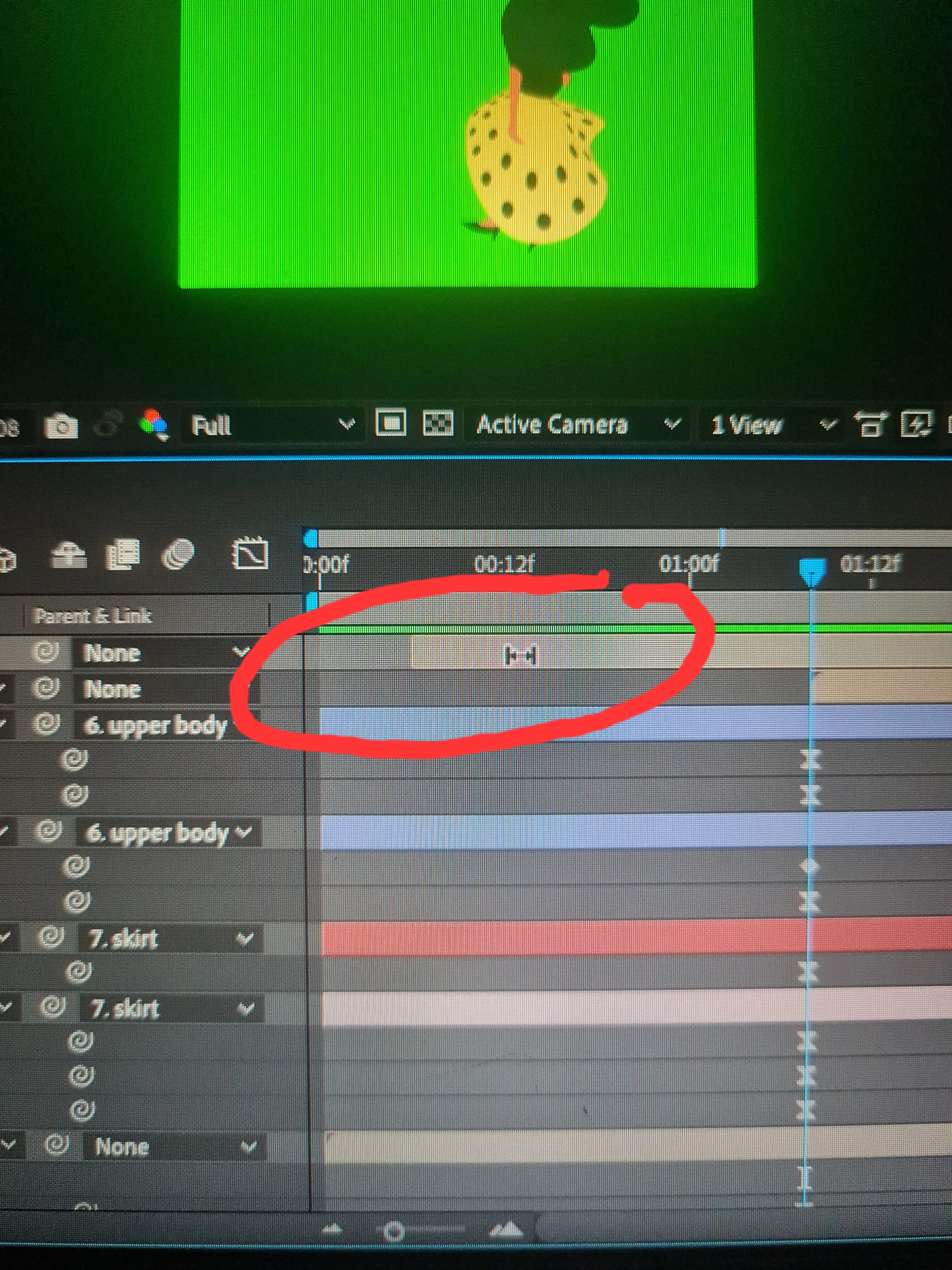
2) sometimes (this time for instance) I just don't understand how things works. The aircraft pre-comp is not showing in the character pre-comp, it is like grayed out and there is that strange indicator made of the double arrows with vertical ends instead of the normal one. I tried hard to find out what that means but no luck! It looks like the aircraft pre-comp is not displayed because is somehow out of the timeline, but there is no anchor point, not even the bounding box of the comp itself and I don't know what to do to make it appears.
I hopw I was able to explain the situation
Circled in red the unknown timeline selector and the pre-comp not showing up, is there but is actually nowhere...
Thanks a milion!
 AdChoices