
Inspiring
April 3, 2018
Answered

New Panel Windows opening off-screen, can't move them

  • April 3, 2018
  • 2 replies
  • 6965 views

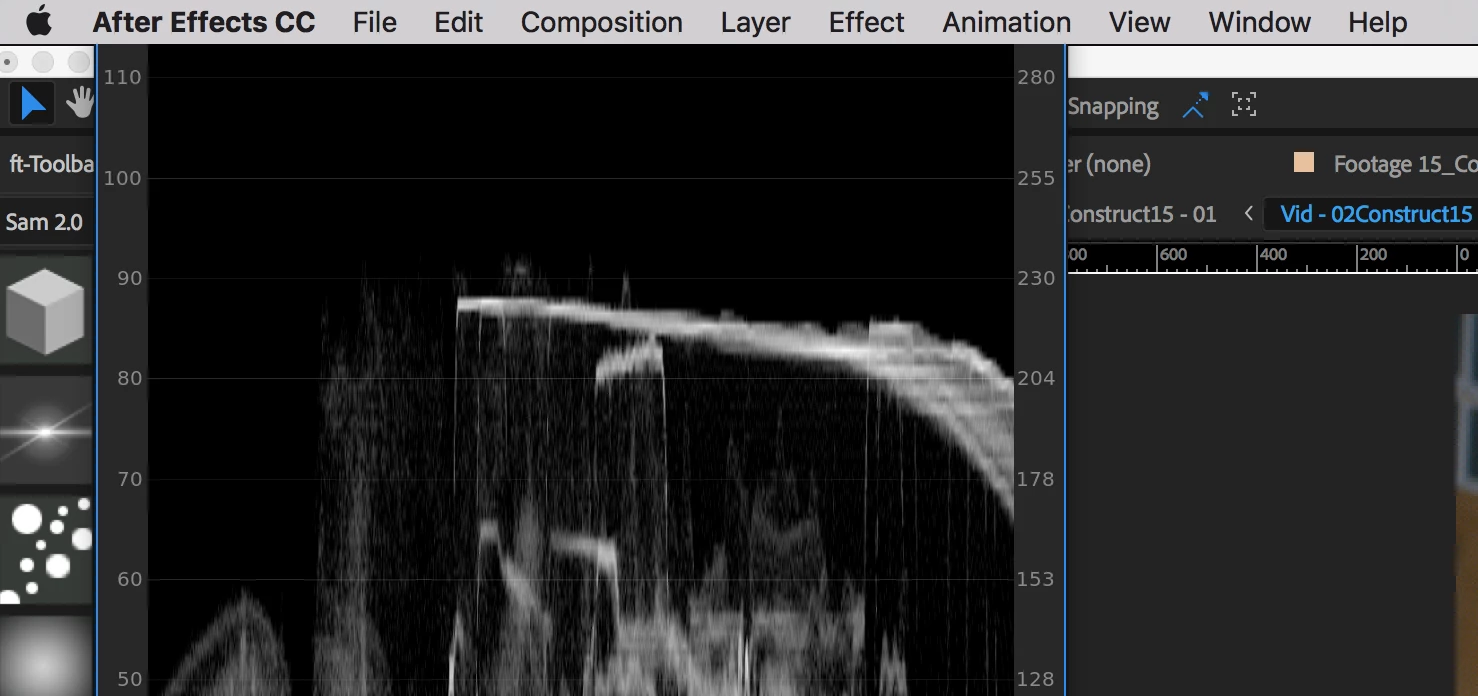
When I open a new window panel - built in or scriptUI - that I haven't previously docked, it is usually extended ABOVE the main app bar, and I can't move it because I can't grab the top of it. Any ideas?
    Correct answer Sam Parnell

    Found a solution - "cmd+\" will fill the window to the screen, and then you can resize from there.

    Hope that helps somebody else!

    2 replies

    Sam ParnellAuthorCorrect answer
    Inspiring
    July 18, 2018

    Found a solution - "cmd+\" will fill the window to the screen, and then you can resize from there.

    Hope that helps somebody else!

    Participating Frequently
    July 27, 2018

    redprod​ you are awesome!!!!! Thank you SO MUCH!

    DigitalSpatula
    Inspiring
    April 3, 2018

    Hey Redprod

    You can reset the workspace under the window:workspaces menu. This will bring everything back onto your screen where you can customize and save a new layout.

    Steve

    Inspiring
    April 4, 2018

    I can reset to the original saved workspace, but that just closes the panels as I didn't have them open in that workspace originally...

    Kevin J. Monahan Jr.
    Community Manager
    Community Manager
    May 11, 2018

    Still seeing this issue, redprod? Let us know.

    Thanks,
    Kevin

    Kevin Monahan - Sr. Community and Engagement Strategist – Adobe Pro Video and Audio