


[newbe] MORGT for CSV text import
Let it be know that I know the bare minimum of AE, in only started to explore it when I learned that it can Import my repetitive work, which is replacing text. In my PP i make new video's on a daily basis and I need to update about 160 text fields.
Now thank this this great video tutorial:
https://www.youtube.com/watch?v=yoXAmsjJoc4&t=283s
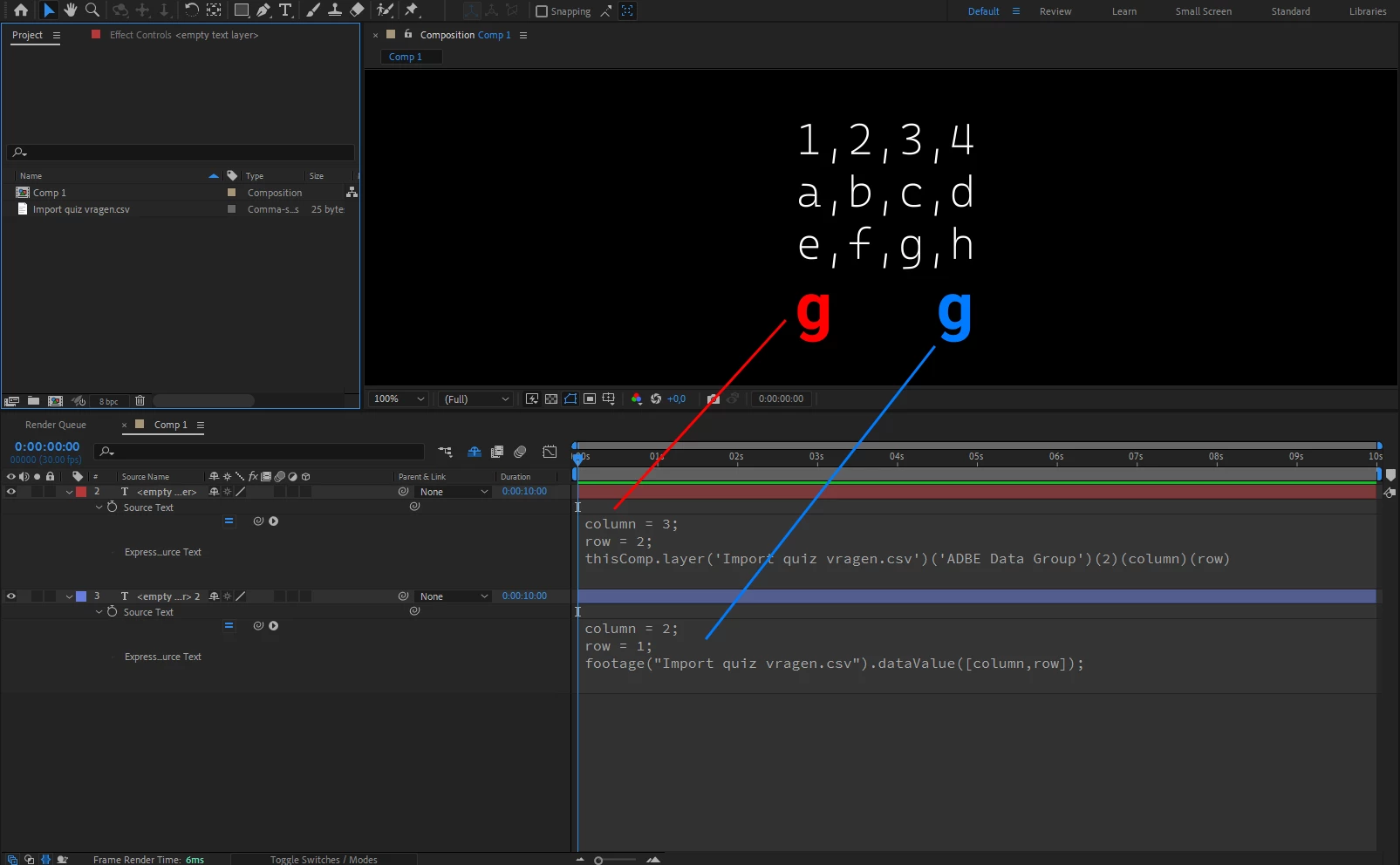
I know how to populate the text fields thought the CSV. I added a data-row slider as instructed and linked that to the text field.
Then I saved as .mogrt and imported in PP. Everything works perfectly as inteded! - as long as I stick to the original .csv data that was used in the AE file. When imported in PP it has a "drag-and-drop-insert-csv-field" to change the dataset, but whatever I do, It doesnt update the data. It stays linked to the original CSV data.
(in the video linked about you'll see people in the comments with the exact same issue)
Also tried some files somewhere from a Adobe repository that does exactly the same. Has a full PDF how to set it up (which i followed), icl. example files. Same issue persists.
I have been trial and erroring on this for days on and i'm in desperate need of help... I even tried it with importing it as AEP files instead, and that works! However because an AEP is NOT configurable in PP (e.g. changing row), you have to make all 160 fields as elements on the timeline. Which would be fine for me to setup, but after implementing around 40 of these blocks, it absolutely DESTROYS performance (opening the PP, previewing, rendering), so that seems unworkable.... (On a high end PC)
Any help, or even a template mogrt, i would be eternally gratefull!


 AdChoices