


No longer showing image/preview
I've been working on this for hours, was able to view every single layer, used the puppet tool/keyframes on multiple layers, previewed the composition, etc.
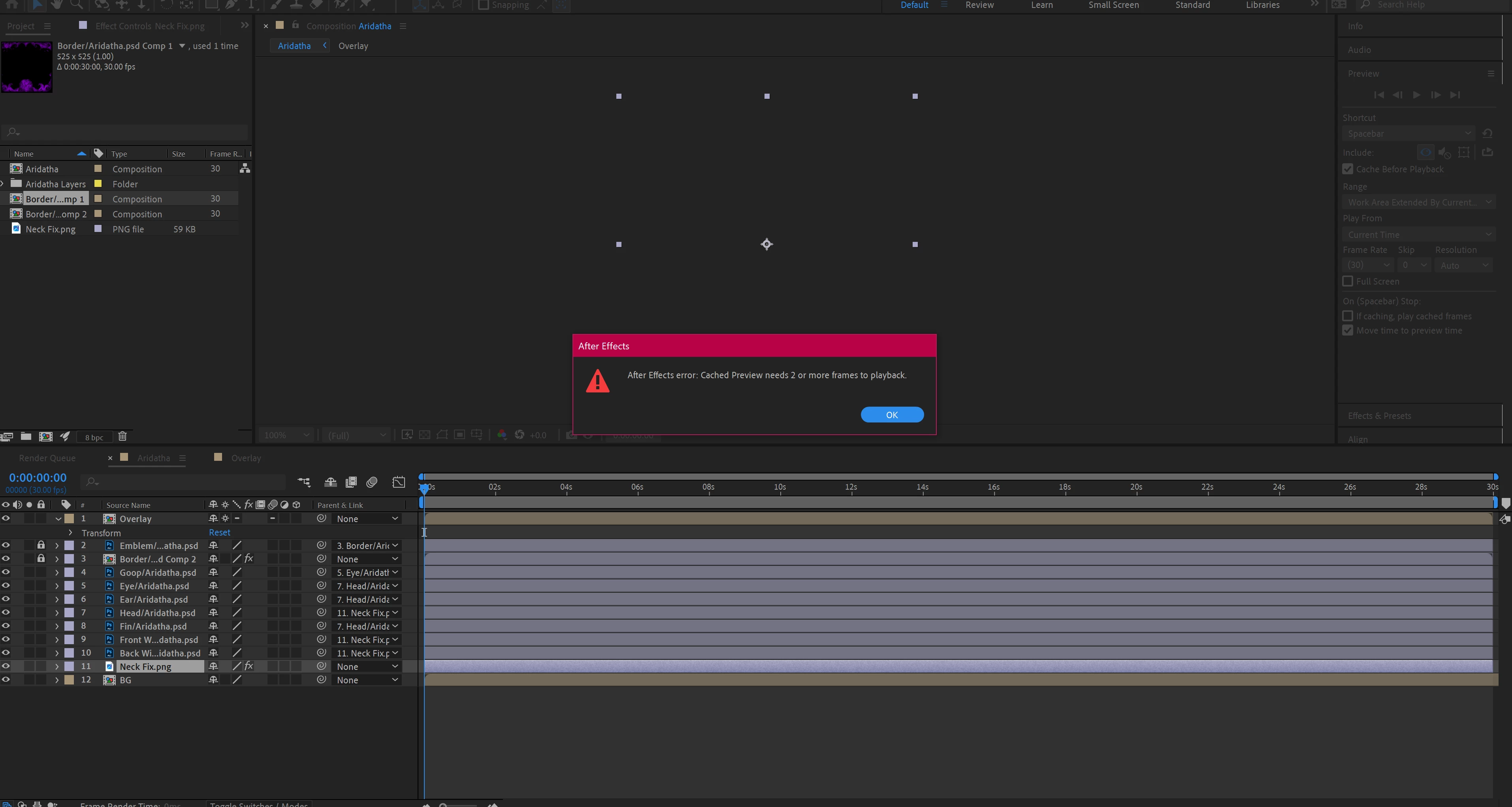
Then it suddenly decided to go completely invisible. When I click a layer I see the white boxes of where it is, but not the actual image. When I try to preview it says it can't get 2 cached images. I can click the layers in the "project" section and it shows the small image of it, but won't show on the primary viewer.
I have tried purging the memory/cache, restarting the program, restarting my computer, don't have any GPU updates, none of it works. I've tried checking/rechecking every box in the preview section, tried checking/unchecking "preserve framerate/resolution" in comp setting. There is no audio in this file, only images, but I still tried right clicking and unchecking the "audio" selection for preview. I can open the orignal PSD file (as if I'm starting it over) and it shows the iamges, but it doesn't show them on my actual animation file.
Please help.
 AdChoices