
Inspiring
February 11, 2025
Answered

no targets on tracking camera

  • February 11, 2025
  • 2 replies
  • 595 views

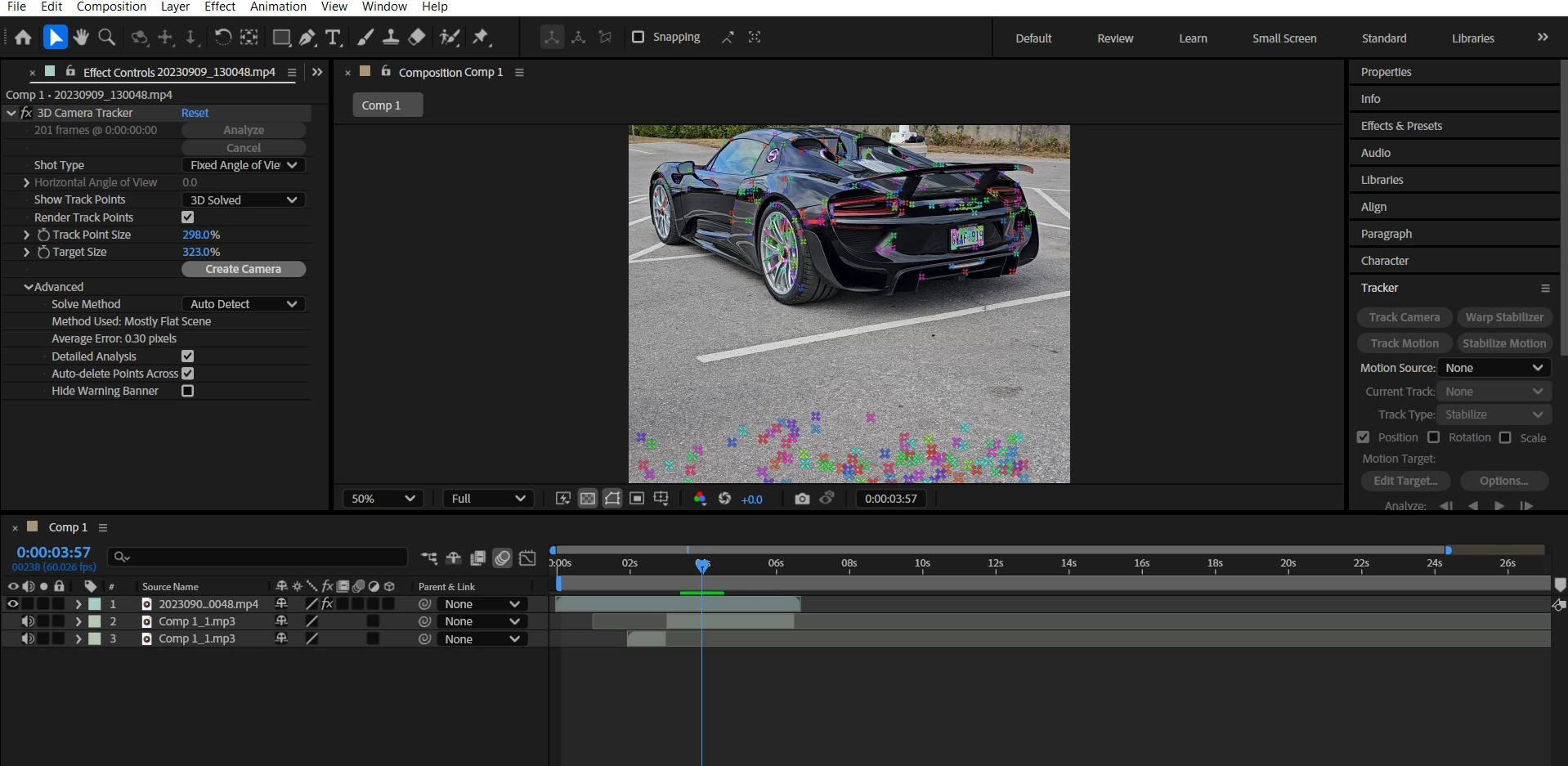
when i try and use 3d tracking the points show up but no targets or anything show up and i cannot select tracking points. i have show layer controls on and im on active camera and have detailed analysis on, ive tried in many different projects with different footage and watched a bunch of videos and looked at other posts about it and have tried everything. please help
Correct answer cole gaming a37551120moyj

i figured it out! thanks for your help but i opened up a brand new project and tried to use the camera tracker and got a pop up saying it wouldnt work because my footage didnt match the composition size, i never got this message before for some reason but i just created a new comp from the footage and now its working. 

2 replies

Community Expert
February 11, 2025

What AE version are you using? Are the drivers all up to date? 


Your comp is square, and the footage layer is an MP4. Is the footage you are tracking also square? 


I suggest you pre-compose the footage layer, move all attributes to the new comp, and trim the comp to the layer length. Then, run the Camera Track again. You cannot move, scale, or rotate a layer that will be camera-tracked, and no effects may be applied. Pre-composing solves that problem.


What kind of camera movement is in the shot? If you would share a few seconds of the shot, I can try running the camera tracker and see what happens. 

Inspiring
February 13, 2025

im using the latest version and all my drivers are up to date, my comp and footage are both 1080x1920 i just zoomed in for the screen shot so you could see the points better.  i attatched the video i was trying to use, there is very little movement. although i have tried on atleast 10 + videos.

nishu_kush
Community Manager
Community Manager
February 11, 2025

That's not ideal.

Do you mind sharing the project file to test on our end? Feel free to share it via DM if you do not want to share it publicly.

We're here to help. Moving this thread from Bugs to Discussions for troubleshooting.


Thanks,
Nishu

cole gaming a37551120moyjAuthorCorrect answer
Inspiring
February 13, 2025

i figured it out! thanks for your help but i opened up a brand new project and tried to use the camera tracker and got a pop up saying it wouldnt work because my footage didnt match the composition size, i never got this message before for some reason but i just created a new comp from the footage and now its working.