daved61979537
Participant
October 22, 2018
Question

Not able to open an Essential Graphics file (Adobe CC 2019)

  • October 22, 2018
  • 2 replies
  • 660 views

Hey,

I created an Essential Graphics with After Effects 2019 and exported it to my CC Library and as a separate .mogrt file. When I import the file in Premiere CC 2019 the same error occurs every time:
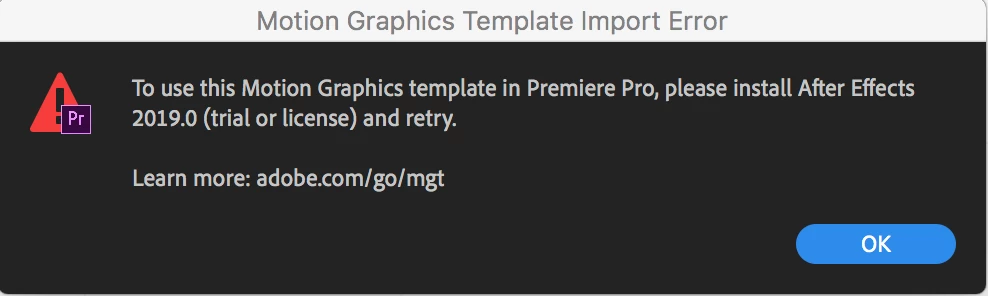
I've tried to deinstall and install both After Effects and Premiere, but it didn't help. I've read that the problem can occur when you migrate your settings from a previous version of After Effects. I discard this setting, but the error still occurs. What should I do now?

This topic has been closed for replies.

2 replies

Participant
November 30, 2018

have you found an answer? I get the same error and tried the exact same things but keep getting the errors. They do however still work in premiere cc 18 but whenever I try to import the new one I made in AE 19 it still gives me the error..

Kyle Hamrick
Community Expert
Community Expert
October 22, 2018

When you say "I discard this setting," does that mean you've tried resetting your preferences? That sounds like what I'd try.

daved61979537
Participant
October 22, 2018

Yes, that’s what I did. And it depends on the file as wel. Some ae files converted from CC18 work normal and some don’t. I’ve tried making a new Essential Graphics file from scratch as well, but the same error occurs. Somehow Premiere still thinks that I need to install After Effects 2019.

Kyle Hamrick
Community Expert
Community Expert
October 22, 2018

If you'd like to send the file (either on here or through a private message) I'd be happy to see if I'm able to open it. Might help narrow down where the problem is occurring, at least.