Participant
October 25, 2022
Answered

Null Carousel Rig is offset for some reason

  • October 25, 2022
  • 2 replies
  • 168 views

Hello,

I am trying to create a text carousel with text rotating toward the camera. The rig itself rotates precisely as I need however the problems arise when I try to parent text layers to individual nulls. I've made sure that the Position and Anchor Points of individual text layers are identical to the null object I am parenting it to but it still looks and rotates with offset.
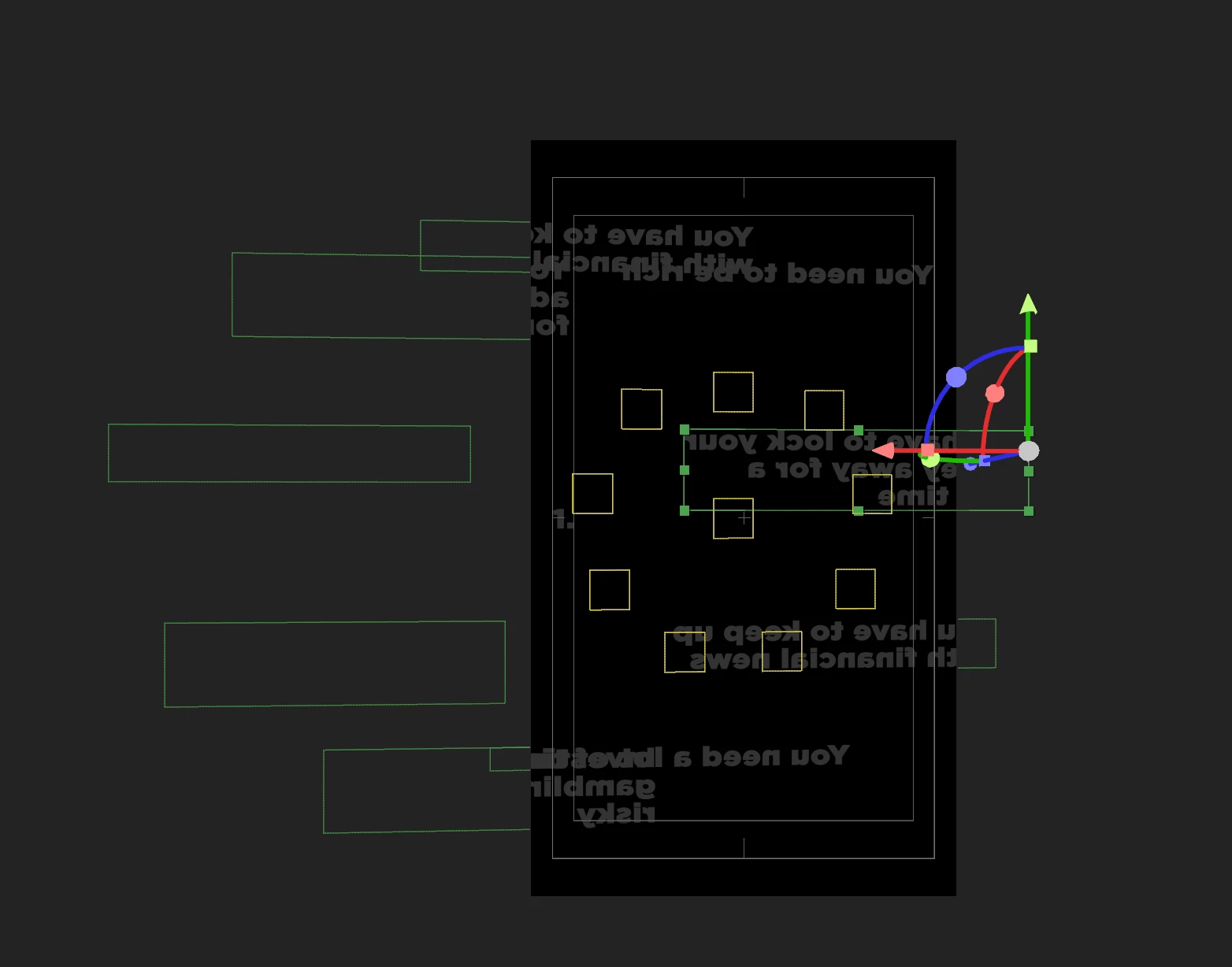
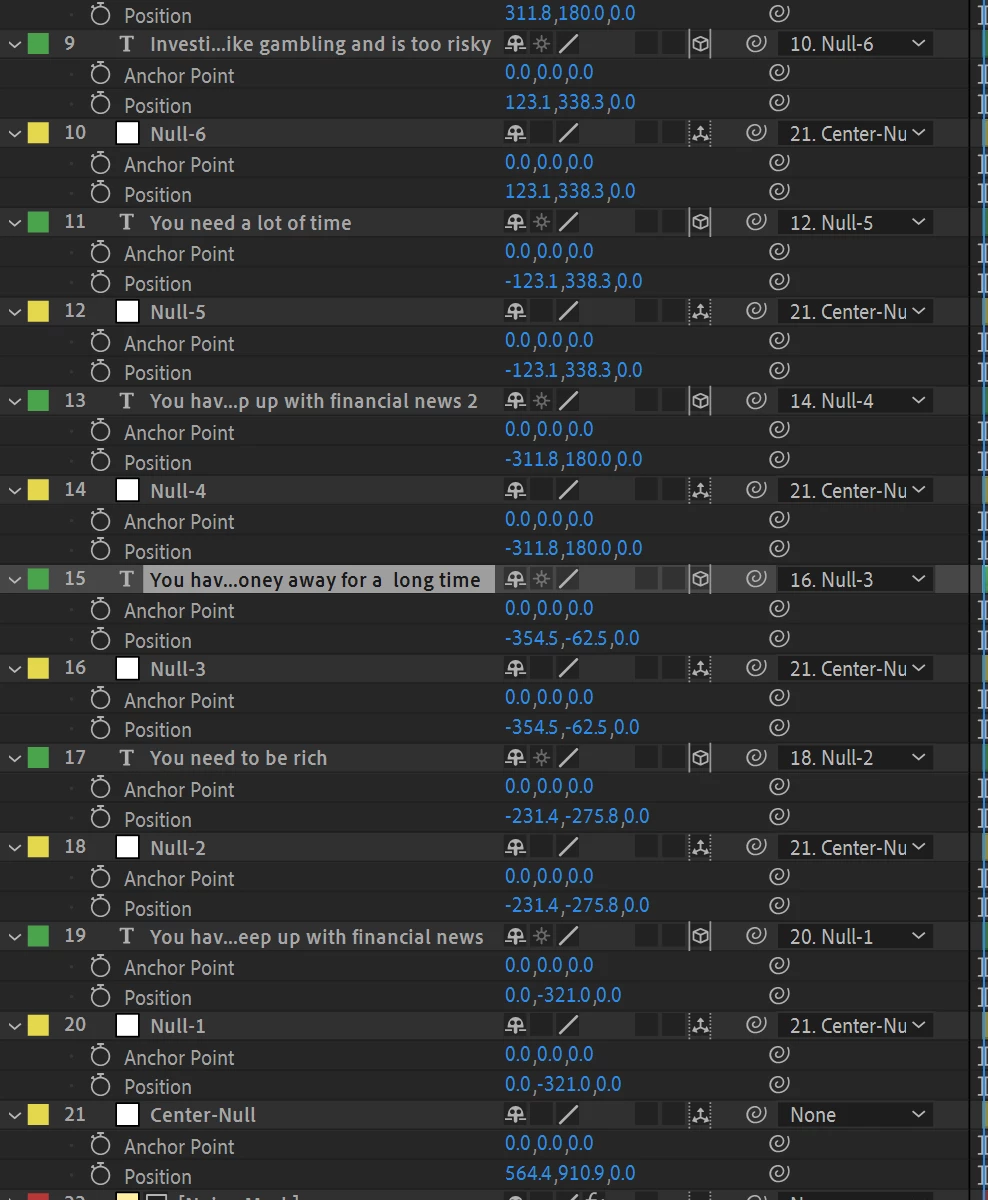
IF ANYONE HAS AN IDEA ON HOW TO FIX IT, IT IS GREATLY APPRECIATED. THANK YOU IN ADVANCE

This topic has been closed for replies.
Correct answer David Arbor

Without seeing the project it's hard to be precise, but I think you have two options.


1) If you hold Shift while dragging the pick whip of a text layer to the null you want to parent, it will reposition the text layer to be exactly at the same point as the null. You can then use the Anchor Point or Position offsets as needed.

2) If you're happy with the position of the text, and as you mentioned, rotation is a problem, then open up the Orientation parameter. This can be revealed by hitting "r" which will also bring up Rotation. Orientation is great for setting a starting angle of a layer without touching the Rotation parameter. Maybe you want to offset the text layers by 10 degrees on the Y-Axis so they look proper. Then when you animate, your Rotation parameter will behave as expected and without a wobble that you might get if you tried to angle AND animate using Rotation.

2 replies

Mylenium
Legend
October 25, 2022

Let's get the obvious question out of the way: Is there actually a "real" camera layer and are we looking "through it" at the 3D scene? If not, then all sorts of mayhem could ensue and we could try to fix this for forever. Other than that David has already provided soem good advise, though I'm confused by your negative position values. A text layer produced with proper left alignment should not require those, as ultimately any offset on the wheel should/ would be positive. That perhaps explains your issues - your geometry layout is backwards?!


Mylenium

David ArborCorrect answer
Inspiring
October 25, 2022

Without seeing the project it's hard to be precise, but I think you have two options.


1) If you hold Shift while dragging the pick whip of a text layer to the null you want to parent, it will reposition the text layer to be exactly at the same point as the null. You can then use the Anchor Point or Position offsets as needed.

2) If you're happy with the position of the text, and as you mentioned, rotation is a problem, then open up the Orientation parameter. This can be revealed by hitting "r" which will also bring up Rotation. Orientation is great for setting a starting angle of a layer without touching the Rotation parameter. Maybe you want to offset the text layers by 10 degrees on the Y-Axis so they look proper. Then when you animate, your Rotation parameter will behave as expected and without a wobble that you might get if you tried to angle AND animate using Rotation.

Participant
October 25, 2022

Thank you very much! The first tip did the job perfectly for me. Much obliged