michaeljfoxiest
Participant
November 27, 2016
Answered

Null controllers disappear

  • November 27, 2016
  • 2 replies
  • 7678 views

Hi,

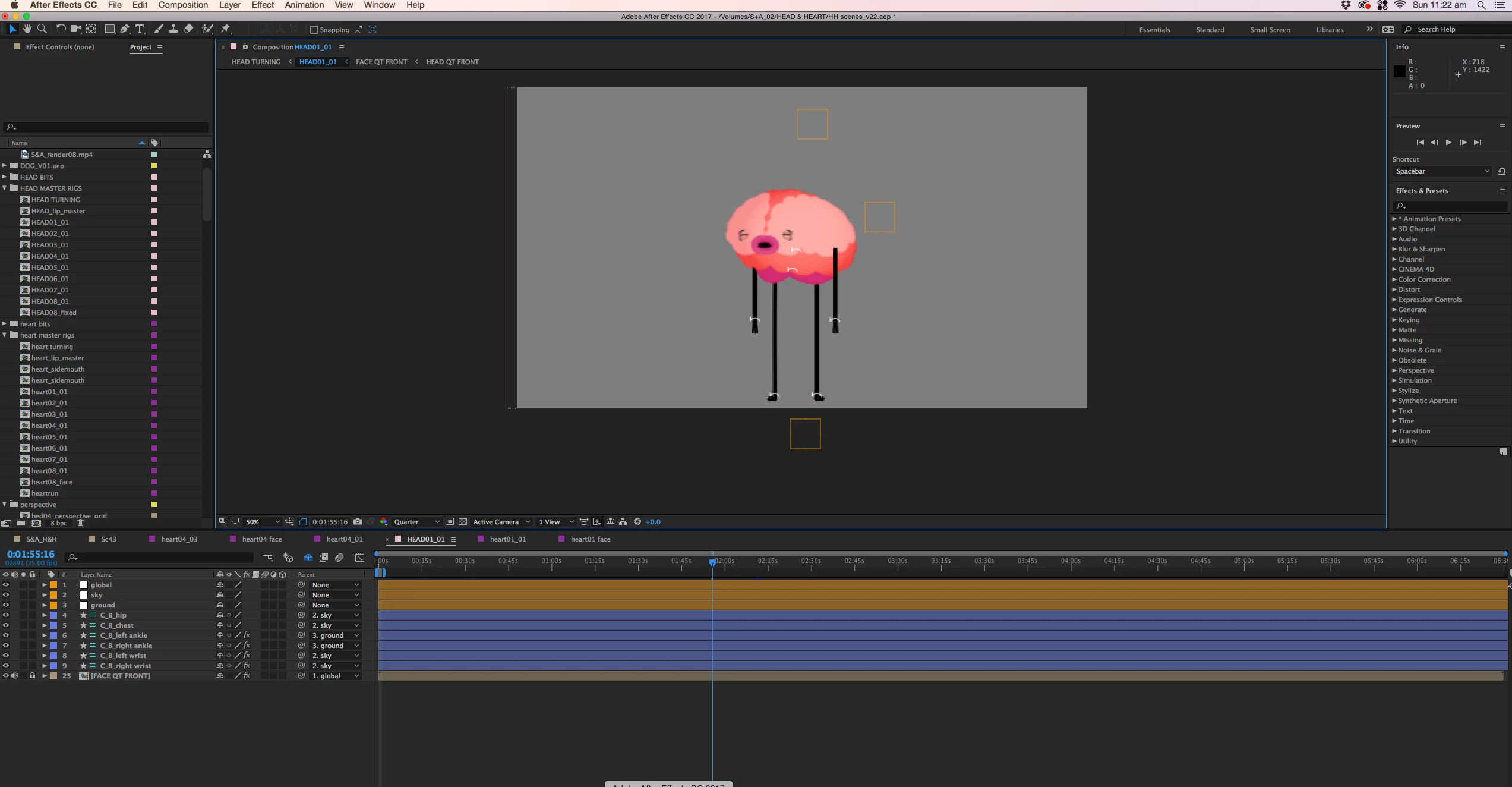
I've build a 2D animation rig using DUIK. I have null object controllers for the hands, feet, chest and hips. I also have these controllers parented to an overarching sky and ground controller (yellow null objects). The puppet works brilliantly most of the time, however lately when I open the rig, the yellow null object controllers are gone and I can no longer select and move anything with my mouse. I have increase or decrease position coordinates to move my puppet.

Please help me. It's absolutely infuriating. Is there a setting I have somehow switched off to loose that functionality?

Cheers

Tara
    This topic has been closed for replies.
    Correct answer michaeljfoxiest

    Os version and exact version number of Ae? Type UU on the controllers see if transparency has been changed through some parameter.


    I worked it out.

    View > Show Layer Controls.

    Very very relieved.

    Thanks for the replies

    2 replies

    Participant
    October 12, 2020

    TYTYTYTY

    Mylenium
    Legend
    November 27, 2016

    Well, do they actually work, when the shy guy is disabled and they also show up as layers in the timeline? Could be some weird bug related to that. Otherwise check your comp display/ view options.

    Mylenium

    michaeljfoxiest
    Participant
    November 27, 2016

    It's nothing to do with shy guy. They are visible in the timeline. I've turned shy guy on and off. Visibility on and off. Basically toggled everything I can think of on and off to fix it.

    michaeljfoxiest
    Participant
    November 27, 2016

    UPDATE:   The controllers are invisible but they are still there. If I work out where they are I can move them with my mouse. I just can't see them. Why have they gone invisible?