
vytenisl58656491
Participating Frequently
March 7, 2021
Answered

Null position issue in 3D

  • March 7, 2021
  • 3 replies
  • 2210 views

Hello,

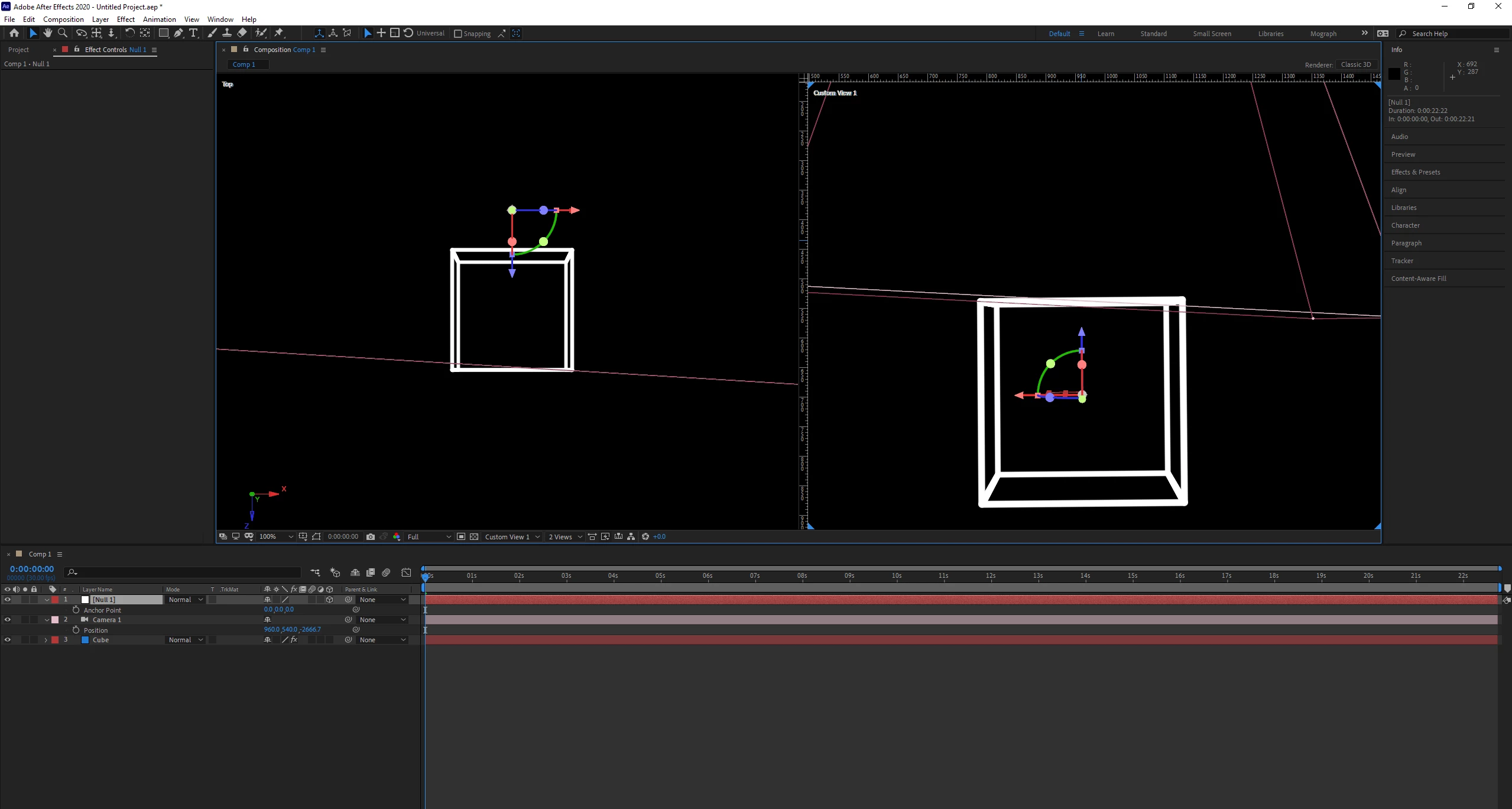
Could anyone explain me why this Null's position is different in Top/Side/Front view and Custom one?
As you can see Null is in the middle of the cube in the Custom view. However, it is outside Cube in the top view. Thanks in advance.
This topic has been closed for replies.
Correct answer Rick Gerard

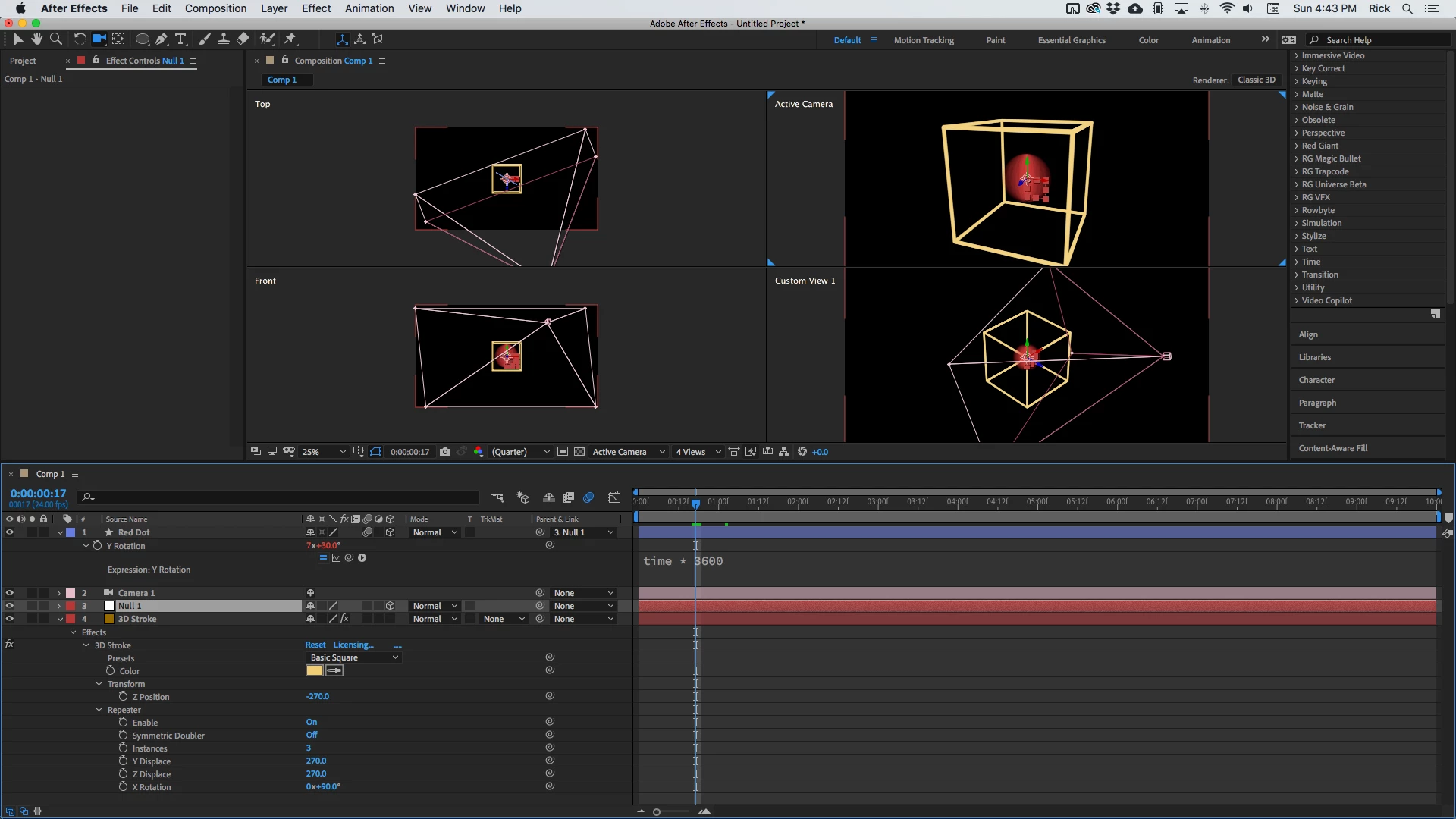
I am guessing that your numbers are off in Trapcode 3D stroke. I zeroed out a cube with these settings and everything is right in the middle of the comp center. Even added a disk in the same position as the null spinning fast with motion blur to look like a ball. 

Try fiddling with the numbers and check things using 4 views. 3D stroke does not turn isographic when using the custom views so it can be a little confusing. 

3 replies

Rick GerardCommunity ExpertCorrect answer
Community Expert
March 8, 2021

I am guessing that your numbers are off in Trapcode 3D stroke. I zeroed out a cube with these settings and everything is right in the middle of the comp center. Even added a disk in the same position as the null spinning fast with motion blur to look like a ball. 

Try fiddling with the numbers and check things using 4 views. 3D stroke does not turn isographic when using the custom views so it can be a little confusing. 

vytenisl58656491
Participating Frequently
March 8, 2021

Thanks Rick!
I think I found what's causing this. Thanks for sharing your 3D Stroke settings (I attached mine). Your Y position and X rotation is different, but outcome is the same as expected. However, you're using Z position inside the 3D Stroke's layer, while I changed the Null's position in Z. I guess that's why it shows differently in the camera views.


Community Expert
March 7, 2021

I see a 3D null and a 2D layer with some kind of effect applied. I only see the anchor point value for the null so there is no way to know where it is in AE's 3D world. 


I am guessing that a 3D plug-in like Element 3D is being used on Layer 3 Cube. I am also guessing that you have not properly set up the 3D plug-in to either line up the cube with AE's world space. Without knowing the workflow or seeing the modified properties of the Cube layer and the Null layer I can only guess that you have not gone through the manual or the tutorials sufficiently to understand how to line things up. 

vytenisl58656491
Participating Frequently
March 7, 2021

Thank you for fast reply!
It's Red Giant's 3D Stroke plugin added to that 2D layer. 
The main question is not about aligning things, but more like is it even possible that Custom view and for example, top view could show different Null's positions?

OussK
Community Expert
Community Expert
March 8, 2021

Yes sure, each view mean a different camera, and since you look in 3D space that possible what you can see it's on the middle in Camera A (custom view) it will not look in the same position at camera B (top view)

check the GIF and see how if I move the null in the Z position, it will look in the middle from the front view but actually, it's not like that 

vytenisl58656491
Participating Frequently
March 7, 2021

Sorry, maybe the angle isn't so good to be sure about their position. Here is another, where you can see more clear.