
Answered
Numeric Marker Shortcuts Suddenly Doesn't Work
I used to be able to create a marker by pressing Shift + a number, and then jump to a specific marker by pressing the corresponding number. But it suddenly dones't work now. Here are more detailed informaiton:
1. The other marker related shortcuts still work
2. I reset shortcut setting to default still can't solve the preoblem(also turn off all other applications to avoid potential shortcuts conflicts)
3. I tried different shortcut combination it works successfully, as shown in the image below.
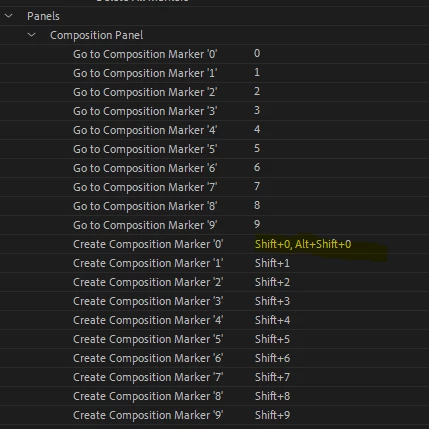
Anyone know the reasons? Thanks for your help.


 AdChoices