
Participant
December 26, 2022
Answered
Object moves after final keyframe
- December 26, 2022
- 2 replies
- 594 views
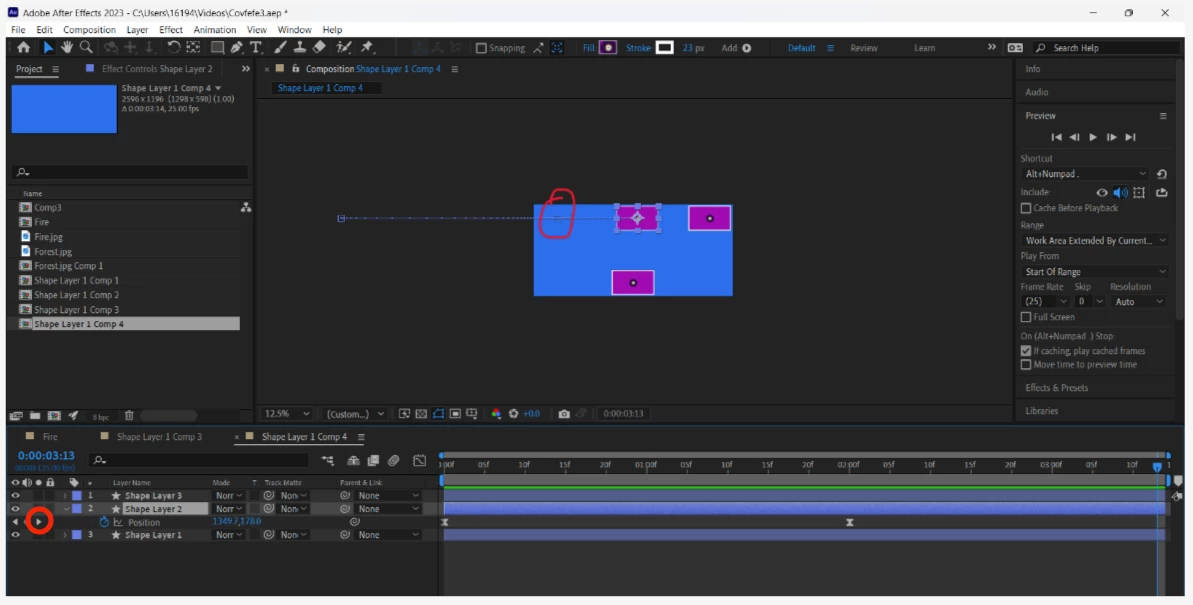
Second question today. In this "Chapter 1 Section 1" animation, the object moves from left to right and stops. However, after the final keyframe, whose position is circled in red, the left-most object then starts to move again. Now, I've used the "U" and "UU" shortcut to see all keyframed properties, and nothing indicates that it would keep moving. It's a precomped layer, and its parent (colloquial parent, nothing technical) composition also indicates nothing. I've even tried to manually delete keyframes that aren't there. If it helps, this movement appears to be, without any keyframing, happening in the "Transform" property and not the "Transform: Rectangle 1" property tab. Any solid answers would be appreciated. Thanks!


 AdChoices