Answered
odd boxes on side of video?
sorry if this is a really dumb question, but i keep getting these boxes on the side of my video and i don't know how to get rid of them. someone help?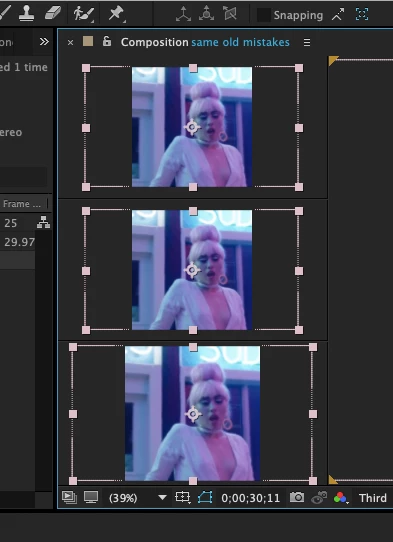
sorry if this is a really dumb question, but i keep getting these boxes on the side of my video and i don't know how to get rid of them. someone help?
Changing the size of your comp will not hide the layers bounding boxes they just will no longer extend beyond the X parameter of your composition. However you might not want to hide them because at times being able to see your layers bounding box is quick visual reference to know which layer you have selected and where it's edges are. You must have all three layers selected which is why you're seeing all three but that's a guess from experience because I cannot see your layer panel... which leads to another point. It helps a lot when providing screenshots to include the entire interface. There's alot of little buttons and switches and other UI elements all over the interface that could prove useful to an experienced eye trying to troubleshoot your issues, so always provide full screenshots.
If you still do want to turn off the bounding boxes just go to the View menu and toggle off "Show Layer Controls". But I suggest you don't do that. They're useful to see and will not render.
Already have an account? Login
Enter your E-mail address. We'll send you an e-mail with instructions to reset your password.
 AdChoices