nickn35634941
Inspiring
May 22, 2017
Answered

only show selected parameter in timeline graph

  • May 22, 2017
  • 3 replies
  • 8196 views

Hello,

I've got a comp with various layers with animated properties.

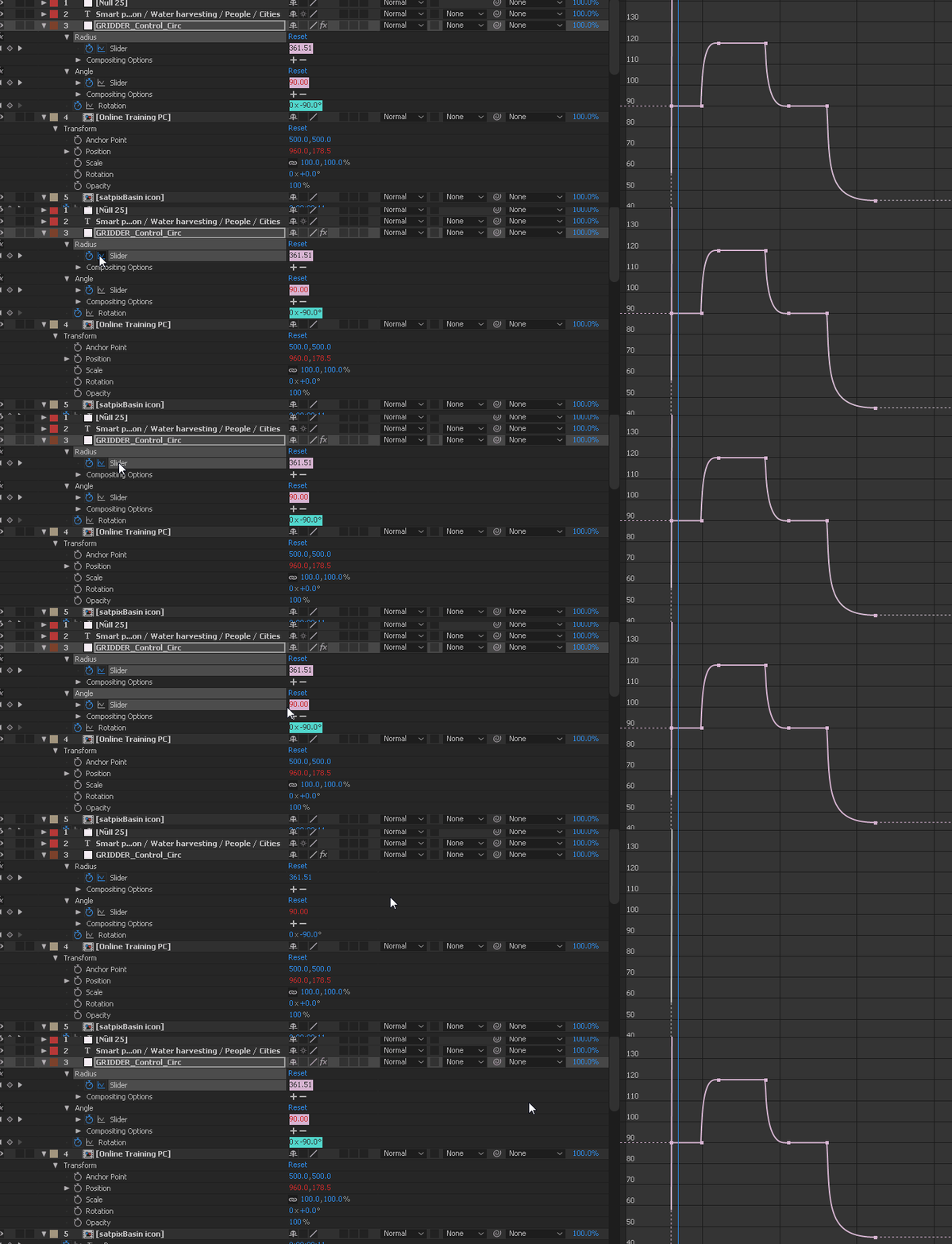
But I can't seem to isolate any one parameter, the graph view is showing me all other animated parameters in the composition and its making it impossible to work with my keyframes, selecting them etc.

In graph view it shows keyframes for all animated properties for the layer, I can't figure out how to hide all except the one I want to work with.
This topic has been closed for replies.
Correct answer nickn35634941

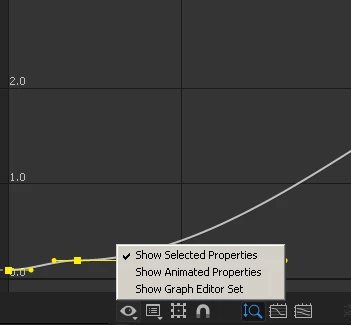
Ah I think I figured it out, for now, I had to un-check "show animated properties", this then allows me to zoom/frame only the selected parameter.

3 replies

nickn35634941
Inspiring
July 24, 2017

I'm back, with the exact same issue, I have multiple animated parameters on one layer, I want only view ONE parameter and HIDE the others. Am I missing something? In my original gif I am showing how I have two animated parameters (both the same colour for some reason (random chance?) and I am trying to show how I cant isolate one to the graph view without the other being in the way.

nickn35634941
nickn35634941AuthorCorrect answer
Inspiring
July 24, 2017

Ah I think I figured it out, for now, I had to un-check "show animated properties", this then allows me to zoom/frame only the selected parameter.

bob.shrag
Participant
August 8, 2018

Thanks for this. It's amazing how far you have to scroll to get the right answer these days

Dave_LaRonde
Inspiring
May 22, 2017

The Graph Editor is overrated in my opinion. 

Look at your animation.  Preview it.  How does it look?  Is it okay?  You don't need to tweak things in graph editor.  Do things happen too quickly or too slowly?  Move the keyframes along the timeline.

About 80% of the time, that's all you need to do.  Personally, I open the graph editor once every couple of months to do fine tweaking, and that's about it.  I would NEVER rely on it on a daily basis.  It's just too time-consuming.

nickn35634941
Inspiring
May 22, 2017

Hi Dave,

I too hate having to use it, but it is essential for fine control over easing. Easy ease just isn't versatile enough.

I need to carefully fine tune the easing for specific keyframes to get a fluid dynamic as well as sync to a voiceover. Some times I use the Ease and Wizz script, but that doesn't provide the kind of control I need, especially if I need different types of eases for one parameter as the animation progresses.

Dave_LaRonde
Inspiring
May 22, 2017

Well, sir, it would seem my standards are a lot lower than yours! 

Or perhaps I work on tighter deadlines than you do -- "Can you have this done by the end of the day, Dave?" 

Such is life in broadcasting.

Mylenium
Legend
May 22, 2017

And what are the settings in the flyout menus?

Mylenium

nickn35634941
Inspiring
May 22, 2017

Sorry, my terminology is not very good, by "fly-out menu", do you mean the drop down / expanded view for the other key-framed parameters?