Participant
March 2, 2019
Answered

Opacity Random for Shape Layer Group ?

  • March 2, 2019
  • 1 reply
  • 13274 views

HI.

I have some shapes, which I have converted from .AI file.

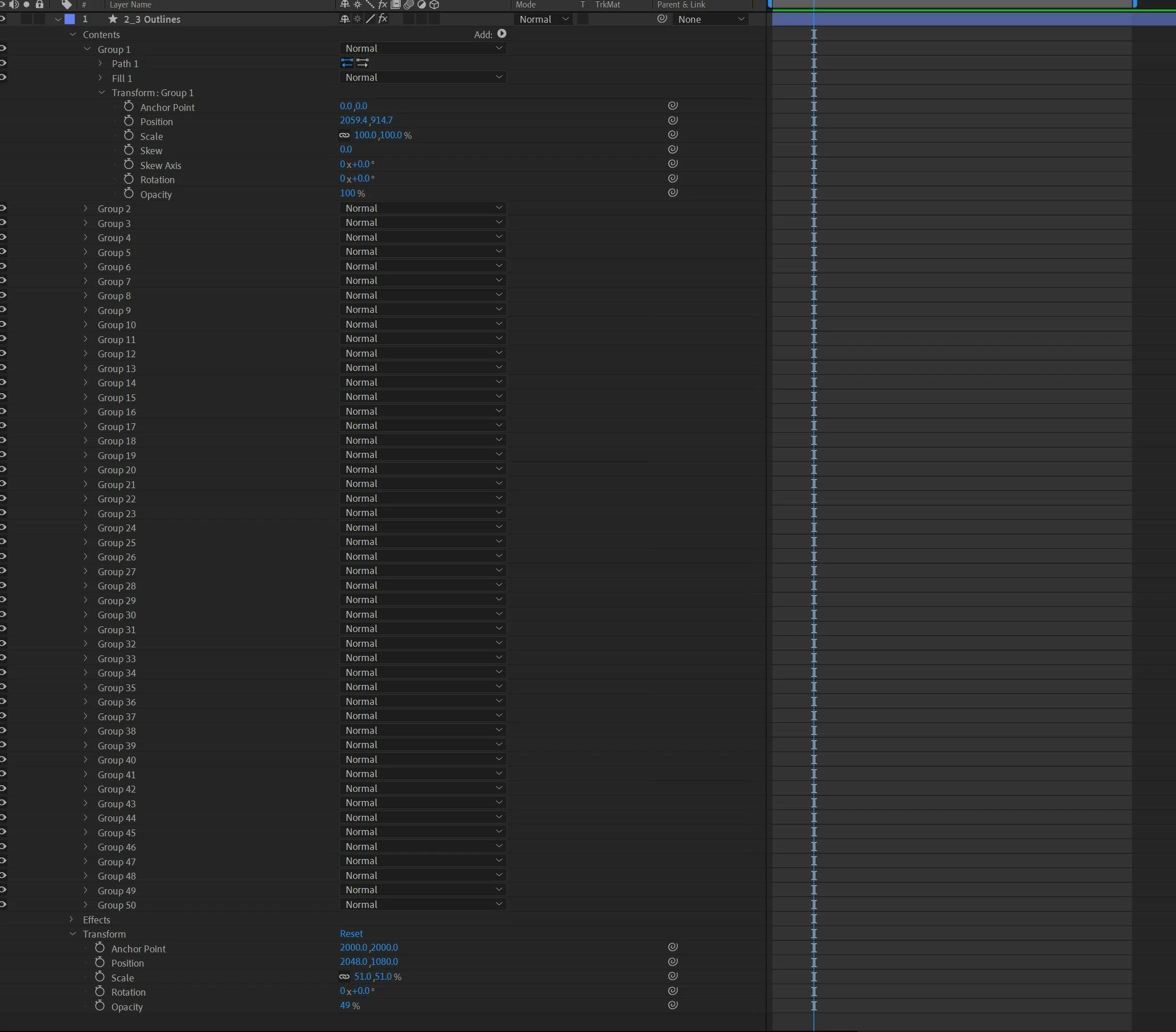
Now I have 50 such groups, as my Shape Outlines.

1. How can I randomize the opacity off the 50 group/ individual opacity ? Because unlike Text Animator, there is no Opacity in the ADD> pulldown...

Is there a script or an expression needed to ths other than painfully re timing the opacity of 50 Groups ?

Thanks !
    This topic has been closed for replies.
    Correct answer Rick Gerard
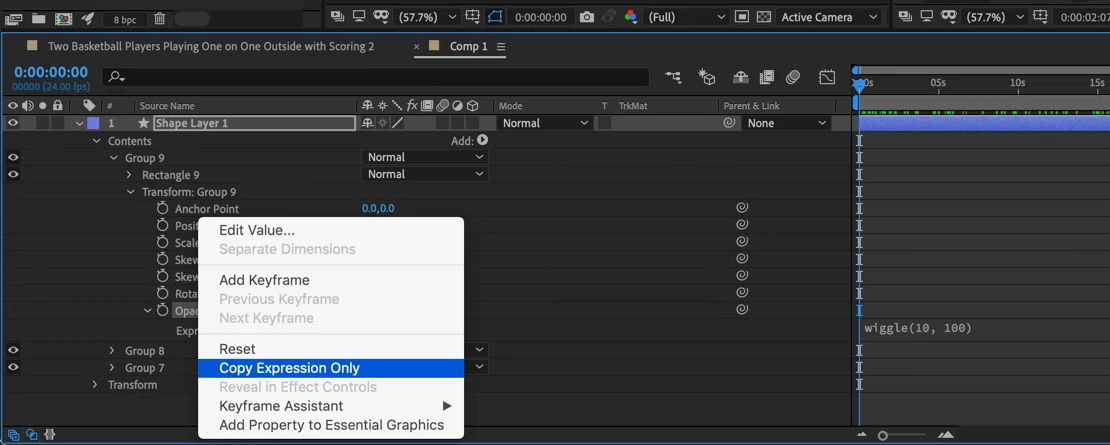
    1. Open Transform Group 1
    2. Alt/Option + click on opacity to add an expression
    3. Type wiggle(10, 100) to wiggle the opacity randomly 10 times per second between zero and 100
    4. Select Transform Group 1> Opacity, right click and select Copy Expression only
    5. Drag a selection around all of the groups in the layer and paste (Ctrl/Cmnd + v)

    Check the results. If you don't like the frequency or the amount edit the expression and repeat step 3 through 5

    Something like this:

    1 reply

    Rick GerardCommunity ExpertCorrect answer
    Community Expert
    March 2, 2019
    1. Open Transform Group 1
    2. Alt/Option + click on opacity to add an expression
    3. Type wiggle(10, 100) to wiggle the opacity randomly 10 times per second between zero and 100
    4. Select Transform Group 1> Opacity, right click and select Copy Expression only
    5. Drag a selection around all of the groups in the layer and paste (Ctrl/Cmnd + v)

    Check the results. If you don't like the frequency or the amount edit the expression and repeat step 3 through 5

    Something like this:

    Participant
    March 3, 2019

    Hey Rick !

    Thank you so much!

    I wasn't aware of the Copy Expression function.

    But now if I add a STROKE animator, and remove the the FILL it doesnt work

    It seems the Opacity works only on the FILL. Group Transform.

    Is there a way to make Opacity wiggle expression happen, even when I use the Stoke animator to the Groups ?

    Thanks again for the help!

    Community Expert
    March 3, 2019

    Where are you putting the stroke? Strokes cannot be the only thing in a group. You also need a path. You could select all the groups and then add a stroke. That should add a stroke to each group. If you want to change the color of each of the new strokes that were added. All of the strokes would then wiggle at the same rate as the fills.

    If you don't have anything selected and add a stroke then it will just add a stroke at the bottom of the stack and apply that stroke to every path in every group. You could wiggle the opacity of that stroke but all of them would be the same.