Answered
Open Timeline in The Effect Control Panel
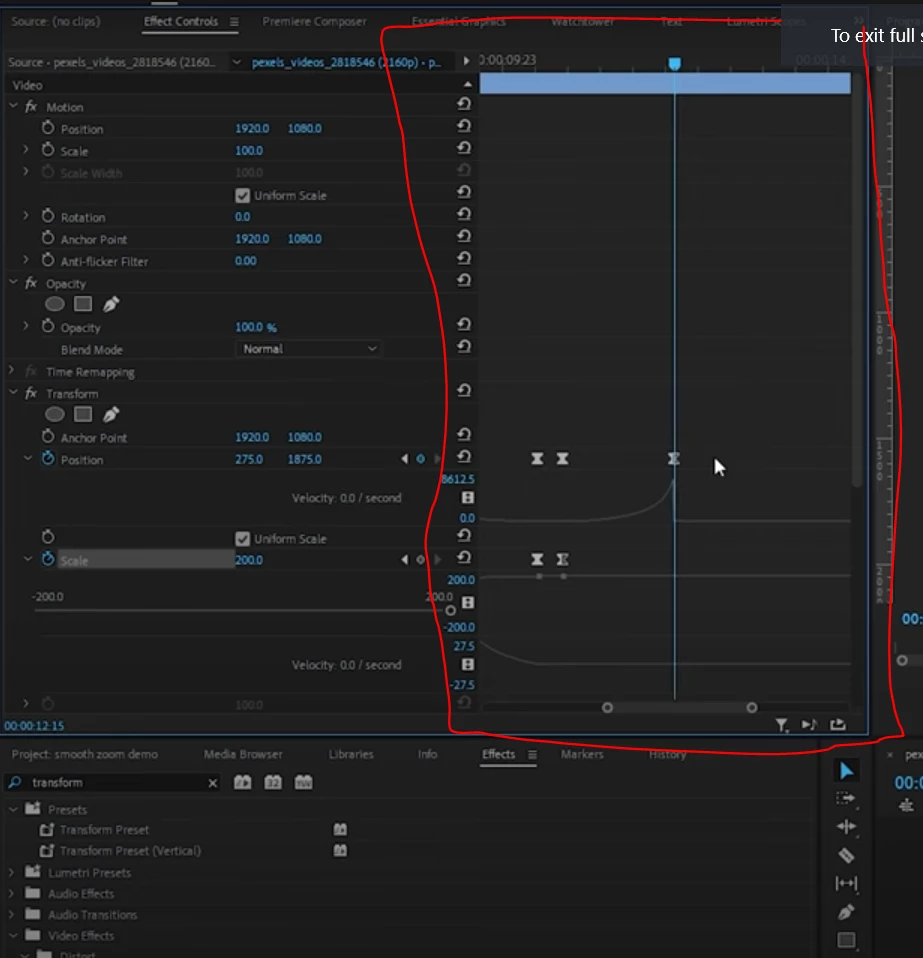
How do i open the timeline in the Effect control Panel like on the first screen?
This is what I have now
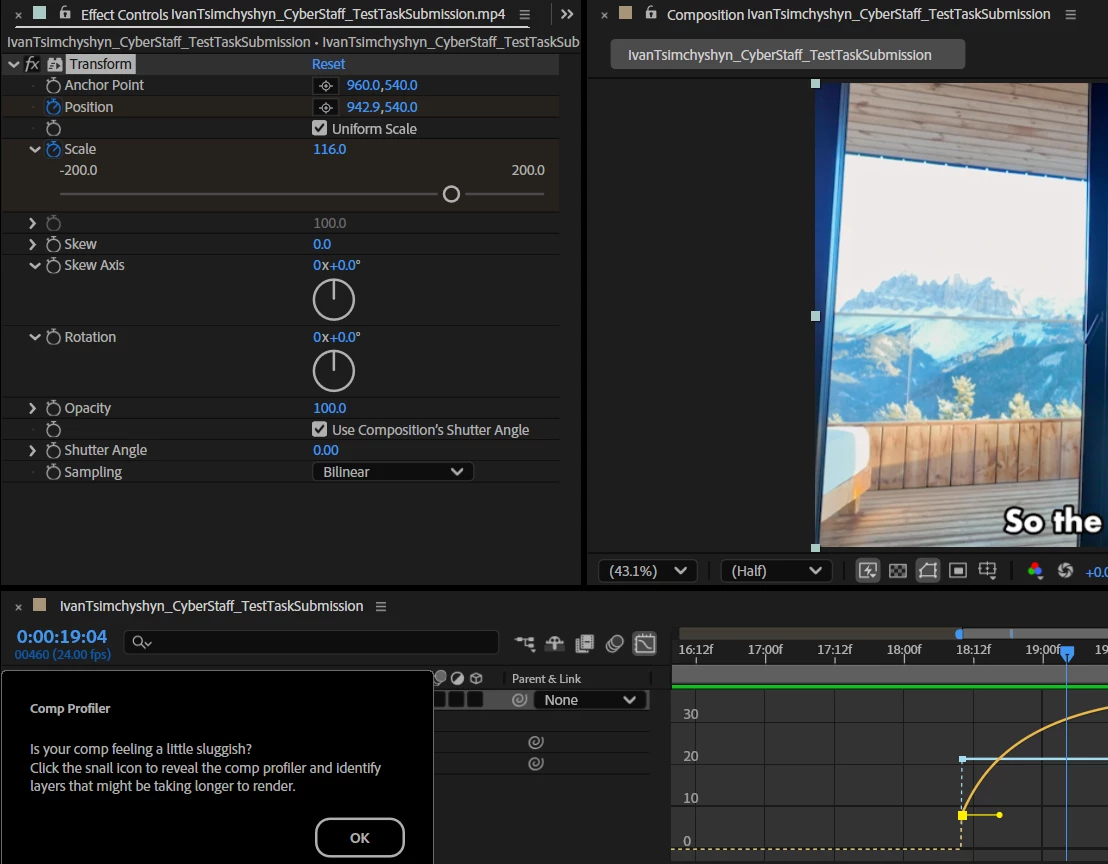

How do i open the timeline in the Effect control Panel like on the first screen?
This is what I have now
Hi,
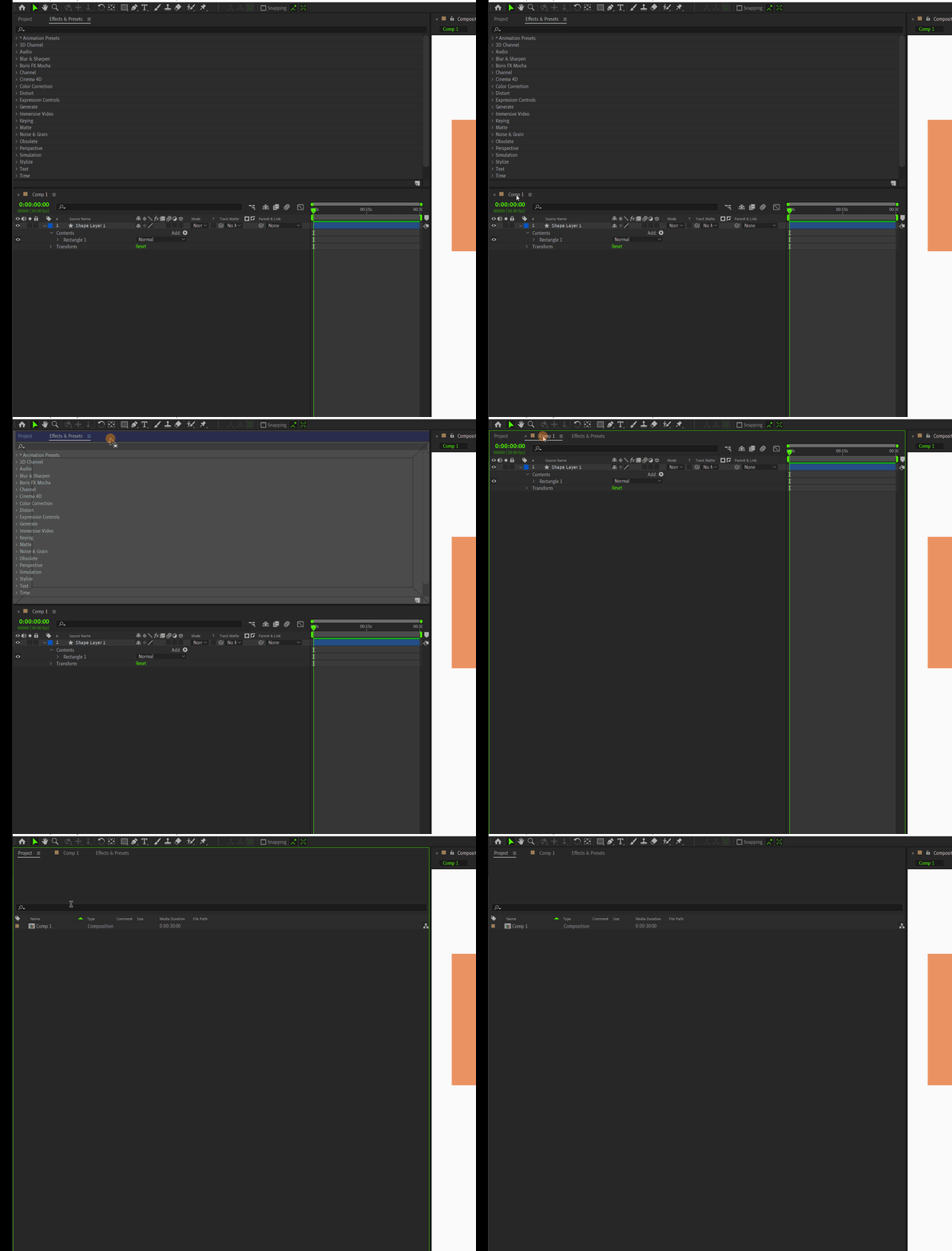
After effects has many Individual panels, Project panel, composition panel etc are some of those. You can drag and drop panels In project panel. And can customize your own workspace. Timeline can be positioned in project panel also (Like your attached image) Just Drag the timeline and drop it beside Project panel and save that as a new workspace.
Already have an account? Login
Enter your E-mail address. We'll send you an e-mail with instructions to reset your password.


 AdChoices