Known Participant
July 31, 2018
Question

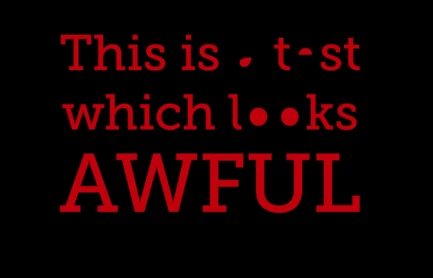
Outlined text from AI to AE goes wrong when creating shape layer

  • July 31, 2018
  • 1 reply
  • 1347 views

Hi!

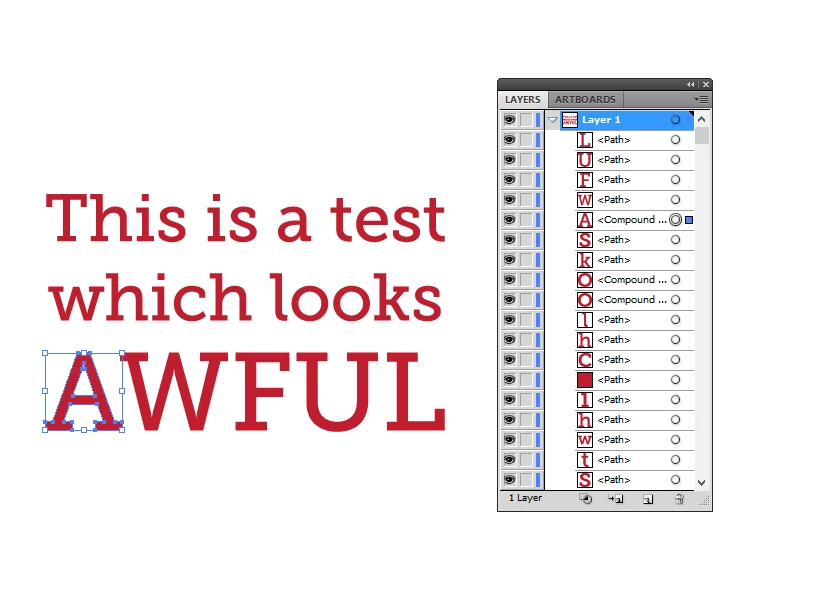
I have some outlined text saved as an Illustrator file, imported to After Effect where I want to animate 3D.


When I try to "create shapes from vector layer" in AE, the letters containing compound paths looks wrong (a, A, g, o, you get the picture).

I have tried changing compound path to path by going Object > Compound path > Release, but then my letters just doesn't have their holes. But some of the compound paths seems to work just fine, like the "A" but not the "a", "e" or "o".

So now I'm at a loss.
    This topic has been closed for replies.

    1 reply

    Mylenium
    Legend
    July 31, 2018

    You have to apply Merge Path operators. AE doesn't deal with compound paths natively once they have been converted. You have to read up how shape layers in AE actually work.

    Mylenium

    Community Expert
    July 31, 2018

    I'm wondering why you are converting to shape layers. If you are not using shape layer animators or actually animating the vector paths, or extruding the layer, it's highly likely that you are adding a step that adds nothing to the project.

    If the layers need to be shapes then properly preparing the artwork is essential and checking the modified properties of the layers after they have been converted to shapes is critical. Success is not automatic.