Participant
August 12, 2019
Answered

Part of a video is brighter

  • August 12, 2019
  • 2 replies
  • 302 views

Sorry for the title, didn't come up with anything better

So I've been using these ready templates/workfiles and have built kind of a slideshow. Now I'm confused by this layer which makes a part of the video brighter as you can see. I can't locate the comp/layer which is causing this!? It's clearly caused by changing ratio from 1920x1080 to 1080x1920 but still.
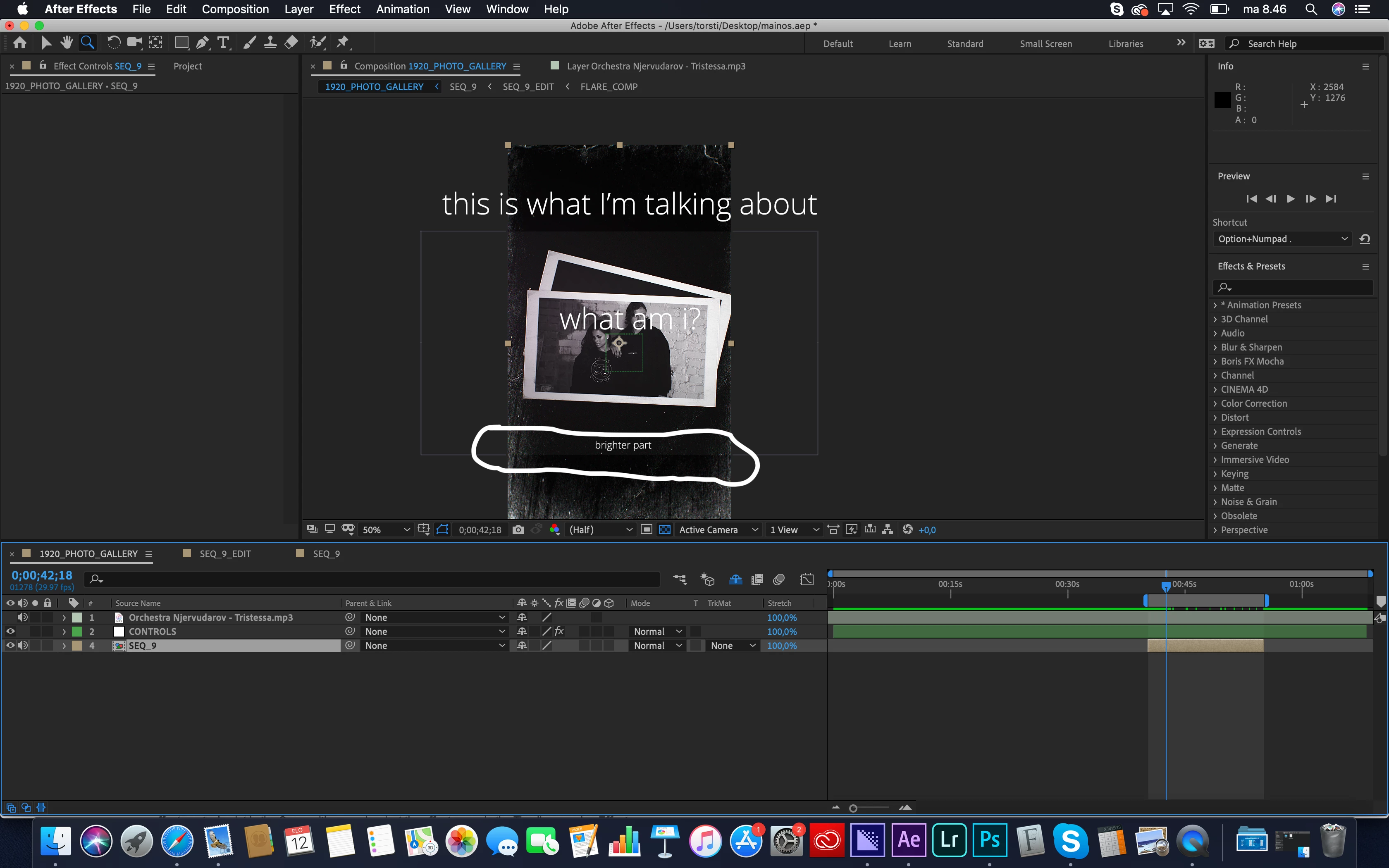
when I open comp seq_9 there's obviously nothing there
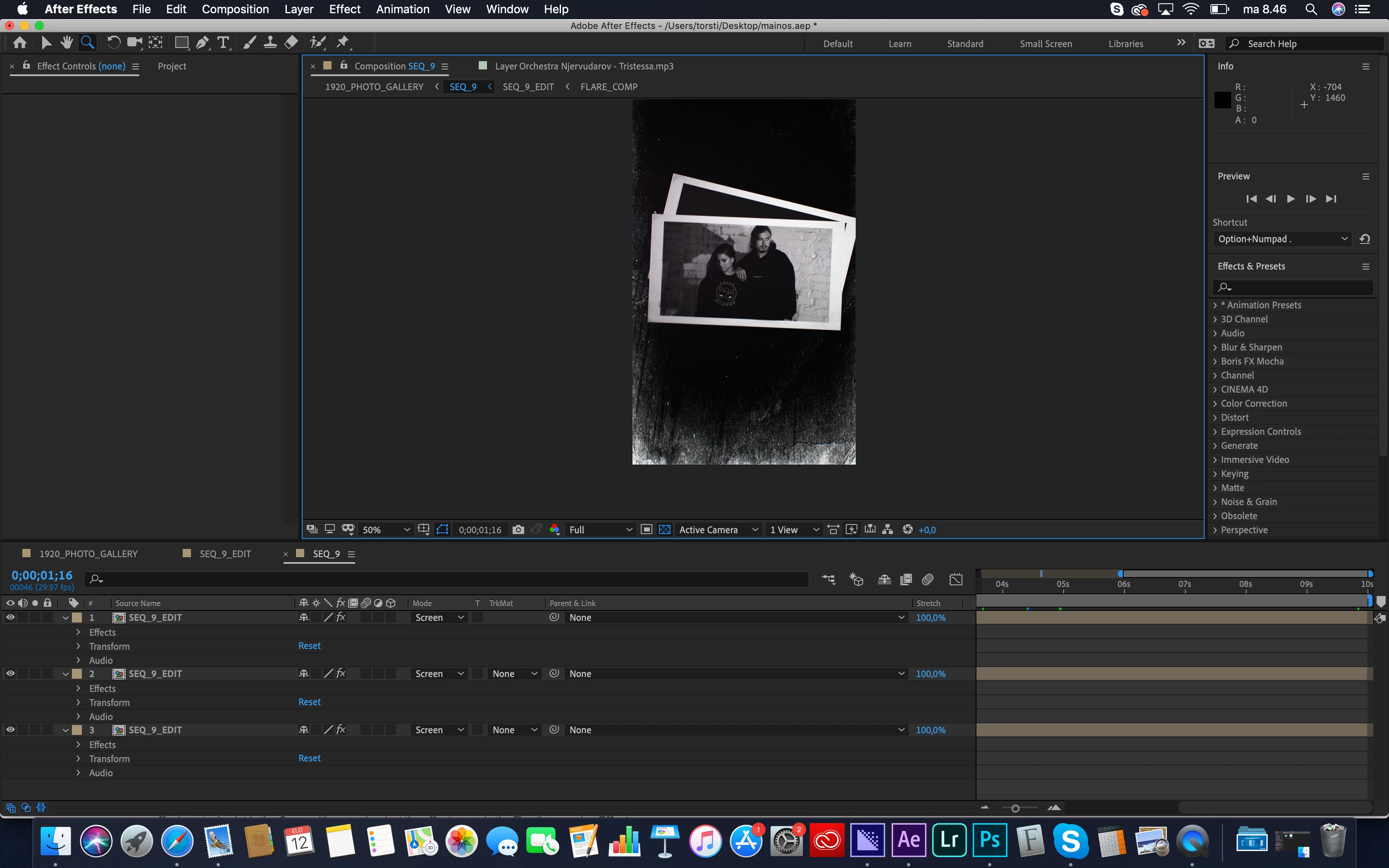
I know it must be something simple, I just don't make it easy with my lack of workflow (and my not so fluent English), but if anyone has any ideas how to get rid of that light there would be appreciated.

As you can see I'm not a pro with AE, still trying to learn this confusing yet great software 🙂
    This topic has been closed for replies.
    Correct answer Martin_Ritter

    This is some effect or a layer somewhere. Nothing to worry about.

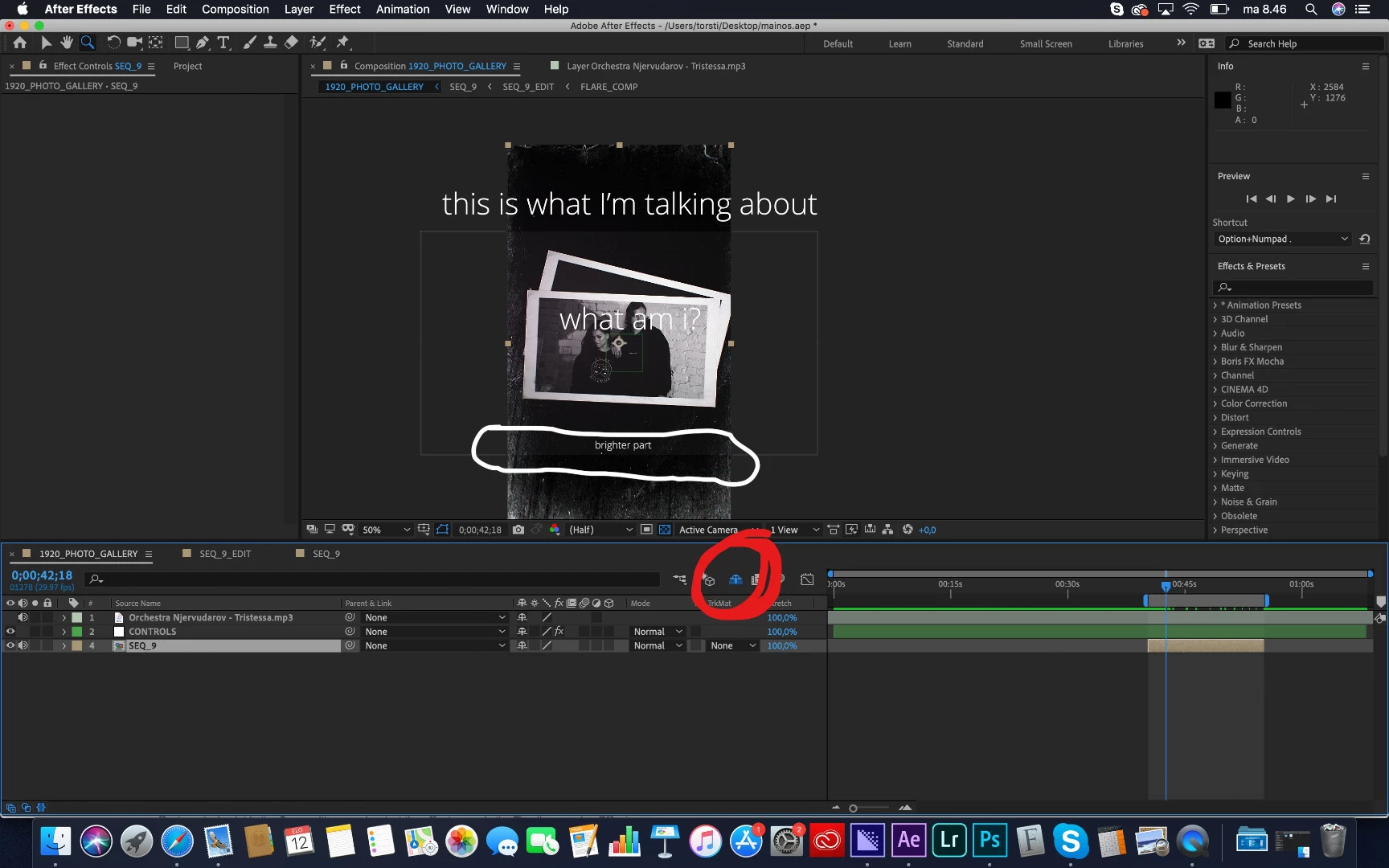
    In your first screenshot, click on the "little man hiding behind a wall" (no kidding, see the screenshot).

    This shows you the hidden layers in this comp. Now click on the "eyes" in front of every layer, until the white box disappear.

    It also could be, that the white box is some effect on the SEQ_9 composition itself. So check the effects on this comp, too.

    *Martin

    2 replies

    Participant
    August 12, 2019

    Thank you, I can't believe I forgot that button :-)

    Simple like I tought, there was an adjustment layer.

    Martin_Ritter
    Martin_RitterCorrect answer
    Legend
    August 12, 2019

    This is some effect or a layer somewhere. Nothing to worry about.

    In your first screenshot, click on the "little man hiding behind a wall" (no kidding, see the screenshot).

    This shows you the hidden layers in this comp. Now click on the "eyes" in front of every layer, until the white box disappear.

    It also could be, that the white box is some effect on the SEQ_9 composition itself. So check the effects on this comp, too.

    *Martin