Particular Physics Time Factor (With SoundKeys)
I was wondering how to make my particles get from looking like this: 
to looking like this:

in about a minute (with bass)
Point of reference: [House] - Loosid - Talisman (feat. Raycee Jones & Lyon Hart) [Monstercat Release] - YouTube
I would like my particles to look like the way they do in the video, as close as i possibly can (sidenote: I only need help with the particular and/or the soundkeys with it)

This is just one of my layers, but the rest of my layers are basically the same.
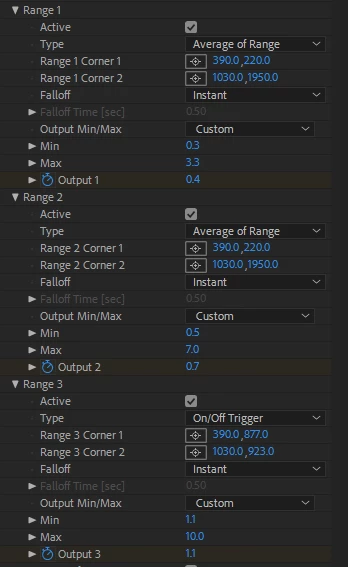
The first one is for stars and fog, the second one doesn't matter, just ignore it, and the third one is for size turbulence.
WHAT I KNOW:
- I know that what i am looking for is an expression that is attached to Physics Time Factor that also uses SoundKeys, but I don't know what said expression is.
WHAT I NEED TO KNOW:
- The expression to make my particles "start up" faster
- Turbulence settings with SoundKeys to make my particles look better
If you would like to watch a video for what my videos look like compared to "Monstercat", I have made a video at Loosid - Talisman.mp4 - Google Drive , please compare with [House] - Loosid - Talisman (feat. Raycee Jones & Lyon Hart) [Monstercat Release] - YouTube
 AdChoices