Answered
Path not showing in composition
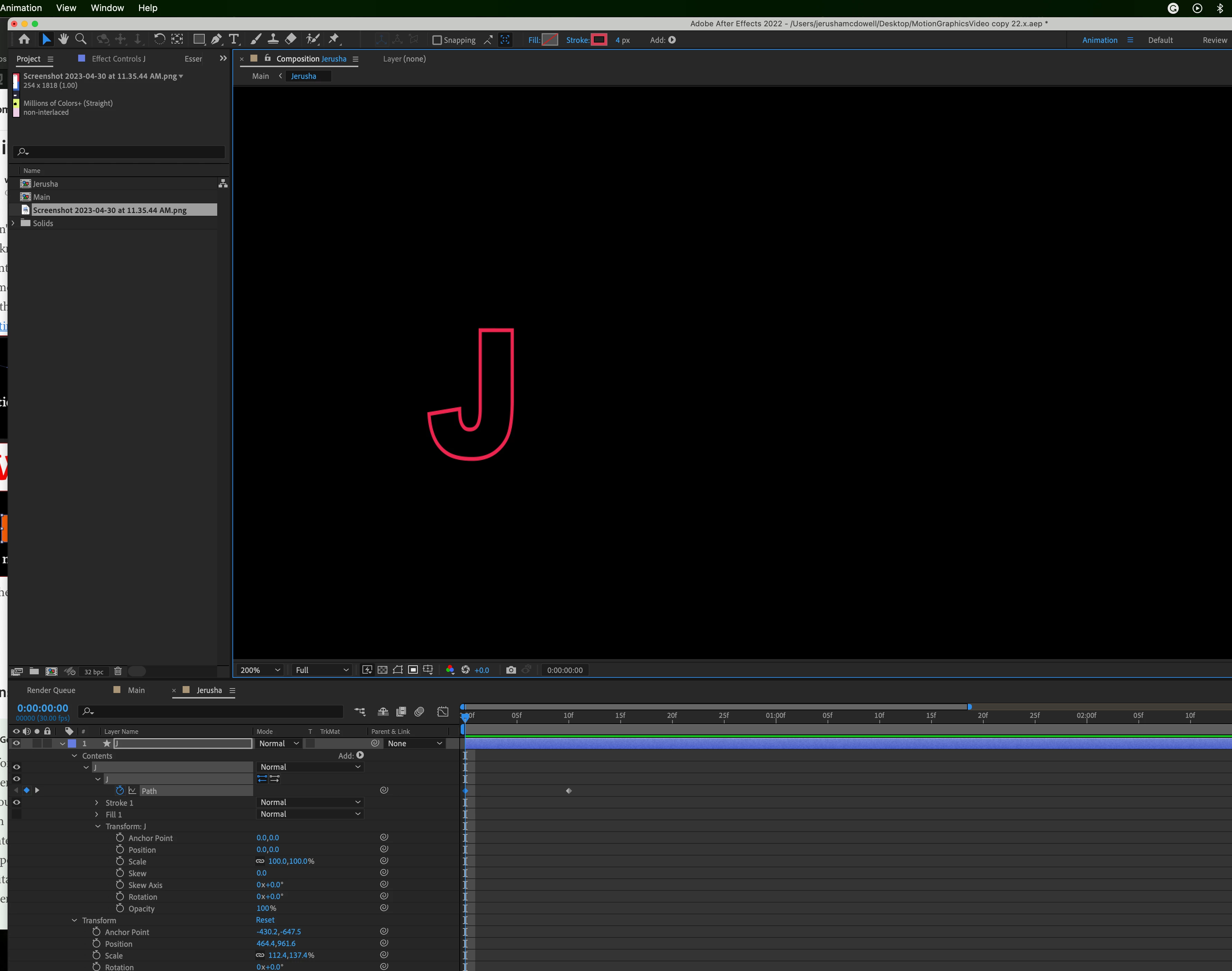
Hi everyone. I'm having a strange issue with animating a shape layer's path. I am attempting this tutorial where I am animating shape layers using the "Contents"- "Path" keyframe/editor. Below screenshot is the tutorial. When he selects the keyframe (in comp) for "I", the Blue I in the window shows these tiny points indicating that the Shape Path is selected. Whenever I select the blue keyframe for my shape layer "J" in my own project (second screenshot), there is no Path selection at all. When I do select the keyframe and then move the letter's position just the "Position" parameters change. How can I get the "Path" to be selected? I've attempted to do this in Ae 2022 and 2023 Versions. 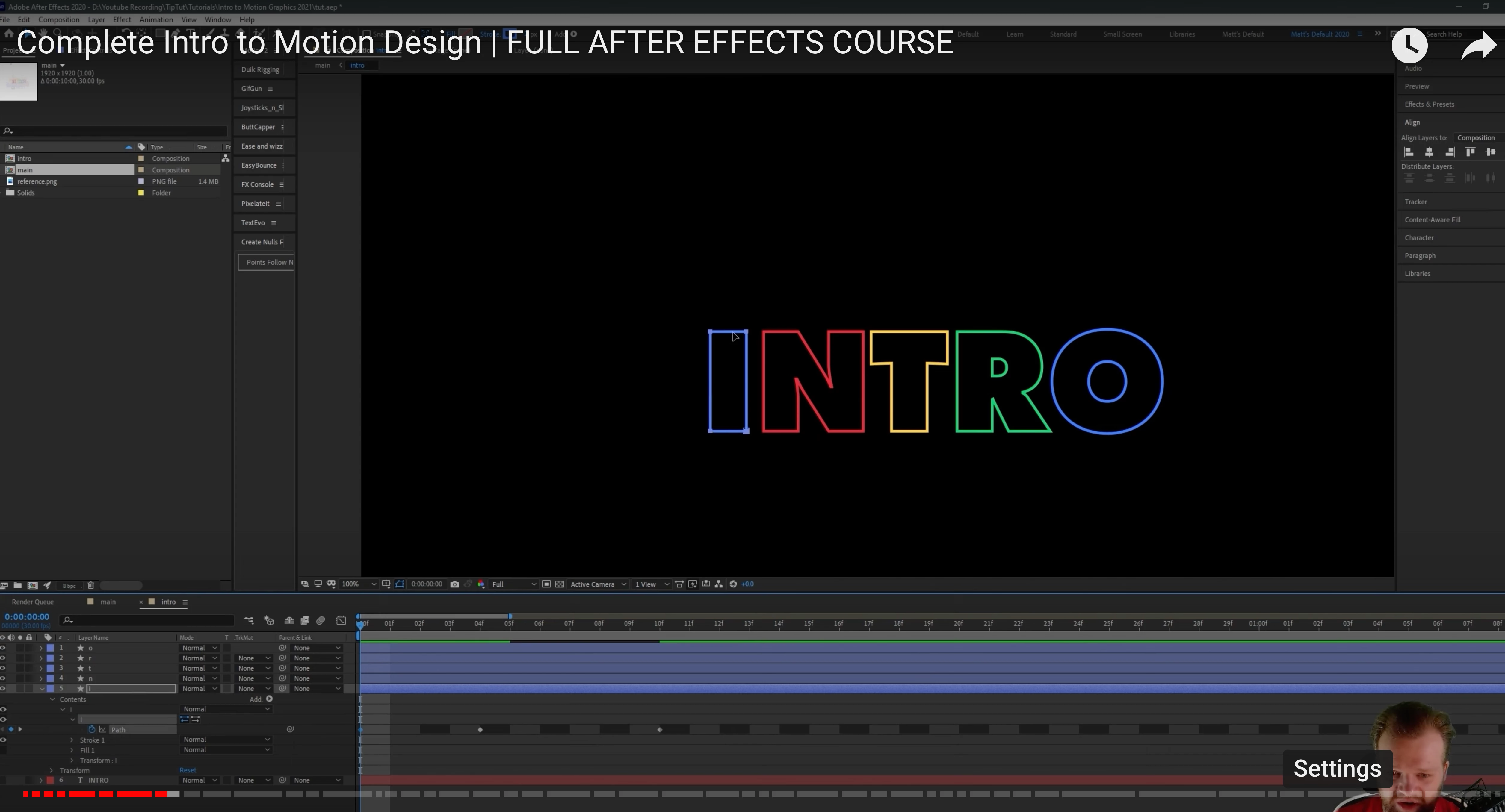
 AdChoices