Participant
March 27, 2024
Answered

Path not visible when in 3D

  • March 27, 2024
  • 1 reply
  • 791 views

Hey Community!
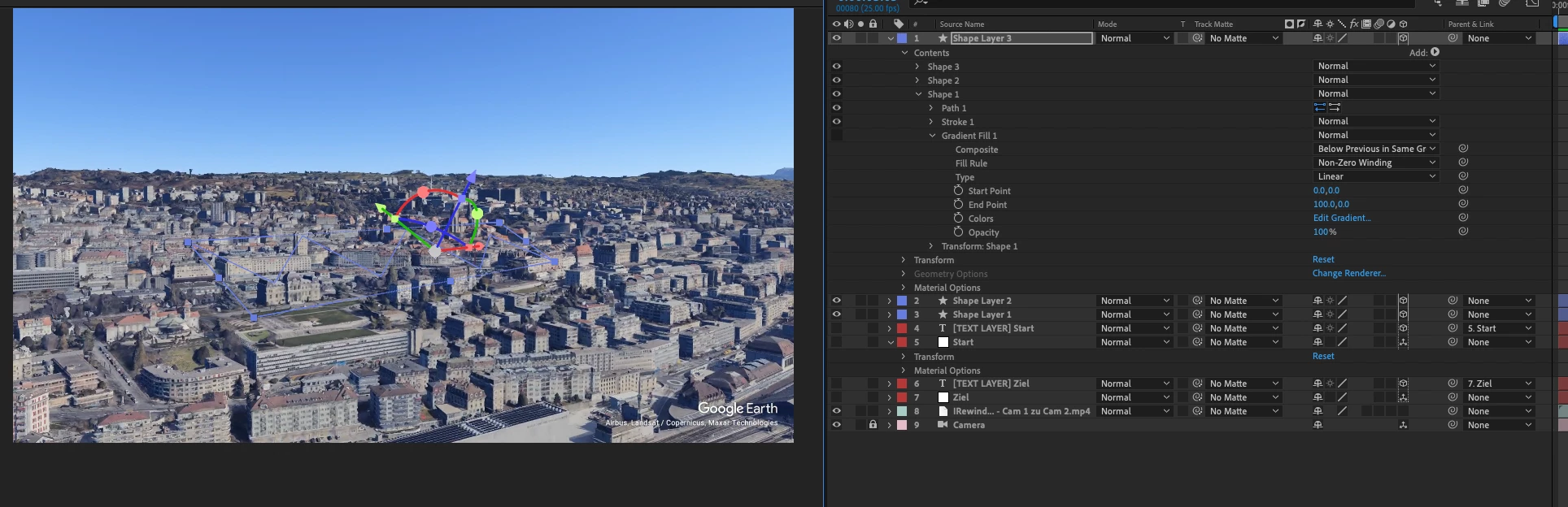
I have a comp (FullHD) with a camera and various 3D layers (null objects + parented text layers). In the background is a map animation from Google Earth Studio as a 2D layer.


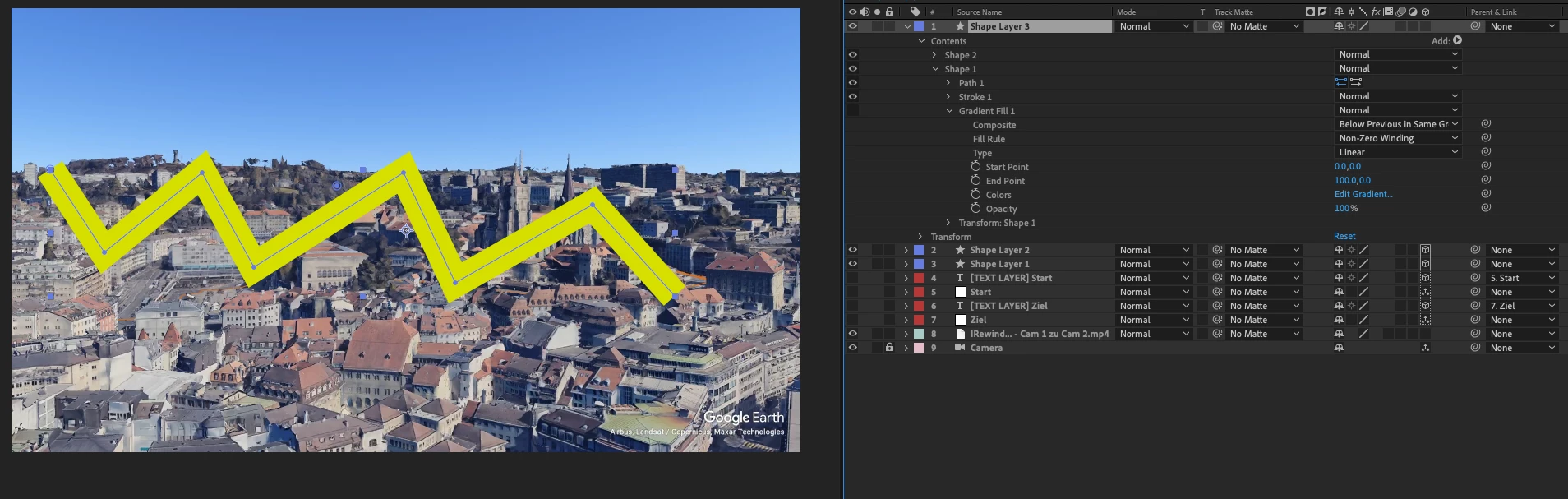
If I now want to animate a path, it is displayed as long as the layer is a 2D layer. As soon as I switch to 3D, I can still see the path (vector line), but no more fill/stroke.


Can someone give me the necessary push to find the error?


This topic has been closed for replies.
Correct answer Airweb_AE

look at this from  09:36

1 reply

Legend
March 27, 2024

I think you need to push up the Z axis, your path is probably beneath the map.

Or you need to create a track point in Google Earth Studio and parent the shape layer to the track point.


Participant
March 27, 2024

Hi Airweb_AE

Thanks for you rresponse. I tried that but the path is still visible. Also I can turn of the map layer and it just shows me the blue path line.

I use the Classic3D Renderer. There's no change on that when switching to Cinema4D either.


Airweb_AECorrect answer
Legend
March 27, 2024

look at this from  09:36